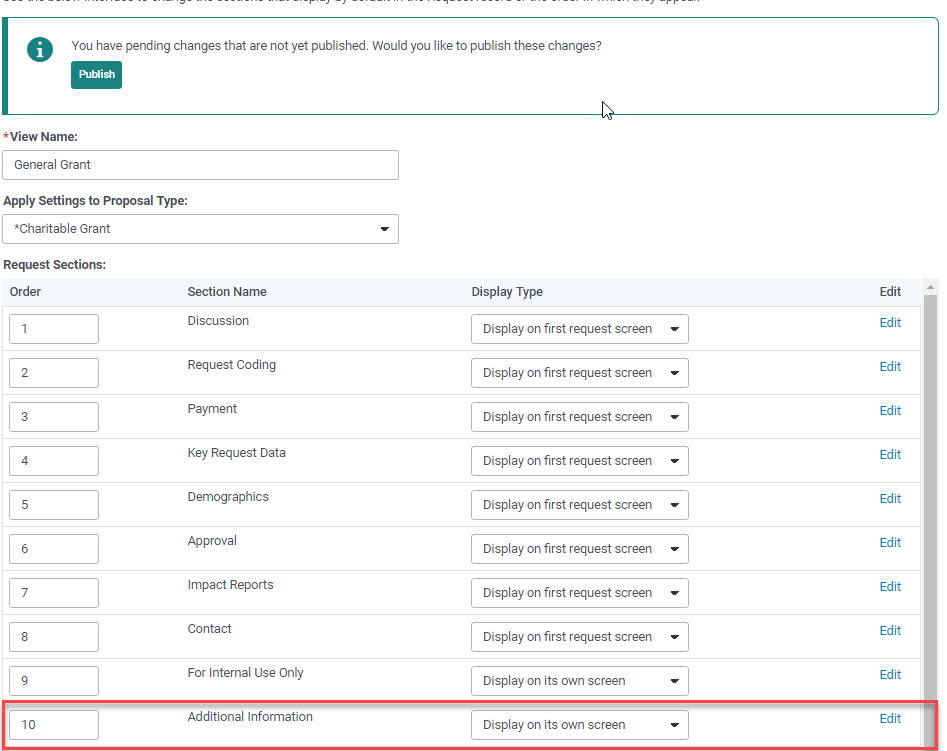
To divide your proposal into sections:
- Click on the “Add Request Section” link. You will be redirected to the “Configure Section” screen.
- Rename the section in the “Custom Section Name” field.
- Enter custom introduction text for this section (optional)
- Select a “Display Type”
- Decide if you want the “Add New Custom Fields to this Section?” If so, check the checkbox.
- Decide if you want “Include Core Request Fields in this Section?” If so, check the checkbox.
- Select the custom fields in the “Available” box, which you want to appear in this section and add them to the “In Use” box.
- Click on the “Save” button to save changes.
Once you add a new request section it will be added to the bottom of the Request Section Preferences list.