Employees can easily miss out on gift-matching opportunities for several reasons: donations may be made outside of CyberGrants, employees might not realize their donation is eligible for a match, or they may simply forget to submit the required documentation. EveryAction is integrated into the gift-matching process to help address these issues.
Who is EveryAction?
EveryAction is a cloud-based fundraising and donor management platform that supports nonprofit organizations of all sizes. The integration with EveryAction helps reduce the number of unclaimed gift matches for over 2,500 organizations.
How does this integration work?
Nonprofit organizations using EveryAction can choose to add an Employer Matching field to their donation forms. If this field is not added, it will not appear to donors.
When the field is present, donors have the opportunity to enter their work email address to check whether their employer offers a matching gift program.
What is the donor experience with this feature?
When a donor gives online to an organization using EveryAction with this feature enabled, they have the option to enter their work email address to see if their employer may match their gift.
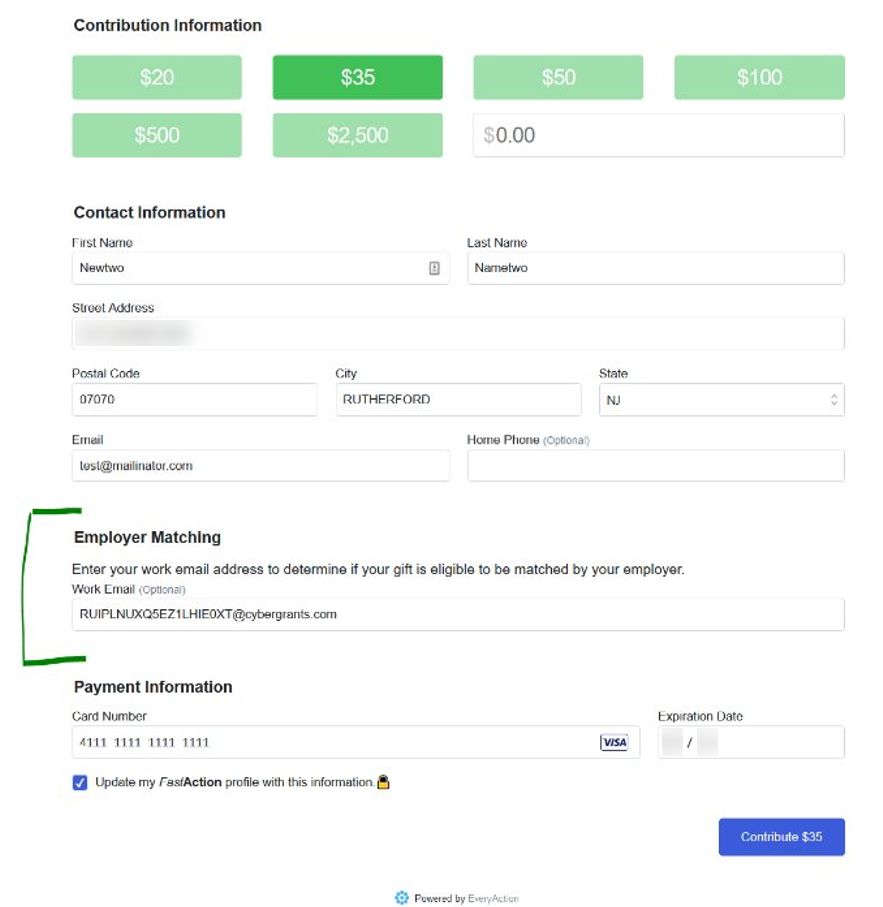
When a donor submits their donation, EveryAction checks whether their work email address matches an active donor record in CyberGrants.
- If the donor’s employer uses CyberGrants for Matching Gifts but has opted out of this feature, the donor sees a message stating that eligibility could not be determined and is encouraged to contact their employer to learn more about available matching programs.
- If the donor’s employer has a matching gift program through CyberGrants and the donor’s work email address is associated with an active donor record, the donor sees a message indicating their gift may be eligible for a match.
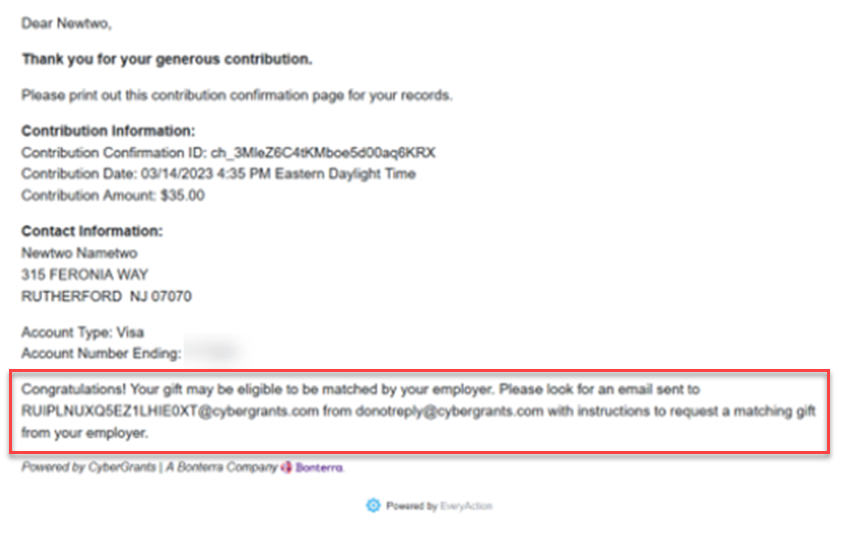
The donor also receives an email from donotreply@CyberGrants.com encouraging them to log in to CyberGrants and submit a matching gift request.
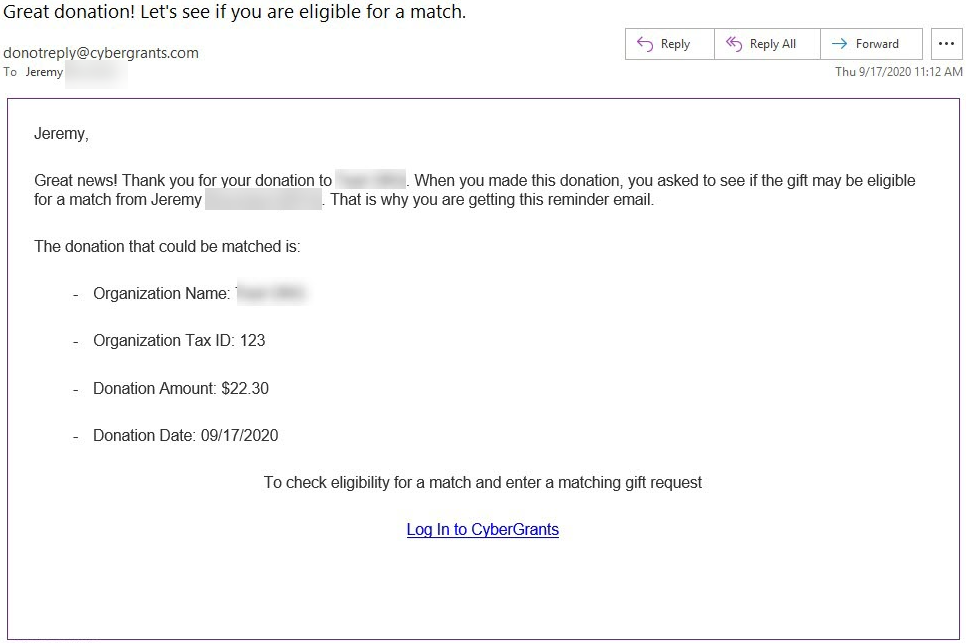
A donor can click the log-in hyperlink included in the email to be redirected to their SSO login or their appropriate CyberGrants login page, depending on how the employer is set up within CyberGrants.
How does the integration determine if the donor in EveryAction might be eligible for a match from their employer?
EveryAction only uses the work email address provided by the donor for verification, and CyberGrants will only return a confirmation to EveryAction if:
- The donor’s email address is found in an active donor record
- The active donor record belongs to an active Grantmaker
- The active Grantmaker is using CyberGrants for at least one active Employee Matching Gifts program
- The active Grantmaker chooses to use the feature
If CyberGrants confirms with EveryAction that the donor is an employee, EveryAction will provide CyberGrants with:
- The name of the organization receiving the donation
- The amount of the donation
- The date the donation was made
- The EveryAction Transaction ID
- The organization’s tax ID
- The organization’s city
Note:
- The donor’s work email address is not stored in EveryAction
- No credit card information is shared by EveryAction with CyberGrants
- No program eligibility information is shared by CyberGrants with EveryAction
How do we make sure the email is sent to the right person?
EveryAction will use the email address provided by the employee to determine if they have an active record in CyberGrants. Only employees whose employer offers a matching gift program through CyberGrants and are using this feature will receive an email.
Is there anything else I need to know?
This feature will automatically activate for clients who wish to participate. If you would like to opt out of this feature, contact your client manager.


