Non-Profit Support Areas
The Support feature allows an Administrator to activate a set of standard frequently asked questions (FAQs) and create Grantmaker-specific FAQs for external users.
FAQs must be configured in the Sandbox environment.
Click the “Support Area” link to display the standard FAQs. Active FAQs are denoted by a green
dot. All active FAQs (standard and Grantmaker specific) display when a nonprofit user clicks the
“Need Support” link in the online application.
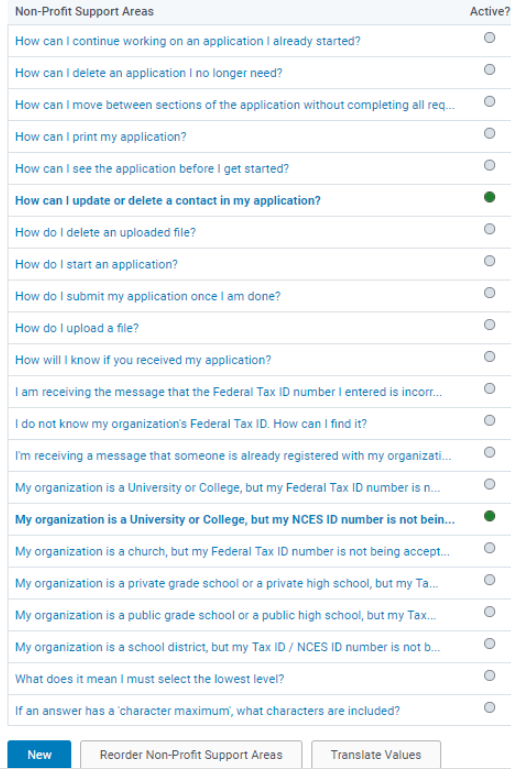
To activate or modify a question/answer, click the question link and load it into a form where it is
modifiable. Click the “Active” checkbox to activate the question/answer. Modify the wording if appropriate. Determine if a question is associated with a specific proposal type or retain the “Default” option and display the question for all proposal types. The textbox entitled “Support Recipient E-mail” directs a question to a specific person whose e-mail address is entered.
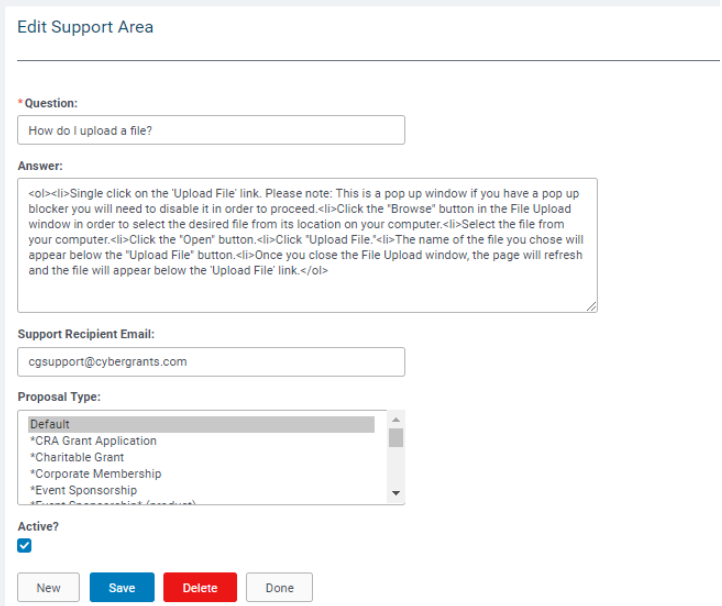
To use “Support Recipient E-mail”:
- Enter an e-mail address in the “Support Recipient E-mail” text box.
- Remove the information in the Answer: field.
When a Grantseeker clicks on the question, a support box form displays. The Grantseeker fills out the form and submits it. The question is sent to the e-mail address in the “Support Recipient Email” text box. Therefore, an answer will not display
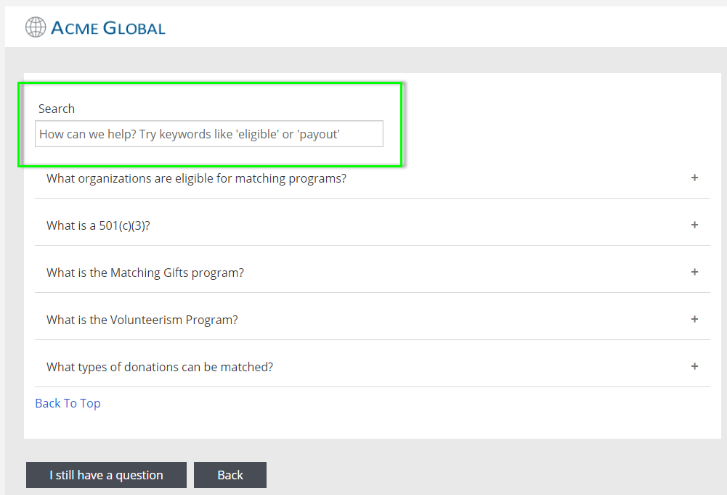
New Search Functionality
FAQ content is now searchable natively within the FAQ application so users can find the appropriate content more easily.
Looking for training?
Explore this feature at your own pace - access training video content or watch a recorded webinar by clicking the link below.


