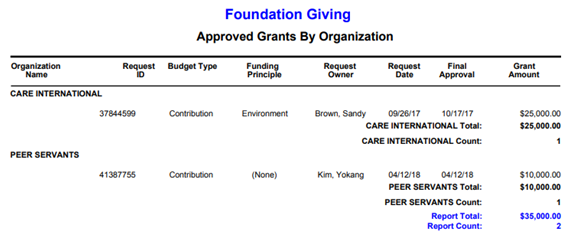
Standard Reports are the suite of pre-defined reports that are included in the CyberGrants system. All Grantmakers with access to Reports can run the Standard Reports. Users can limit the data that is displayed when running standard reports with the use of filters. Standard reports have a defined set of formats and set of fields. Additional filters can be added to the standard reports. Previews of all reports are available.
Steps to Run a Standard Report
- Click on the name of the standard report
- Select the filters
- Select a format
- Run report
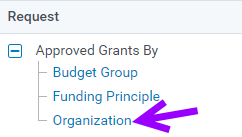
Step 1 – Click on the name of the report from the report library
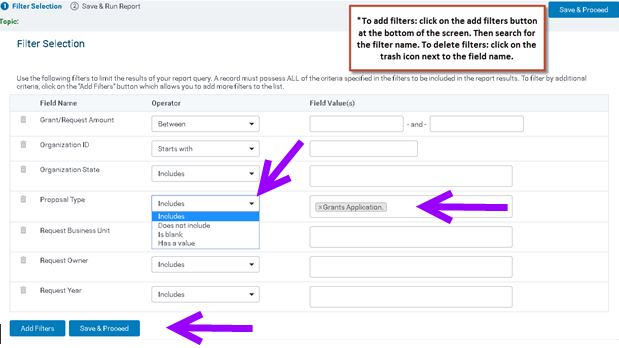
Step 2 – Select the filters, and then click Save and Proceed
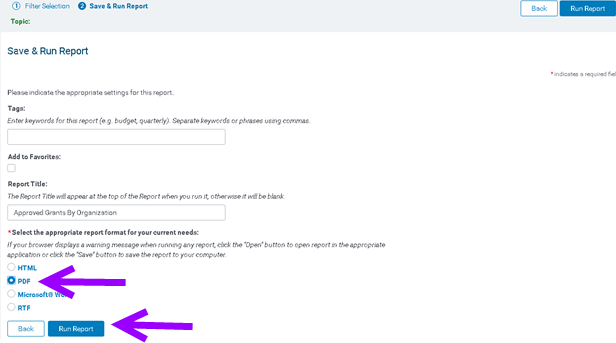
Step 3 – Select Report Format and then click on Run Report (optional to add a tag, add as a favorite and/or change the report title)
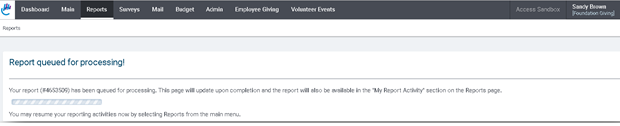
Step 4 – Report will be queued and will display Open the Report once completed. Click on Open the Report to access the report. Helpful Tip: The user can also access the report from My Report Activity.

Sample Approved Grants Report