The Organization Profile allows administrators to request organizations to update their profiles without having to submit a full application. Organization Profiles are essential when asking organizations to update their banking information to receive ACH payment types.
To create an Organization Profile:
- View the Admin tab.
- Under the Organization Management section, click the Organization Profiles hyperlink.
- Under the Organization Profiles section, click the New button. The Organization Profile Types page is displayed.
- Configure settings as needed. The following settings are required:
- Organization Profile Type Name field
- Language dropdown menu
- Organization Profile Type Review Screen Header Text field
- Organization Profile Type Review Screen Instructions field
-
- Organization Profile Type Submission Screen Instructions field
-
- Organization Profile Type Previously Submitted Screen Instructions field
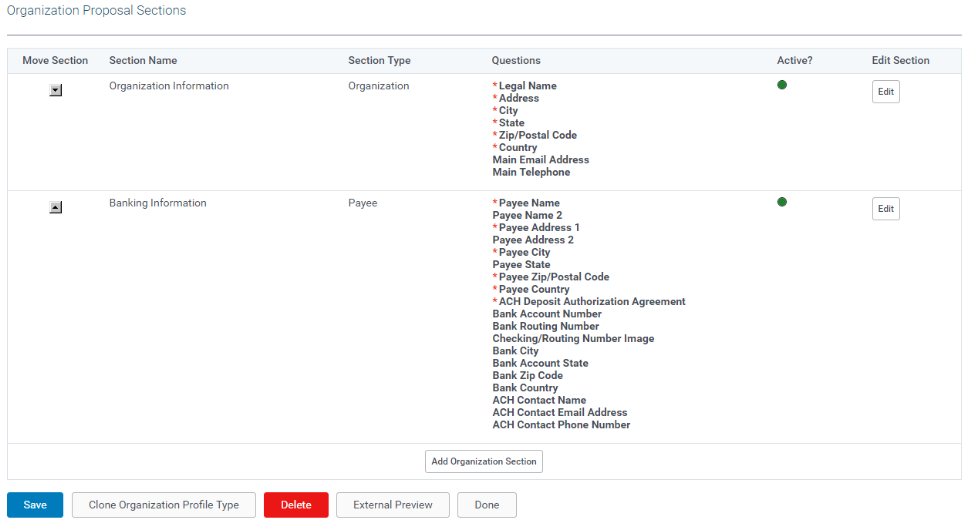
- Click the Save button. The Organization Proposal Sections table will display.
- Click the Organization Section or Payee Section buttons to add information.
- Click the Save button to save new additions.
- Click the Done button to return to the Organization Profiles section.