Within the Organization record, if payments records have been created, the link, "Payee Detail" will display. Administrators can now access payee information before a request or payment has been created.
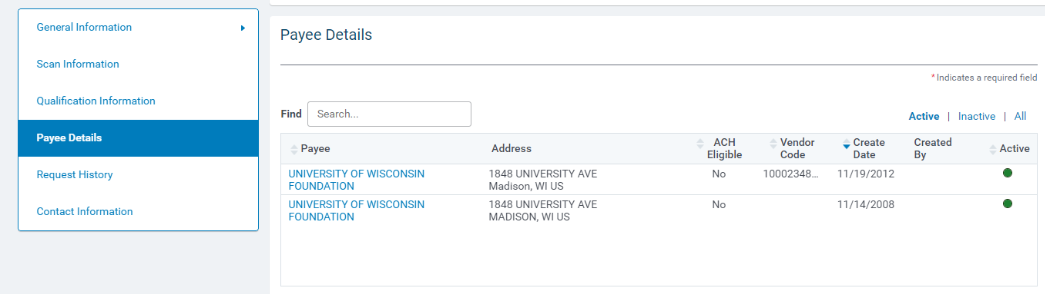
The new Payee Details section gives users convenient access to payees on the internal organization record. All payees are consolidated in this location where the display is active items by default. To find a payee, search by keyword, sort by columns, or toggle between active and inactive records. Once you have located the correct payee just click on its name to load its full details in a new window.
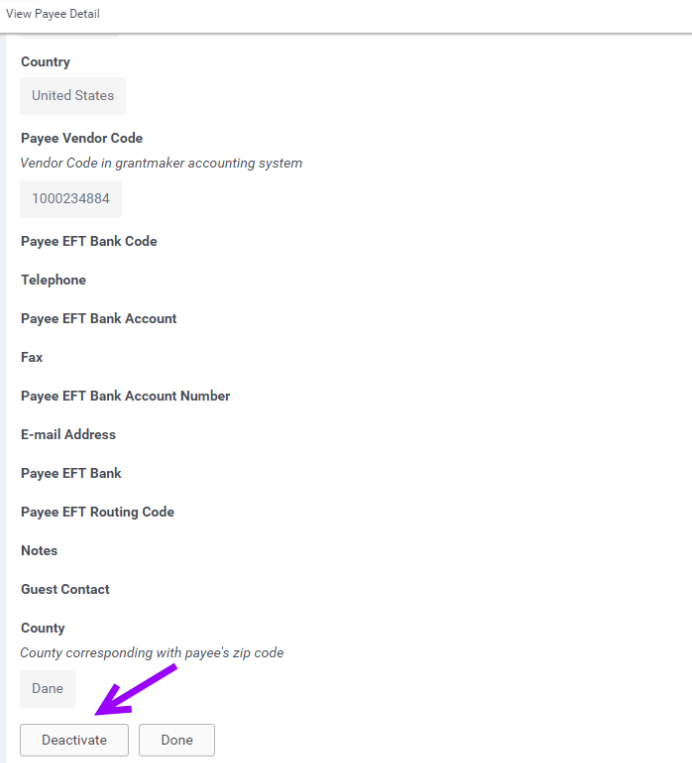
On the detail page the user has the ability to deactivate the payee and/or confirm details of the record.
Internal Payee Management – Bulk Reassignment
When it becomes time to take a payee out of circulation, you’re going to want to make sure that doing so won’t interrupt any payments that are still relying upon it in your disbursement pipeline. Our latest update gives all users the ability to view the potential impact of deactivation by looking at the number in the new “Current Requests” column.
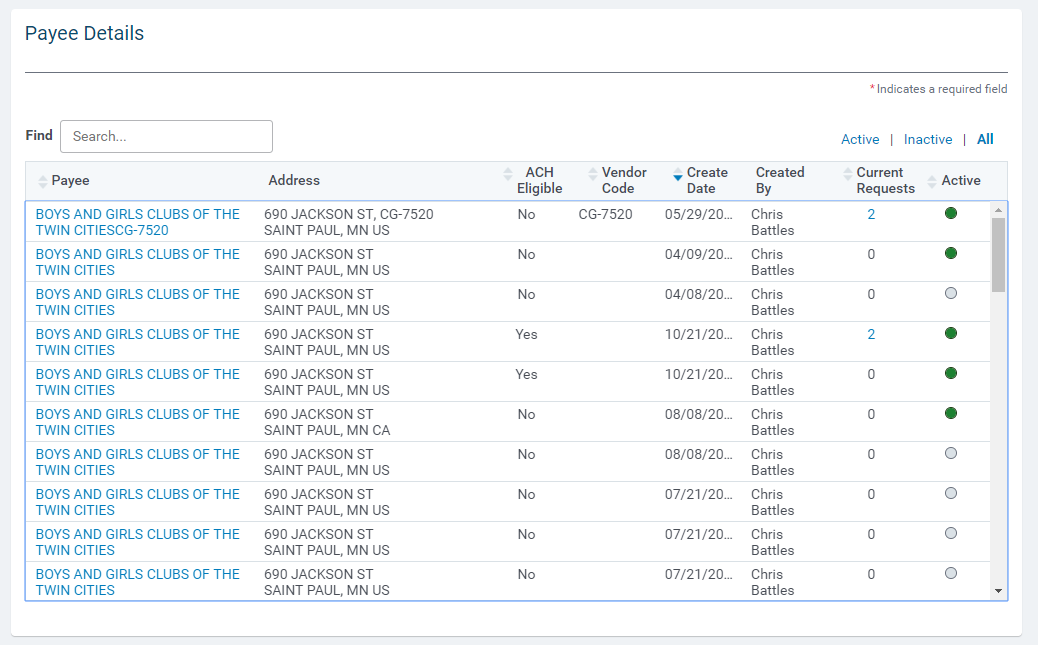
Internal payee management – admin view
If the user is an Administrator, the number in the Current Requests column is a clickable link. Clicking the link launches a window where they can view all outstanding requests that are relying upon that payee, choose those that they want to reassign, and then select an alternate. Extra tools have been provided to help them find those that are ACH/Wire eligible and controls make ensure the payee is eligible for any outstanding electronic payments when necessary.
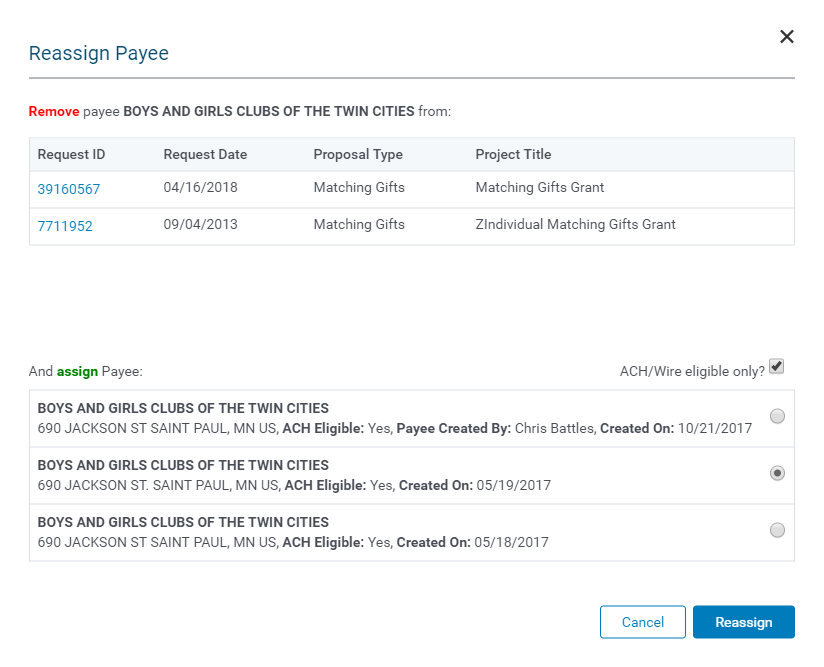
Reassign payees – selection screen


