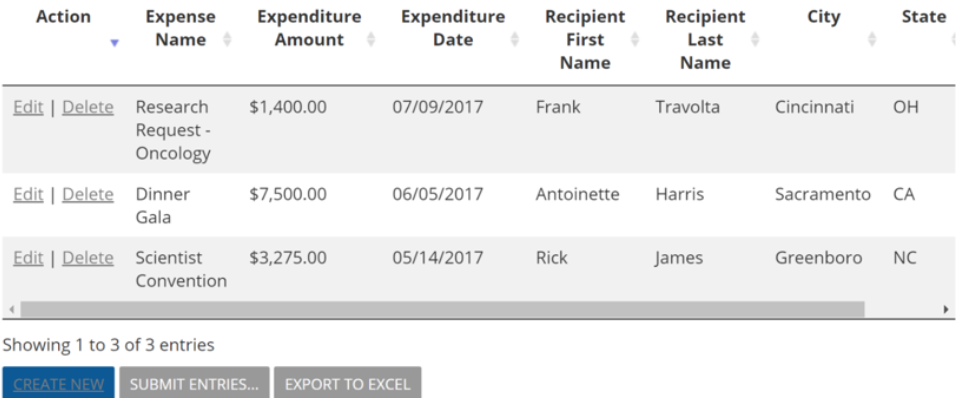
Often called “Transparency Reporting” the Sunshine Act seeks to introduce a clear line of sight on payments from Biopharmaceutical companies to healthcare professionals (HCP’s) and the schools that they attend Direct Payments (from biopharma to HCP)
All grantmaking that results in direct or indirect payments to HCP’s will require detailed accounting of each transaction, by HCP
- Reporting on these payments needs to be done by the grantseeker after the payments have been made
- Critical Data Components
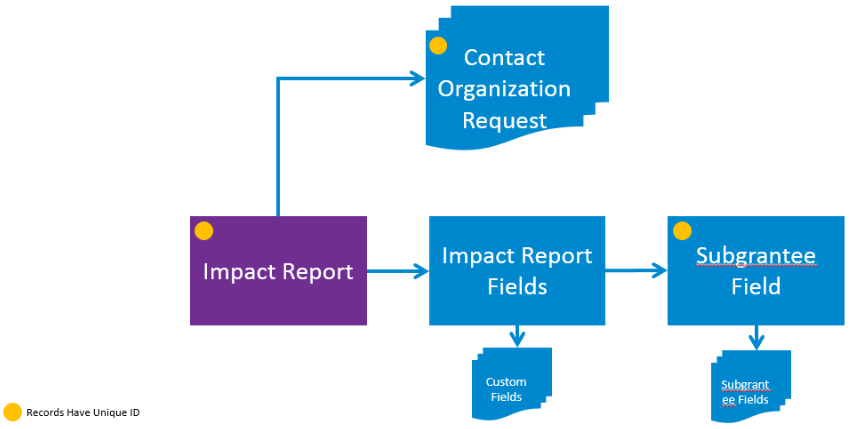
- Unique Grant ID (Request ID)
- Unique Transparency Report ID (Impact Report ID)
- Unique Transparency Report Transaction ID (SubGrantee ID)
- Unique Physician ID (From CMS)
- Payment Amount
- Type of Payment
- ~ 45 other data elements, 20 of which are optional
- The only means to capture this data is a specialized impact report called Subgrantee
Subgrantee Impact Report Field
The Subgrantee impact report field enables the use of +50 standard fields that are designed for subgrantee reporting.
Data can be submitted on a transactional basis for subgrantee fields
Setting Up Subgrantee Fields
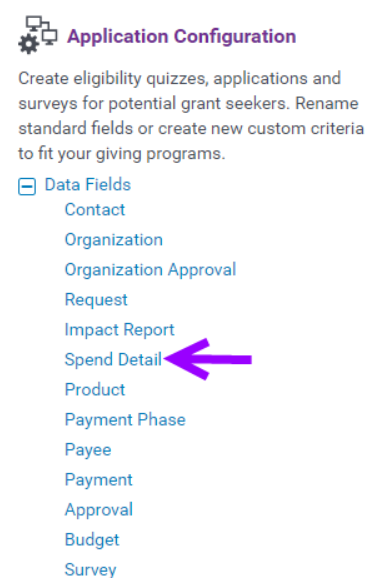
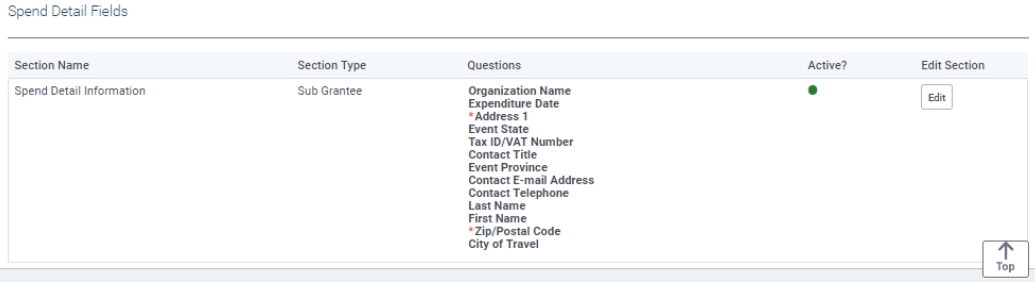
- Activate and name your standard “Spend Detail” fields accordingly
- Create a “Spend Detail Listing” Impact Report custom field
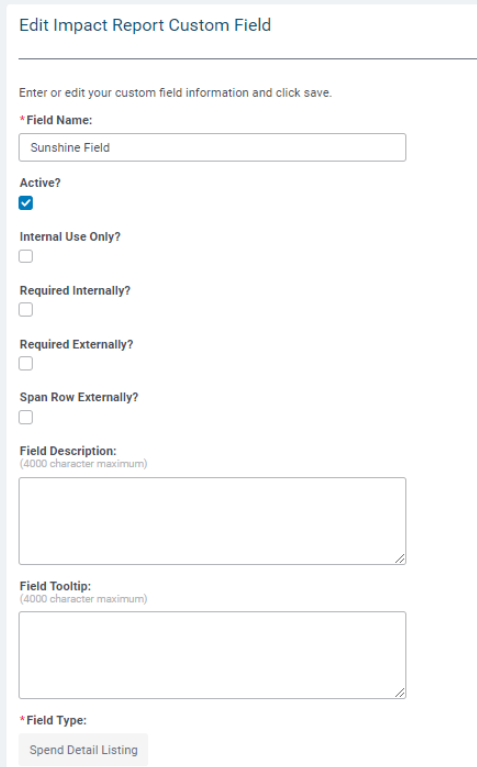
- Insert your Spend Detail Listing custom field into your Impact Report
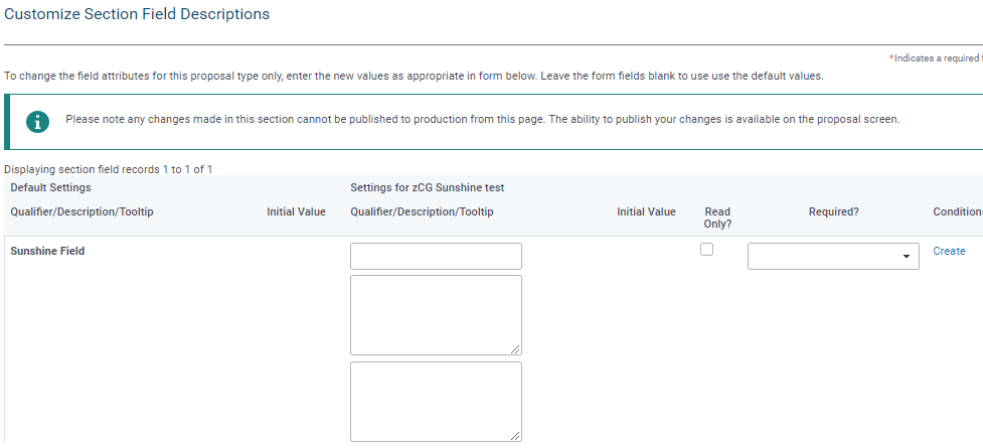
- Configure your Spend Detail Fields in the Spend Detail Section
Submission of Subgrantee Records
- Submitting subgrantee records is similar to submitting expense lines in an expense report
- Records can be submitted ad-hoc, or altogether depending on the needs of the grantseeker
- Grantmakers will only have access to data that has been submitted