Creating a Request Snapshot allows users to manually take versions or "snaps" of their requests as they move through their grant lifecycle. If the user has the ability to edit the request they can also take a snapshot and then compare the different versions in an easy-to-interpret, side-by-side interface. CyberGrants will highlight what has changed between the versions including copy changes in paragraph fields, new files that are attached to the request, and even the addition of new application questions or changes in their wording since the prior snapshot.
- Tracks versions for all qualifiers & responses to all request fields-Organization Payment, Payee, Approval, and Impact Report not tracked
- Complements –but does not replace – audit trail capability
- Snapshot also includes the date, description, and user details
- Versions displayed in side-by-side layout; changes highlighted for easy comparison
- Enforces field level security-Even if you can’t see it, the field is included in snapshot-When you view the snapshot you only see what you’re allowed to
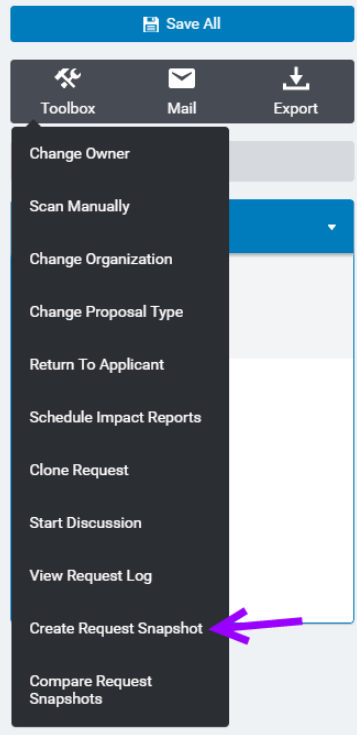
Within the request record toolbox, select "Create Request Snapshot"
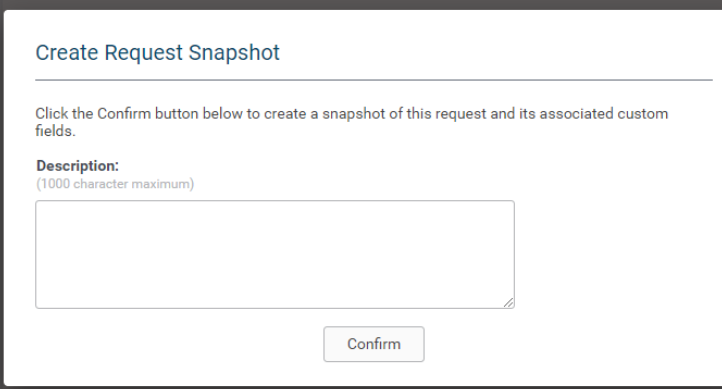
Enter a description and click "Confirm."
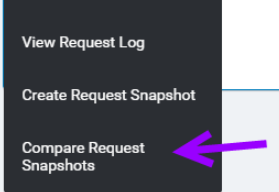
To view and compare the snapshots, click "Compare Request Snapshots."
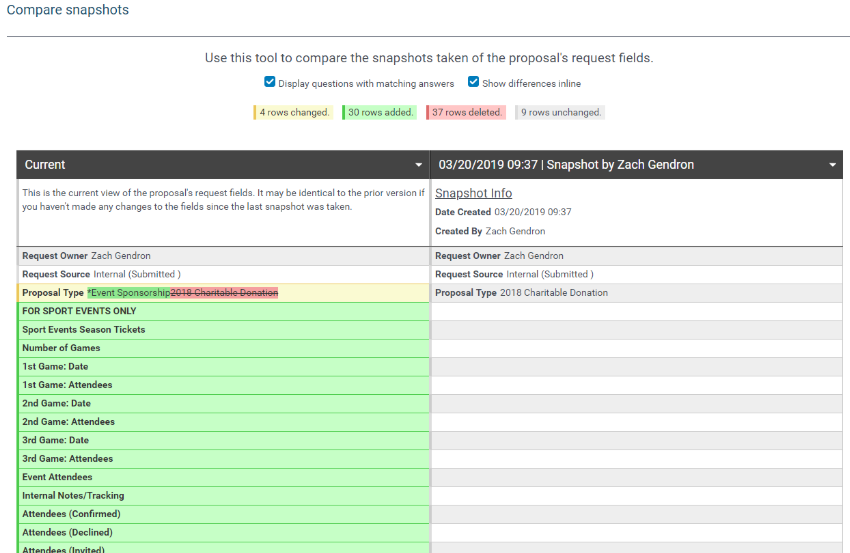
A side-by-side display with highlighted changes between the versions is displayed.