CyberGrants' impact report approval workflow capability guarantees that the right people have reviewed the submitted progress reports and have signed off on them in the correct order.
Impact Reports have a similar set of approval workflow capabilities to request workflows - including allowing for multiple approval steps, allowing for auto-approval, and other action types. The approval workflow will also respect the current Approval Step Visibility configuration for the proposal type, limiting which internal users can see other approval steps.
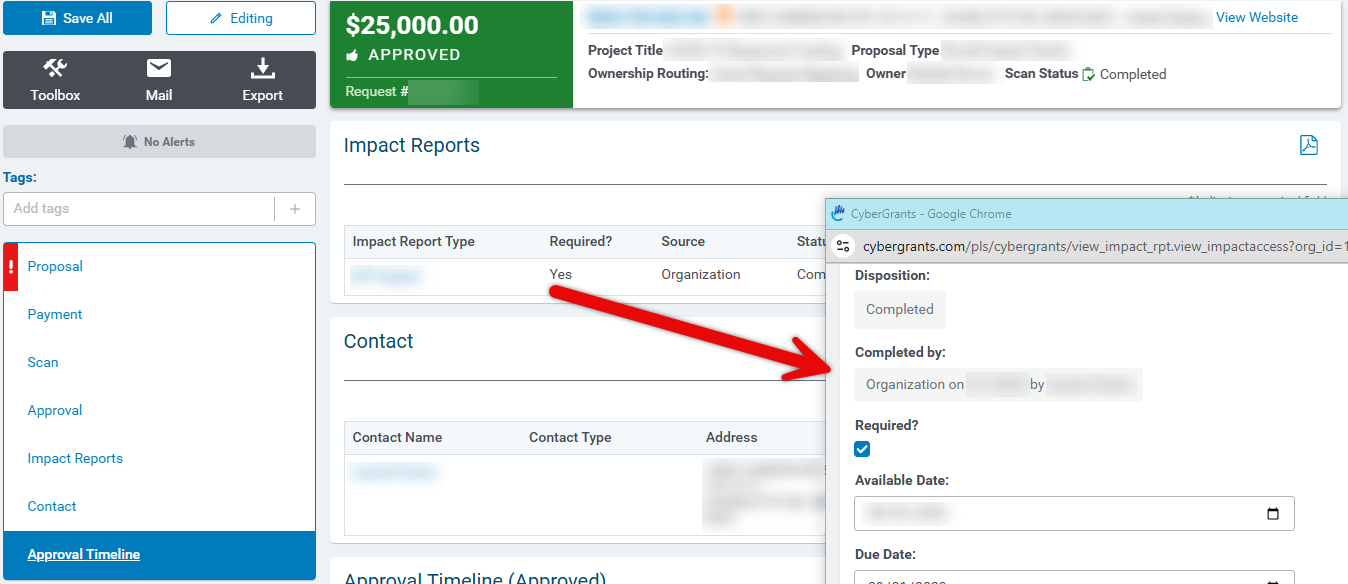
The approval workflow is accessible when viewing the impact report. For clients that don’t add an approval process, once an organization has submitted their Impact Report, the current "Completed" is still the end state for impact reports. Returning to an applicant will also continue to work as today. While in the approval process, the Impact Report will have a disposition of Reviewing.
Permissions
Ability to configure rules is controlled by the permission Impact Report Approval Rules -Account Setup > Ability to edit Impact Report approval rules
Impact Report Approval Rule Configuration
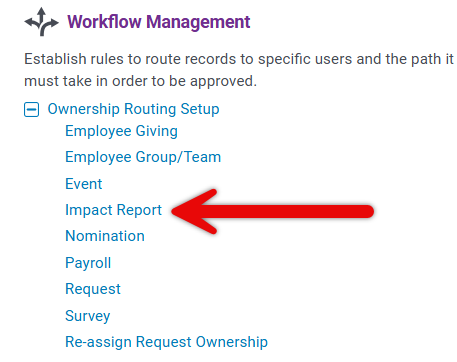
Like other CyberGrants approval rules, the configuration for Impact Report Approval Rules can be found in Admin > Approval Setup > Impact Report, and approval custom fields can be added as needed.
Create Approval Type Setup
- Admin > Workflow Management > Approval Setup > Approval Types
- Create New Approval Type
- Give Approval Type a name
- Type Action
- Apply to Authorized Users
- Save
Create Approval Rule
- Admin > Workflow Management > Approval Setup > Impact Report
- Create New Approval Rule
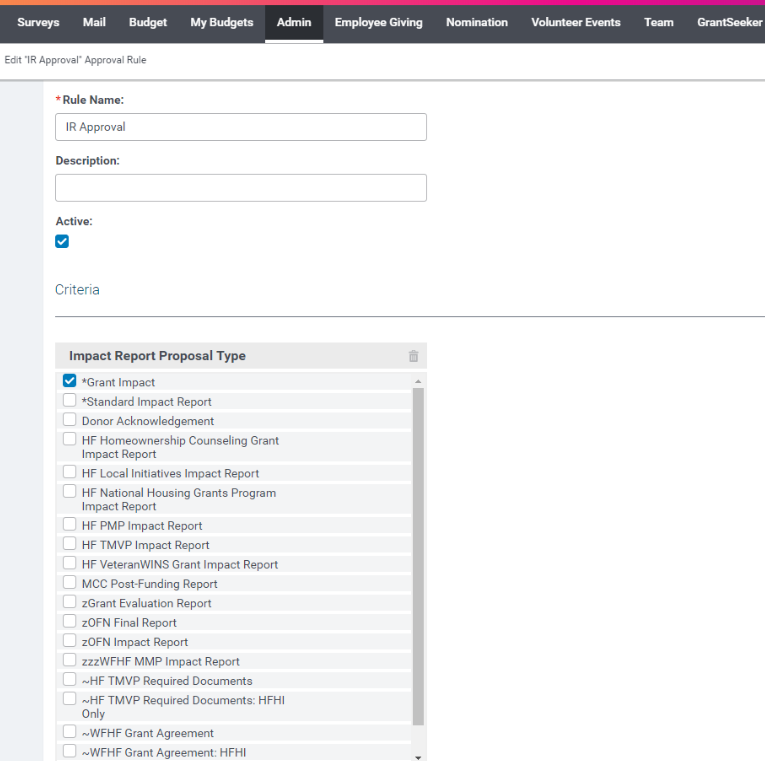
- Name Approval Rule
- Make it active
- Setup Criteria
- Setup Workflow and select Approval Types from Previous Step
Email Events & Reminders
Enable the following Email Events:
- Impact Report Approved to Owner(s) (31): E-mail sent to request and impact report owner upon impact report final approval
- Impact Report Approved to Organization (32): E-mail sent to non-profit upon final impact report approval
- Impact Report Pending Approval (33): E-mail sent to the internal user once an impact report is awaiting their approval
- Impact Report Rejected to Owner(s) (34): E-mail sent to request and impact owner upon impact report final rejection
- Impact Report Rejected to Organization (35): E-mail sent to non-profit upon impact report rejection
Enable the following Reminders:
- Impact Report Still Pending Approval (203): E-mail to impact report owner and/or request owner if different indicating that an impact report is still in the approval process
- Impact Report Still Pending Your Approval (204): E-mail to approver indicating that an impact report is still pending their input


