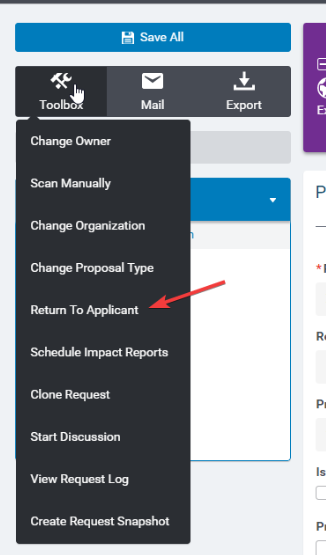
In the request toolbox, select "Return to Applicant."
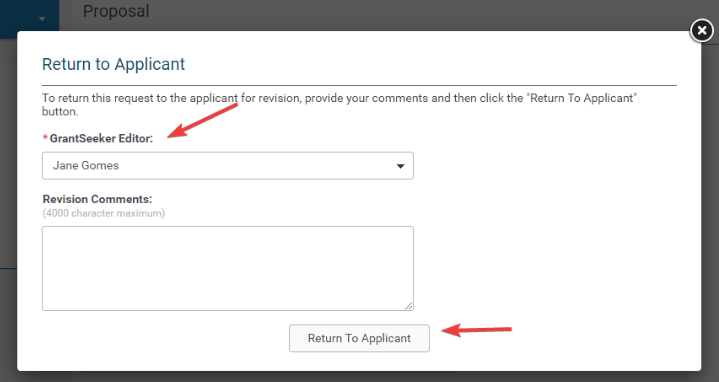
A pop-up window will open with the ability to select the grantseeker it should be returned to and a text box to provide revision comments.
Important!
- The user must have the permission "Ability to return requests to applicant, regardless of request ownership" as part of their user role, if they are not the owner of the request. Once the request has been submitted into the approval process, the Approval step must have "Allow User to return to applicant?"
- Reviewers with the appropriate permissions can return a request to the applicant from either an active or a completed approval step. This allows for greater flexibility in managing approvals and supports real-world review scenarios where additional applicant input may be required after an approval step has already been completed.


