The Batch Actions dropdown menu is available for search results on the Main tab, providing Admins with the ability to perform Batching processes for multiple requests (see Figure 1).
Note: Only users with these permissions will have access to this function.

Figure 1 The Batch Actions dropdown menu in the Search Results panel on the Main tab
Batch Actions
The Batch Actions dropdown menu provides several options related to performing actions in bulk (see Figure 2). Requests can be bulked by project title, ID, disposition, amount, and organization name. Selecting more than one filter will not display the request twice while performing a bulk action.
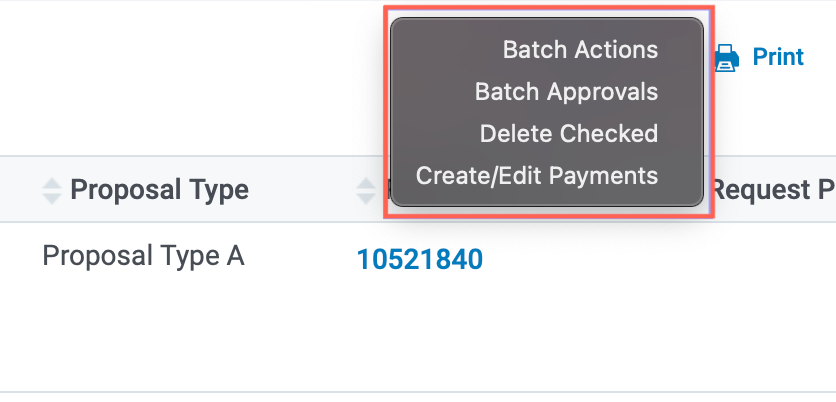
Figure 2 The Batch Actions dropdown menu and its available options
Batch Approvals
You can approve multiple requests by selecting the checkbox that corresponds to the requested amount and selecting Batch Approvals from the Batch Actions dropdown menu.
Delete Checked
You can delete multiple organizations and Request Records from your database by selecting the checkbox that corresponds with the organization name or the requested amount by selecting Delete Checked from the Batch Actions dropdown menu.
When an organization or Request Record is deleted, associated payments, contacts, and letters are also deleted.
Note: All GrantSeeker information associated with an Organization Record must be deleted before the Administrator can delete the Organization Record and its associated records.
Create/Edit Payments
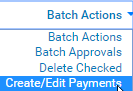
You can create or multiple payments by selecting the checkbox that corresponds with the requested amount and selecting Create/Edit Payments from the Batch Actions dropdown menu.
Note: Quid Pro Quo payments may not be created or edited from within the Create/Edit Payment functionality.


