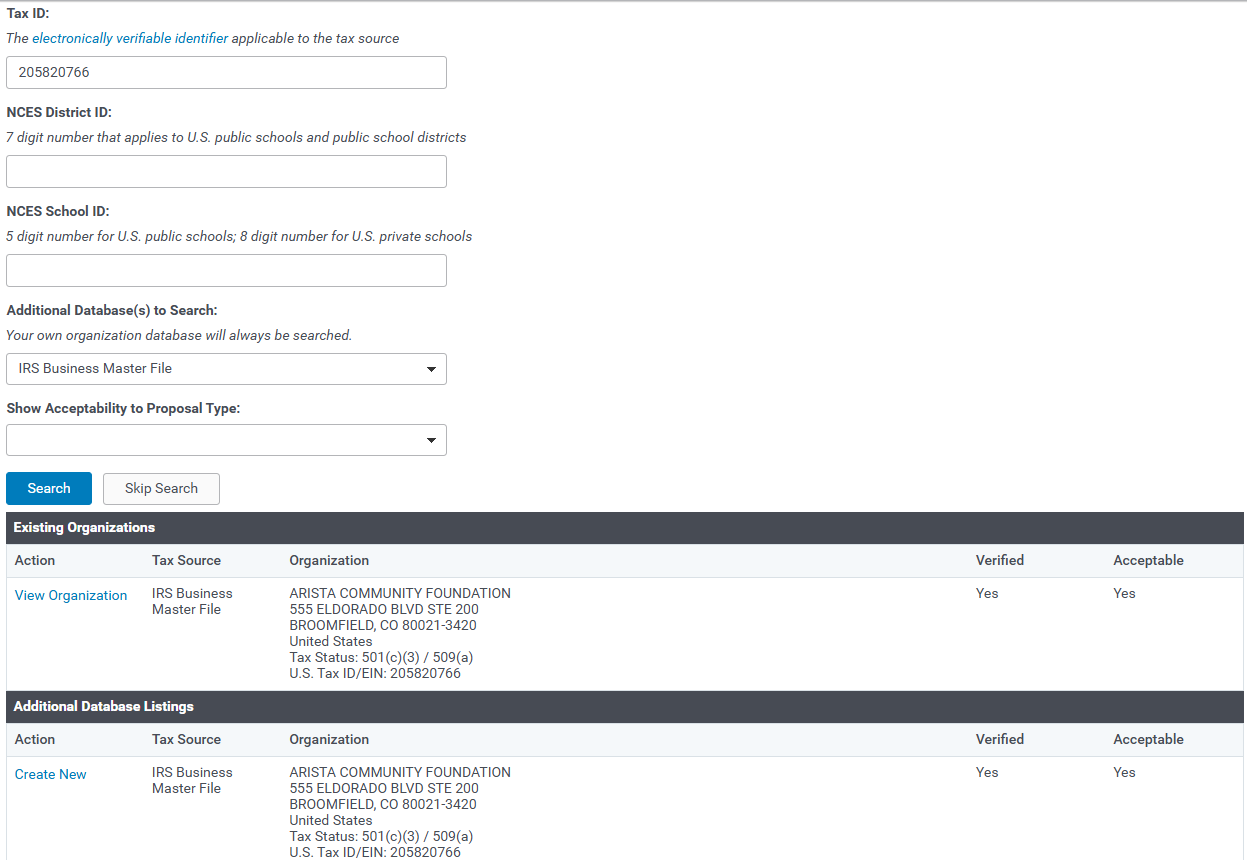
When searching for organizations, use as much specific information as possible to narrow down your results to a specific organization. Using a unique identifier such as a tax ID number or NCES ID number is recommended. Once you have performed your search, you may see the existing organizations portlet if any organizations are already registered in the database. In the example below, keyword and tax ID fields are searched. One existing record is in the system:
IRS Database
The Tax ID value is checked against the IRS Master Business File. Enter a Tax ID as 9 digits or in the format nn-nnnnnnn in which each n is a digit. If the Tax ID is not found, a message displays to indicate “No organizations matching the search criteria you specified were found”. A user may call the IRS at 1- 877-829-5500 and refer to the Business Master File to inquire about the organization’s tax status.
NCES Database
The NCES District ID or NCES School ID value is checked against a database derived from the National Center for Education Statistics (NCES) which contains information regarding all public schools, school districts, and private schools in the United States. The NCES School ID for a public school is a combination of the District ID (first 7 digits) and the School ID (last 5 digits) respectively, with no spaces between the two IDs. Private Schools are identified by a School ID (eight digits).
Charity Commission Database
The Charity Commission Table contains Charity IDs from organizations from England and Wales. The GrantMaker’s existing organizations are also searched. If the Organization is found, the legal name and address of the organization appears within the “Existing Organizations” or “IRS Business Master and Charity Commission File Listings”.
Canada Revenue Agency
The Canada Revenue Agency (CRA) registers qualifying organizations as charities, gives technical advice on operating a charity, and handles audit and compliance activities. Registered charities are required to file an annual information return with the CRA, a portion of which is available to the public, and must meet certain requirements of the Income Tax Act concerning their expenditures and activities. http://www.cra-arc.gc.ca
Australian Business Register
The Australian Business Register (ABR) is managed by the Australian Taxation Office (ATO). It records the information provided by businesses when they register for an Australian Business Number (ABN). http://www.abr.business.gov.au
Column Headers
- Select – displays either a “View organization” or “Create New” link beside the organization found in the search. If the organization already exists in the CyberGrants database, the user will see a “Select” link. If the organization does not already exist in the CyberGrants database, the user will see a “Create New” link.
- Organization – displays the organization’s legal name and address, Tax Status, and Tax ID/NCES ID.
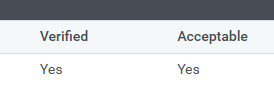
- Verified - An organization will have a YES if the organization has a valid Tax ID or NCES ID. A NO appears if the organization’s Tax ID or NCES ID could not be verified in the IRS Master Business File or NCES file.
- Acceptable – An organization will have a YES if the organization meets the GrantMaker’s tax status criteria. A NO appears if the organization does not meet the GrantMaker's tax status criteria.
Column Links
- “View Organization” link – To open the Organization Record that already exists in your database, click on the link on the left. The Organization Record is pre-filled with information that has already been entered.
- “Create New” link – To create a new Organization Record, click on the “Create New” link. The Organization Record is pre-filled with the legal information from whatever tax source is being
used.



