Employee Giving Proposal Type > Donor Setup > Organization Search > Organization Card List Configuration
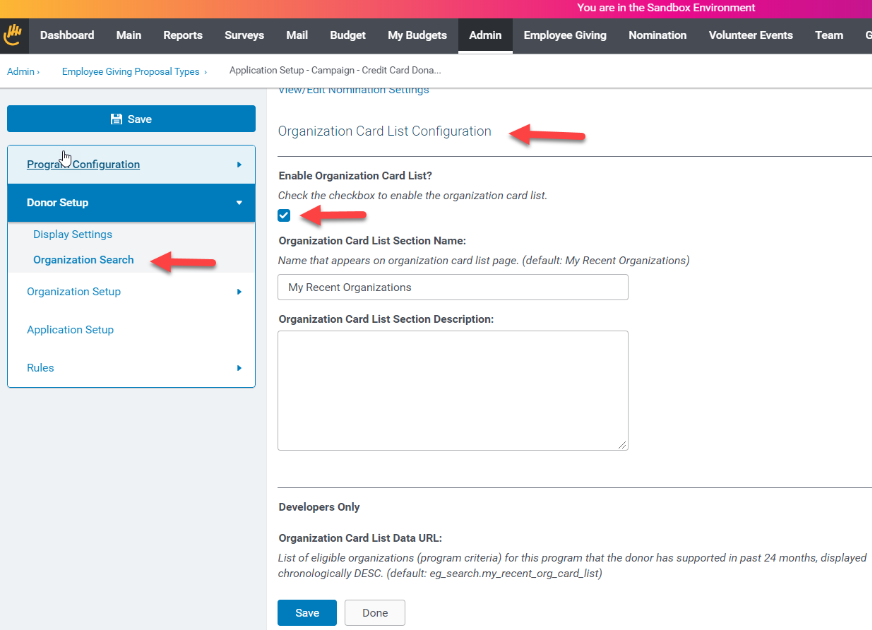
Enable Organization Card List: Check to include in any Proposal Type this should be displayed in.
Organization Card List Section Name: Change from the default of “My Recent Organizations”
Organization Card List Section Description: Optionally provide supporting text regarding this list
Organization Card List Data URL: If you would like to have a special list added, a TSD custom list can be designed and added to the program.
Once activated, the standard card list - My Recent Organizations - will show all organizations that the employee has supported in the past 24 months across all programs. The organizations they supported most recently will appear first using the create date for gifts and events and activation date for payroll pledges. If a recent organization happens to not be eligible for the current program – i.e. it would automatically display with a “Select” option in search results - then it is not displayed in the card list. We display four cards by default with the option to view more by clicking a link.
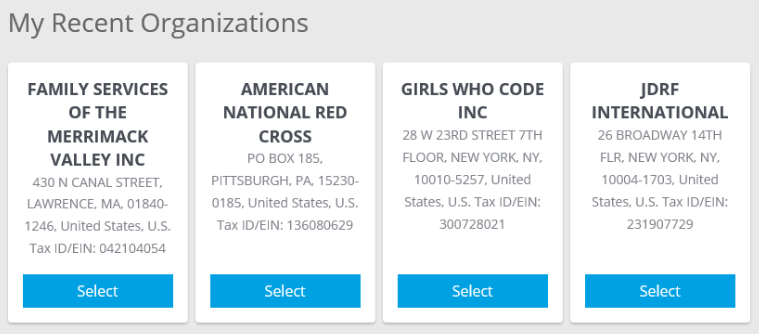
My Recent Organization search cards
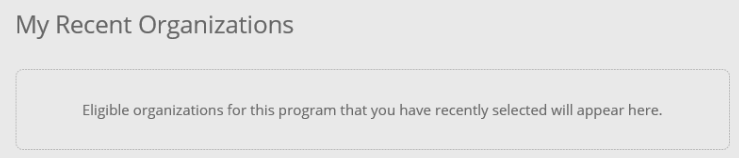
Displayed when the employee has no eligible organizations
Framework for Custom Lists
This Search Card framework is also expandable to support customer-defined custom lists that feature logic that is unique to their programs. This could include lists such as:
- Premier nonprofit partners
- Seasonal highlighted organizations
- Regional lists based on employee characteristics


