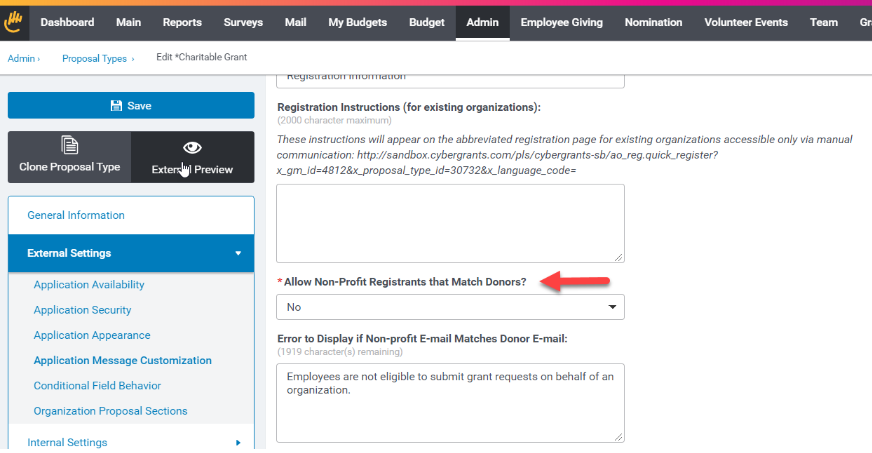
Employees have their own portal for registering gifts and organizations have theirs to confirm them. CyberGrants has had the ability to scan for and prevent accidental employee registrations in your various organization portals for some time. We do this by looking at the email that is used to register on the organization portal and compare it to all your employees on the donor table. To block organization registrations by your employees simply select "No" in the "Allow Non-Profit Registrants that Match Donors."
 Configuration Note
Turning on this Blocking Feature:
Blocking employees from registering as organizations can be performed on each proposal type individually. Change the “Allow Non-Profit Registrants that Match Donors?” option to “No” to activate the block. Remember to create an error message to give to the employees who try to register.
Admin > Employee Application Configuration > Proposal Types > View Proposal Types > {Pick One} > Registration Settings


