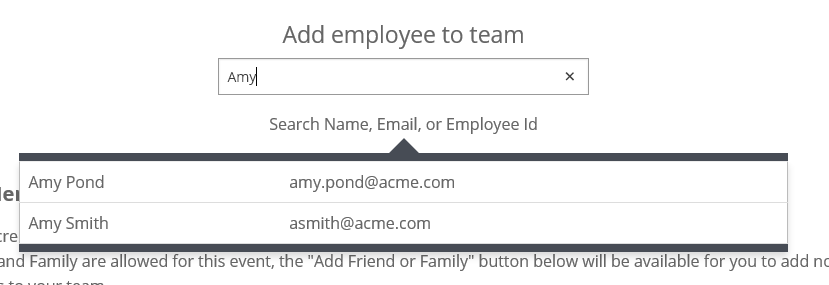
To add employees you can search by name, email, or Donor Code (if known) instead of manually typing in their Donor Code. The same fields and results are displayed as the event manager. While event managers can also add the friends and family of their enrollees, this capability is not currently being made available to team captains.
Admin > Donor/Volunteer Proposal Sections > [Proposal Section Type: EG Request] > Edit
Section Introduction Text – text here appears on the roster screen for that proposal type
Example text:
If you would like to register other employee volunteers, you may do so by searching above. If you cannot find the person you are looking for, search [insert your alternate system name here] [e]for their [insert your Donor Code qualifier here].
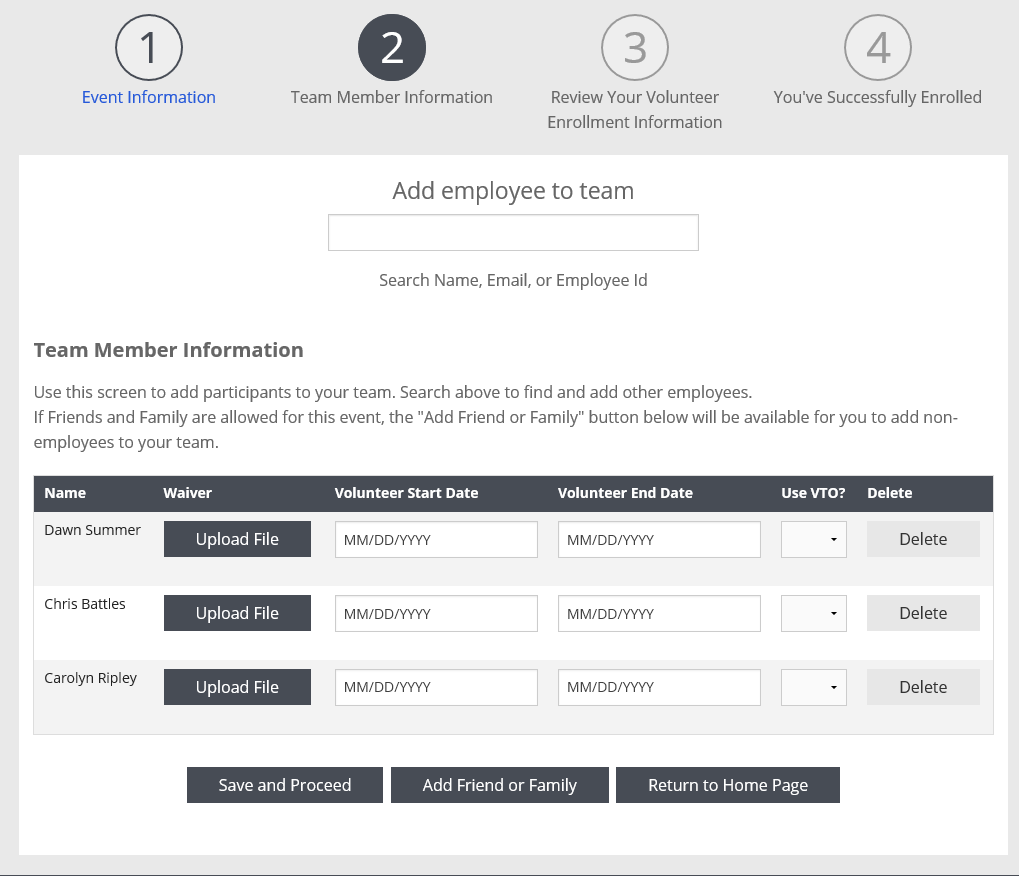
With employee search & friends & family
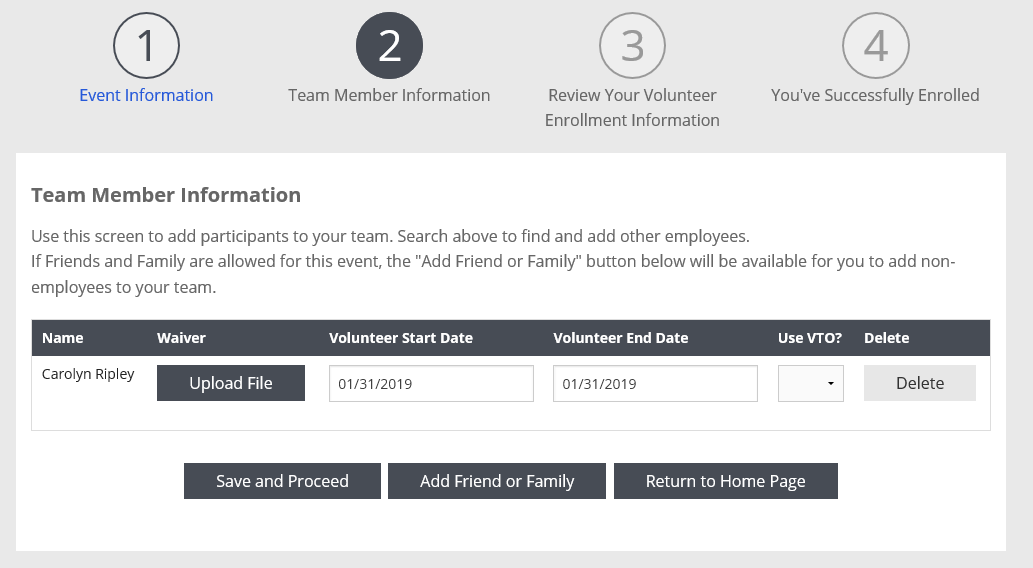 Friends & family only - no employee search
 Configuration Note
If you would like to turn on/off the ability to add employees for the team proposal type:
Admin > Employee Giving Proposal Types > [Team Proposal Type] > Team Options > Activate Employee Searching?
Check to allow employees to add other employees. Remove to prevent employees from adding other employees.
As a reminder, Include Leader Donor by default? Is available to populate the current employee in the table. You must have either Activate Employee Searching? and/or Include Leader Donor by default? selected, unless your program is using a custom search feature.
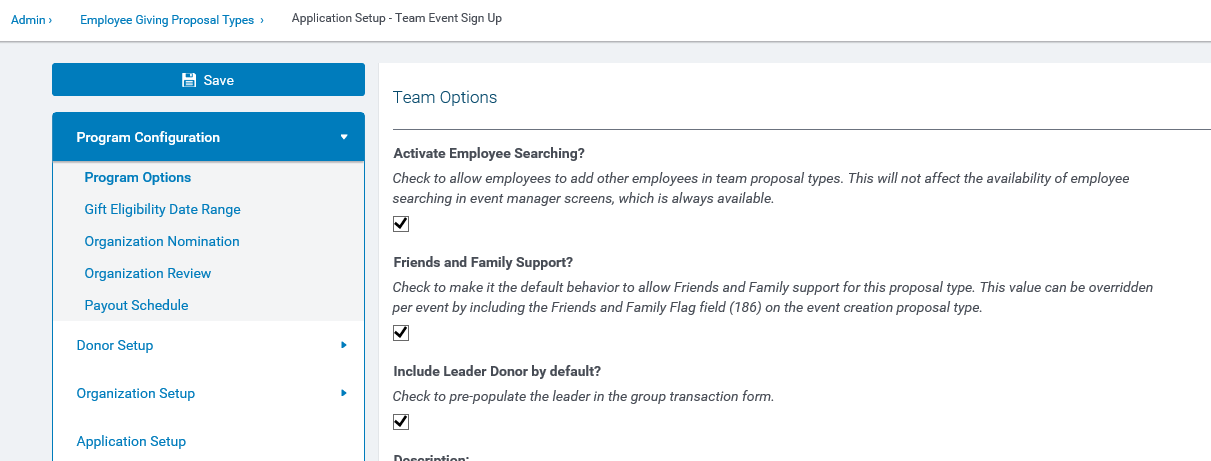
Here are some existing, related configuration items on this screen that you can change to configure this screen.
Looking to adjust how the "Donor Code" is referenced in the system?
Admin > Employee Application General Configuration > Donor Login
Donor Code Qualifier – text here appears anywhere the donor code is displayed, including the login screen and search text


