The My Donation History option appears, when enabled or there is one active proposal type with recurring credit card, on the employee’s personal profile page. The employee has the option to filter their history by year, export the details to Microsoft Excel (.xlsx), or print using their browser’s native print option. The Excel download provides a spreadsheet with each of these past donations with separate columns for the dates and amounts, for easier sorting.
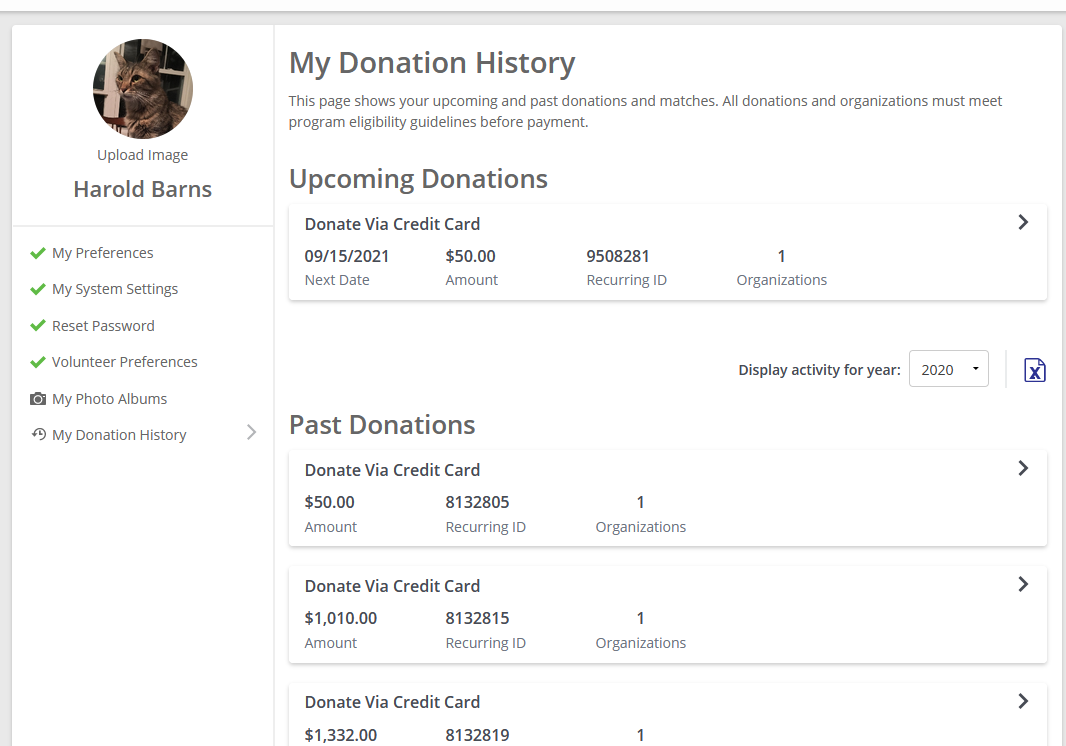
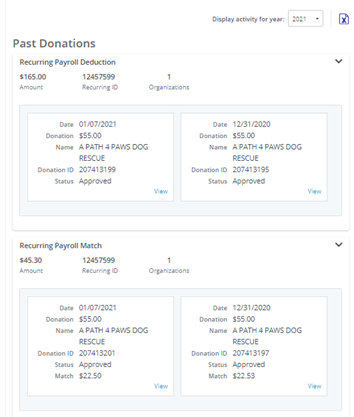
My Donation History displays the summary roll up for each proposal type separately. In addition, the Amount in the summary has been updated to display the match amount if the proposal type is configured to have Funding Source of “Company Funds”. Each card within a summary will display the donation amount and/or match amount that is on the record.
My Donation History
 Configuration Note
How to enable My Donation History?
Employee Application Configuration > General Configuration > Global Setup > Donor Profile
My Donation History will always display if there is an active proposal type using recurring credit card.
Upcoming Donations
Upcoming Donations is where a donor can find donations that are in progress. These are typically recurring donations (payroll or credit card) or one time payroll donations that are not yet in closed or canceled status. Especially important for recurring credit card, it allows donors an option to cancel their recurring donation, and in the future, will be a place for other management activities such as updating their credit cards.
My Donation History will evolve to become the place for a donor to see (and interact) with their personal donations. If you are interested in defining the future with your insights and feedback join the CyberGrants research group now! We will reach out for periodic conversations about your programs, site, and where we are looking to go in the future. Contact your Program Manager with any questions.
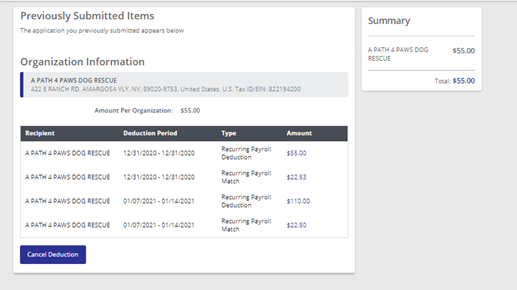
Donor View/Previously Submitted Items Screen
When a donor selects to view their previously submitted donations, they see a screen that includes any donations or matches that are linked to the summary record. This screen been updated to indicate the Type (Proposal Type), and the amount will display the match amount if the proposal type is configured to have Funding Source of “Company Funds”.