Request Snapshot Automation
Request Snapshot Automation allows administrators to configure CyberGrants to take snapshots automatically as a grant application traverses the major steps in its approval journey:
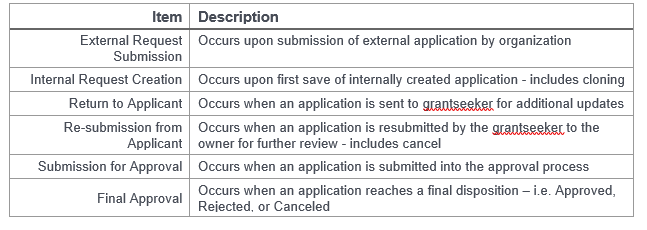
Activating Request Snapshots:
- To enable Snapshot automation, first add the "Request Snapshot Configuration" permission to your user role. This will reveal a new option called "Request Snapshots" within the "Application Configuration" section of your CyberGrants Admin tab.
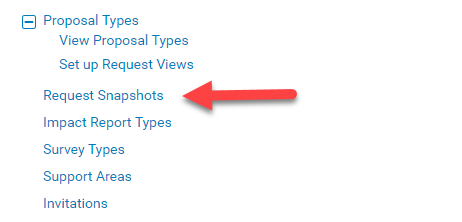
- Click the “Request Snapshots” link to access a screen where you activate Snapshots for one or more scenarios.
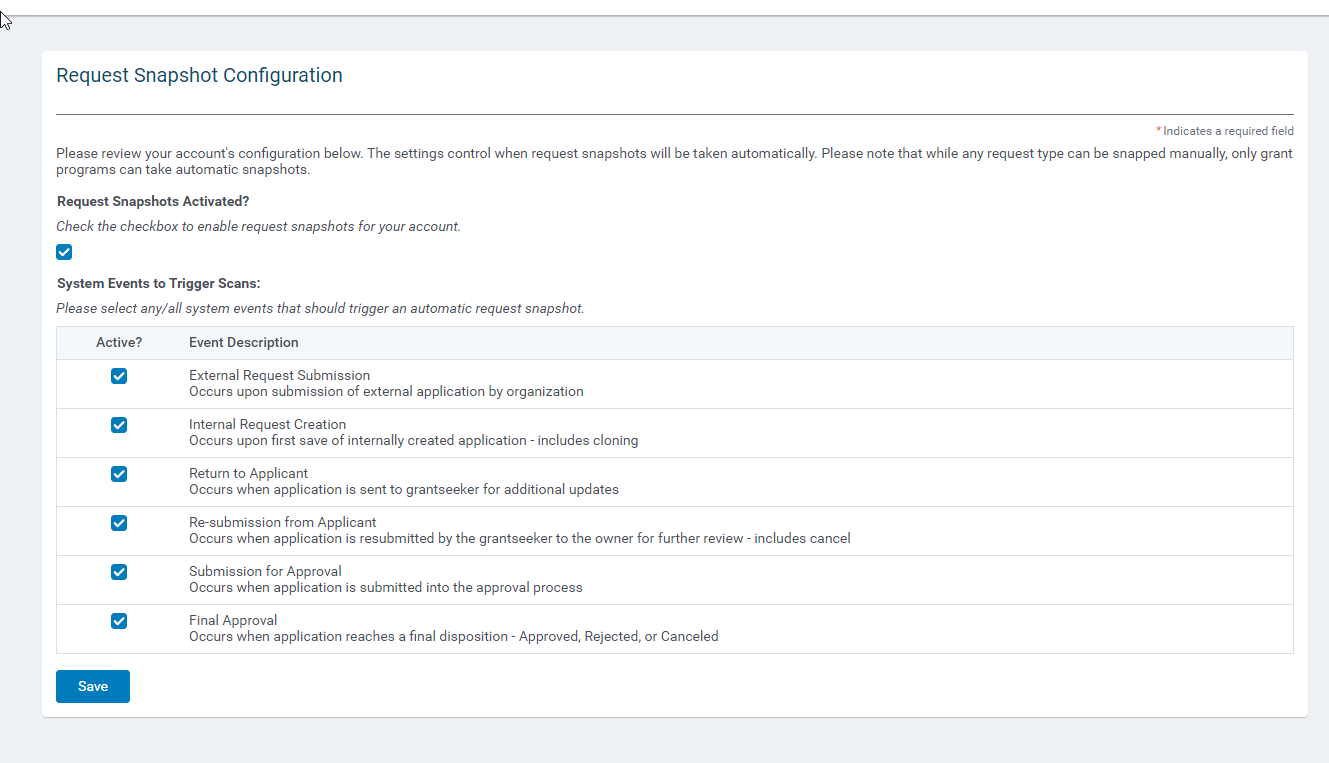
- Snapshots are maintained separately for the Production and Sandbox systems. Just like Watchlist Scans, their configuration is not replicated between the two environments.
Automated Snapshots are for Grants Only:
Automated Request Snapshots are only available for grantmaking proposal types. If Snapshots are required for an employee giving program, they can still be taken manually.


