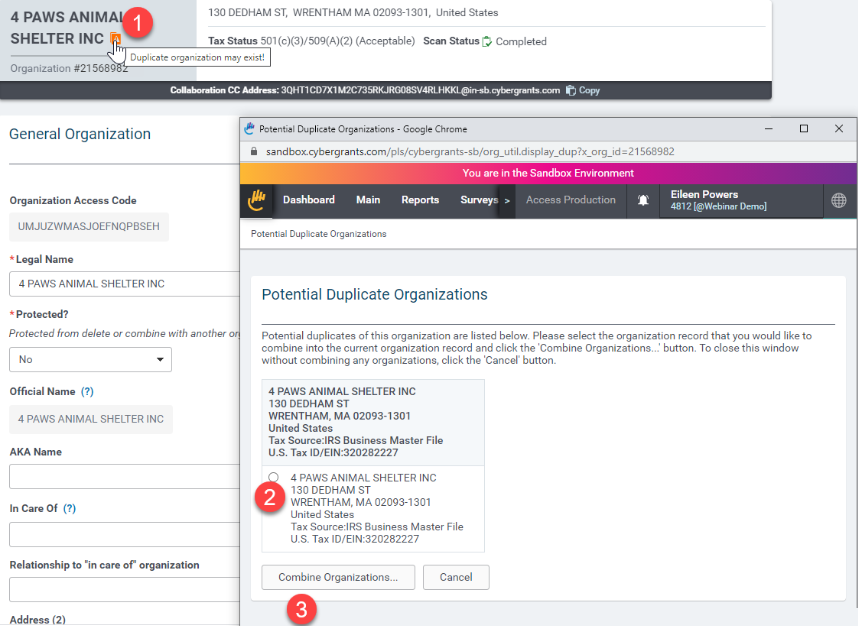
CyberGrants will automatically alert you if a potential duplicate organization may exist. In these cases, administrators can review an alert and take necessary action.
To view a Duplicate Organization Alert on an Organization record:
- Navigate to the Organization Record
- Click on the alert icon. A new window will open listing the potential duplicate records. Administrators can take combine the organizations by selecting the organization that needs to be combined and clicking the Combine Organizations button.