The purpose of this article is to inform which areas of the Footer are configurable in the Employee Engagement Site. Some corporations have special requirements around the display of their privacy policy and other legal statements in software used by the corporation. The Employee Engagement Site Footer has a few areas that can be configured to meet those requirements.
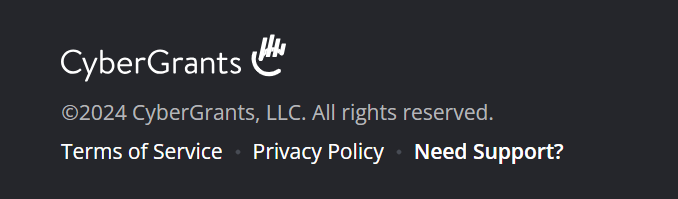
Configuration of the Employee Engagement Site footer can be found under Admin > Employee Application Configuration > General Configuration > Global Setup > Footer Details. Configurable text can also be translated using the translate button at the bottom of the page.
IMPORTANT:
Any changes to this area must be done by CyberGrants employees. All other users will only have read-only access. Any changes to the footer content including changes to externally linked content must be reviewed by the CyberGrants legal team before changes are published. Contact your client management pod to discuss the configuration of this area.
Privacy Policy Link and Terms of Service Link
The Privacy Policy and Terms of Service links appear on every page. In special circumstances, CyberGrants may provide the option to replace the CyberGrants Privacy Policy and/or Terms of Service with a special one by the corporation. This must be reviewed by the CyberGrants legal team before changes are published.
Additional Footer Text
If there is a corporate legal requirement to include informative text on every page of the site, this area can be used to display that message. For example, the text could display “This application is hosted by CyberGrants on behalf of ACME Corporation.”
Support Link
The "Need Support?" link displays on every page to allow users to find commonly asked questions and get additional help. Most commonly, this area does not need to be configured, and the default of "Need Support?" is sufficient.
If a program does not use CyberGrants contact center as their support, another URL can be provided here to direct to another system's help center or remove the link entirely (although this is not recommended).
The text can also be updated, if there are alternate phrases commonly used by your corporation to direct people to help.
NOTE: Once the default value is no longer used, translated values will need to be provided for the Support Link Text.
Additional Link
Some programs have special requirements to display content such as a "Do Not Sell My Information" link, to comply with their execution of the California Consumer Privacy Act. CyberGrants allows for an additional link to be configured and displayed.
CGDS Additional Terms of Service
For clients using CGDS, the link to the Additional Terms of Service will automatically appear if there are any active proposal types that are active for CGDS. There is no configuration for this link.


