Teasing out an organization’s type is often the hardest part of processing a nomination. It requires an administrator to carefully read through the application and look for subtle keywords that indicate an organization may be religious, scouting-related, or other categories.
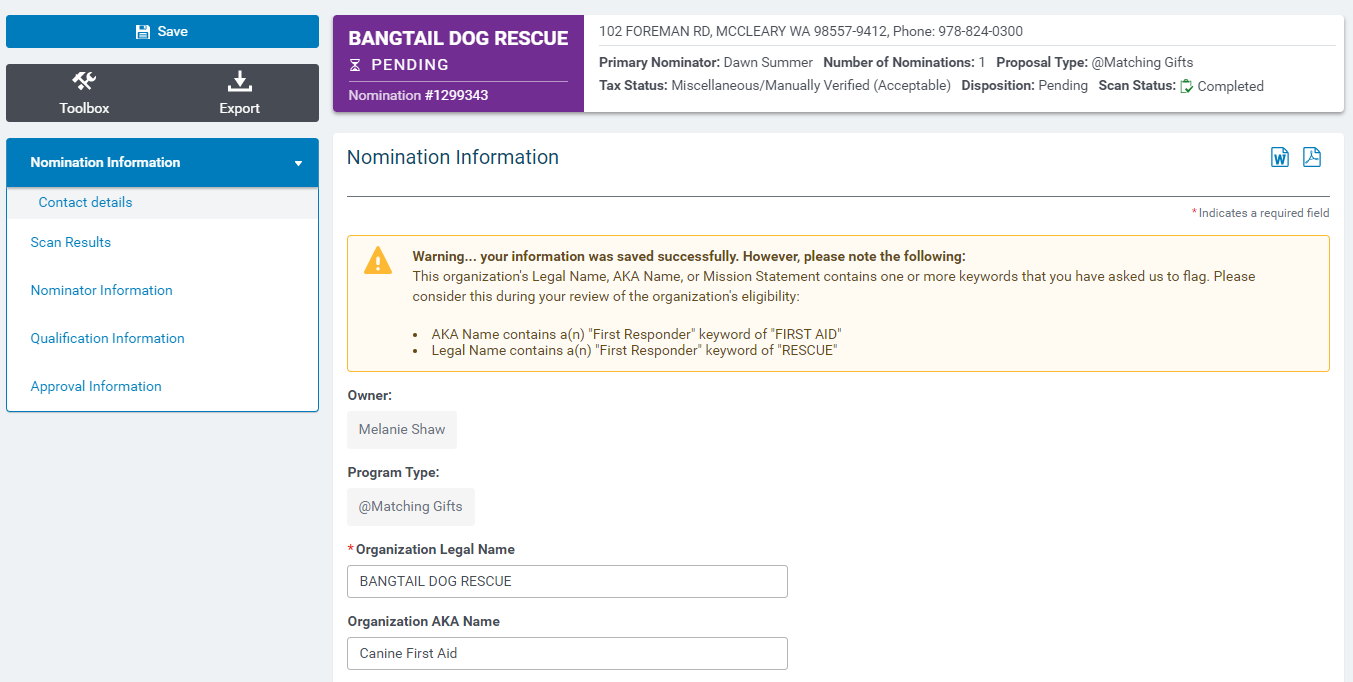
The Nomination Keyword Alert capability allows an employee engagement program administrator to indicate which categories they want to scan for a particular proposal type. Then, when they are reviewing a nomination and one or more of the keyword categories is present in the organization’s Legal Name, AKA Name, or Mission Statement, CyberGrants will automatically raise an alert on the record for them. The alerts are informational only and administrators can still choose whether to approve or reject the nomination as normal.
Note that Keyword Alerts does not automatically categorize nominations. They only flag a nomination as potentially being in a particular category but otherwise leave it up for administrators to make the final determination.
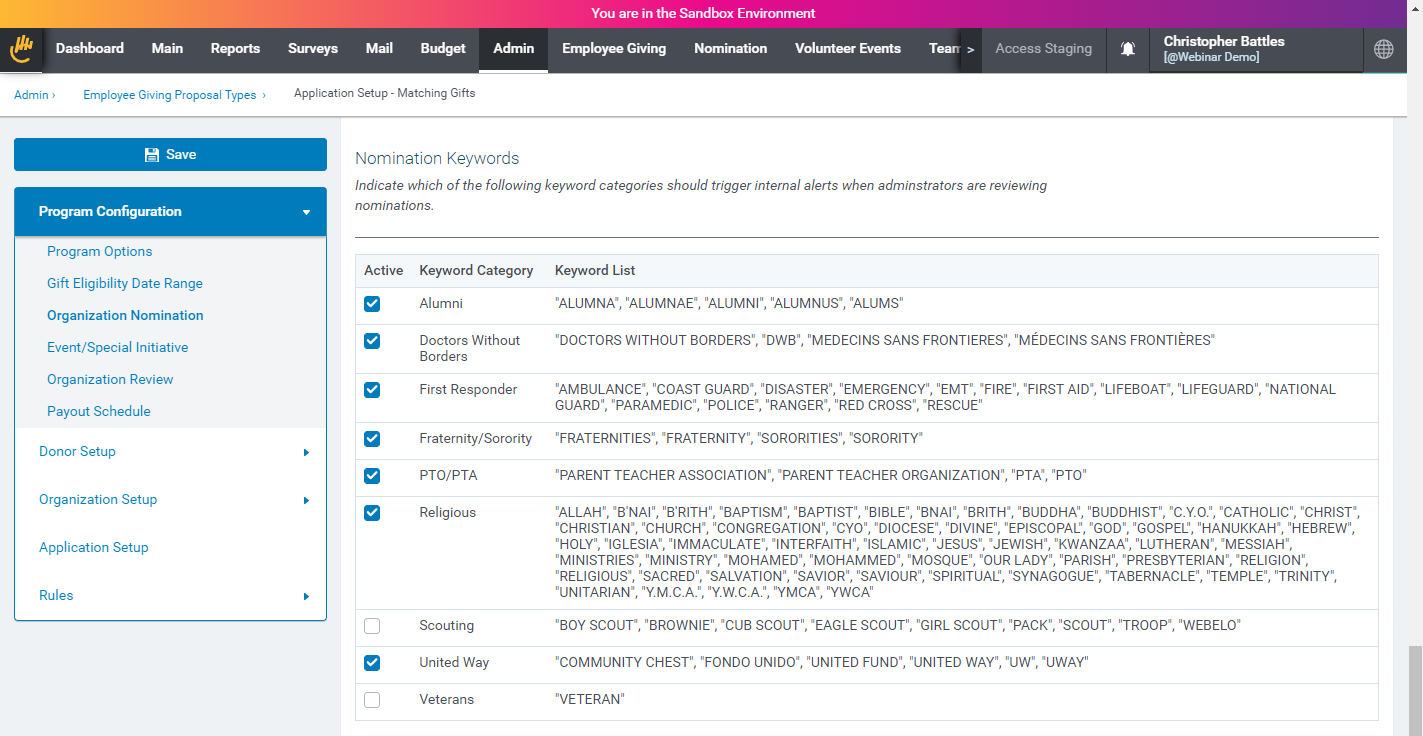
How to activate keyword alerts:
Activate Keyword Categories by going to the Program Configuration > Organization Nomination section of your Admin tab. Publish the proposal type to enable/disable Keyword Alerts on your nomination records.
How to use keyword alerts:
Keyword Alerts appear automatically at the top of pending nomination records when they are found in the organization’s Legal Name, AKA Name, or Mission Statement.