If desired, nominations can be configured on the Dollars for Doers proposal type. This will allow organizations that are allowed in the Log Hours program to be nominated for consideration to be eligible for the Dollars for Doers program and potentially receive a volunteer match.
Employee Experience
Nomination Required Before Redeeming Volunteer Match
- Employee logs volunteer hours using the Dollars for Doers program's log hours program.
- When the employee has logged the minimum number of volunteer hours required for the program, they will have the opportunity to nominate organizations that are not eligible for the Dollars for Doers program (if the program allows).
- When they click the Redeem button, the organization selection modal will display organizations with which the employee has volunteered. (see Figure 1.)
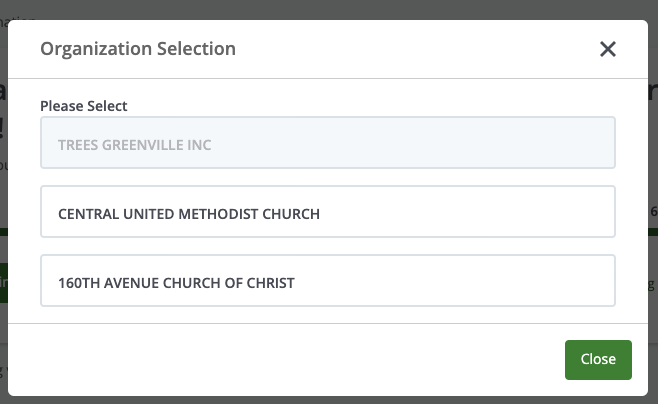
Figure 1 Selecting an Organization
If the employee chooses an organization(s) identified during an organization search or on the Organization Selection window that require nomination, they will be presented with the nomination flow. (see Figure 2.)
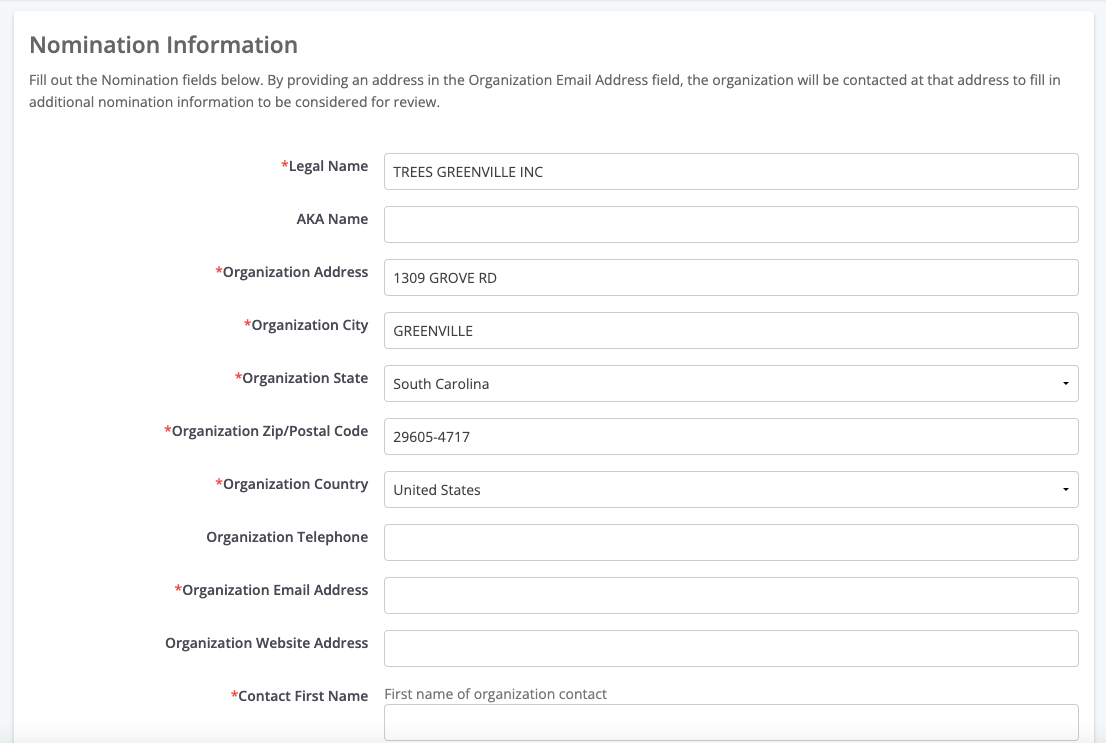
Figure 2 Nomination Form
Until the nomination is approved, the employee will continue to see the above flow. When the nomination is approved, the employee can return to the donor portal and will be able to continue with the Dollars for Doers redeem volunteer match process.
Nomination Includes Volunteer Match Redemption
Employee logs volunteer hours using the Dollars for Doers program's log hours program. When they have logged the minimum number of volunteer hours required for the program, they will have the opportunity to nominate organizations that are not eligible for the Dollars for Doers program (if the program allows).
After clicking the Redeem button and selecting the organization (see Figure 3,) the employee will be presented with the nomination workflow.
Figure 3 Selecting an Organization
When they select the organization, they will be presented with the D4D grant application, including the necessary fields to create a nomination for the organization (see Figure 4.)
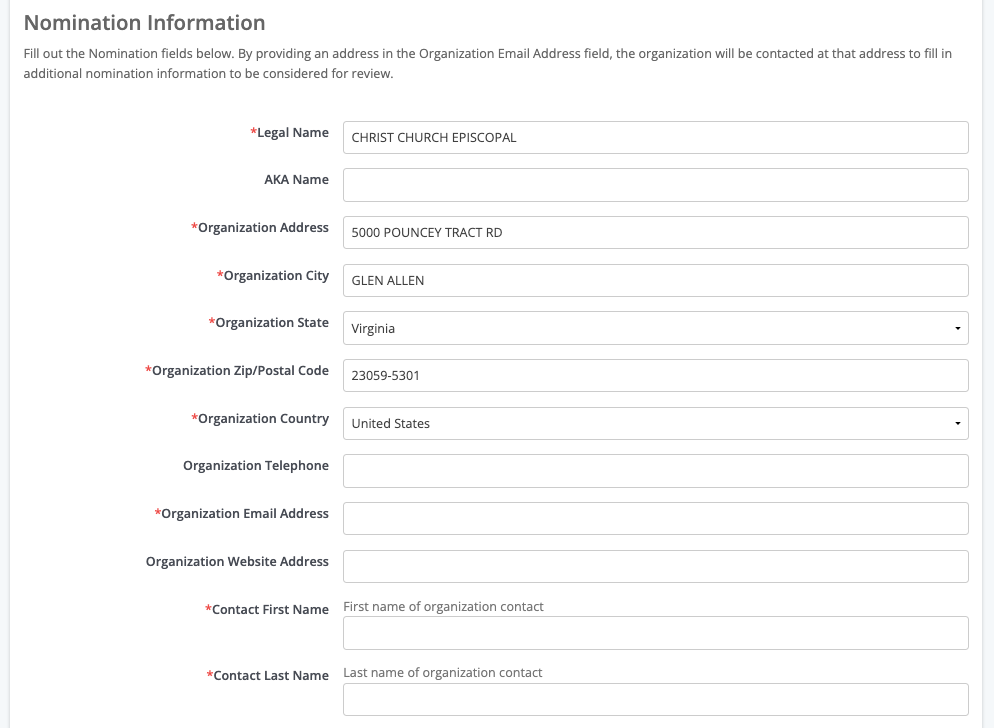
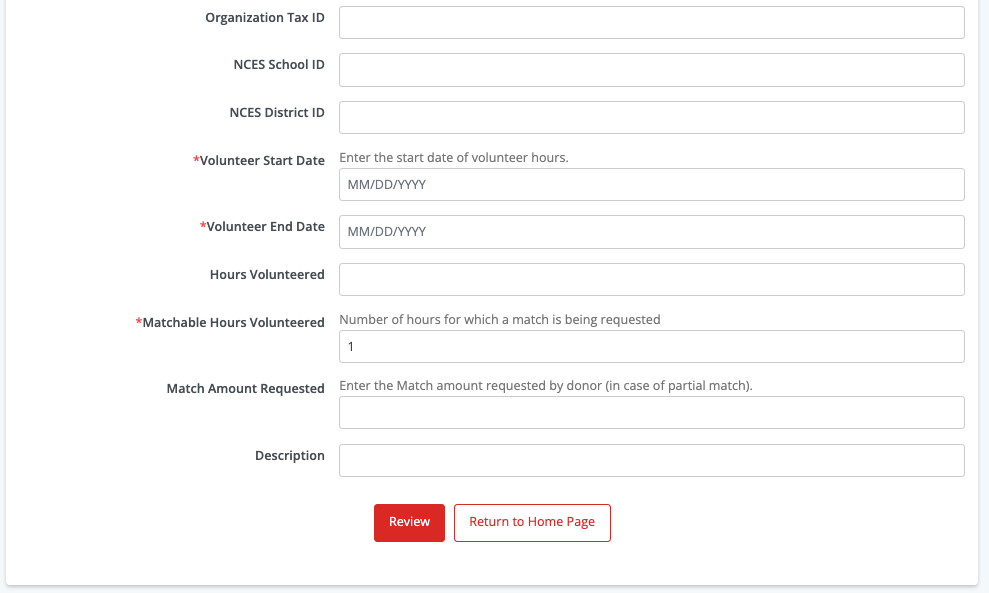
Figure 4 Nomination Plus Dollars for Doers Form
When the nomination is approved, the system will automatically create a separate Dollars for Doers transaction.


