CyberGrants Disbursement Solution (CGDS) Handbook
Table of Contents
Welcome to the CyberGrants Disbursement Solution 3
CyberGrants Disbursement Solution Payments Process 4
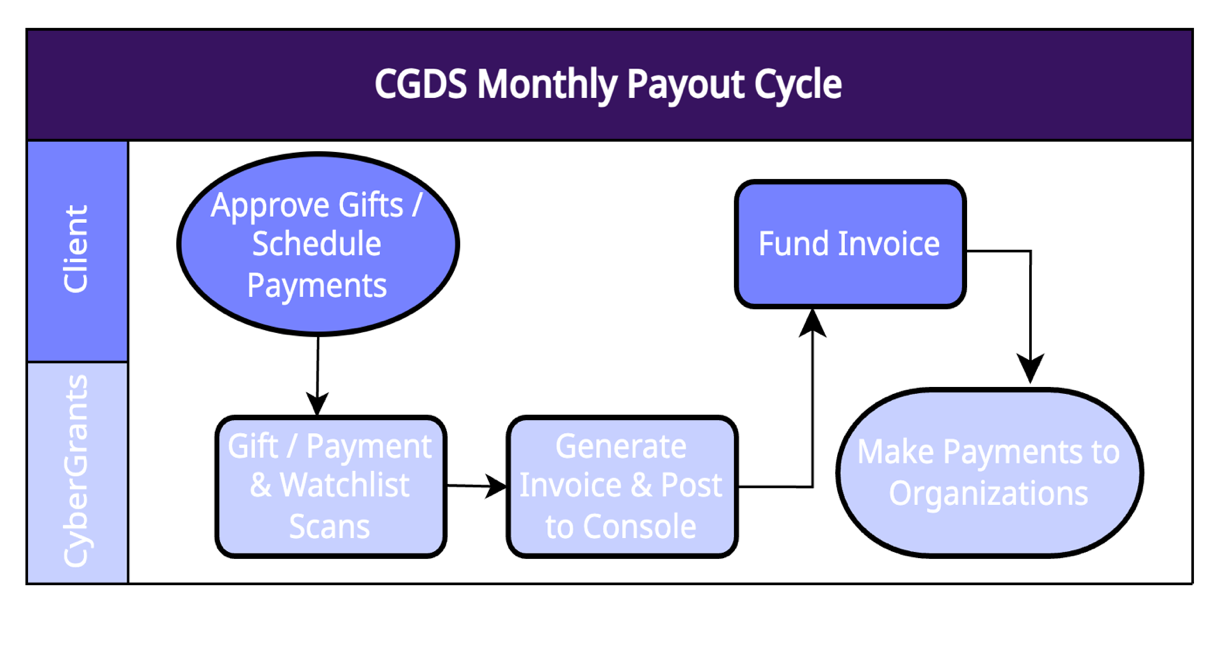
CGDS Monthly Payout Cycle – Diagram 4
2026 CGDS Payout Schedule
2027 CGDS Payout Schedule
5
Now Available: CGDS Weekly Payout Cycle – Grants 5
Phase 1 – Grant and Gift Preparation for Payout 6
Phase 2 – Data Review/ Payment Batching 6
Phase 3 – Availability of Funding Invoices 7
Phase 4 – Account Funded & Disbursement 7
What is Redirection? 8
How are Credit Card and CGDS Fees Calculated? 10
Funding Invoices 12
Funding Invoice Console 14
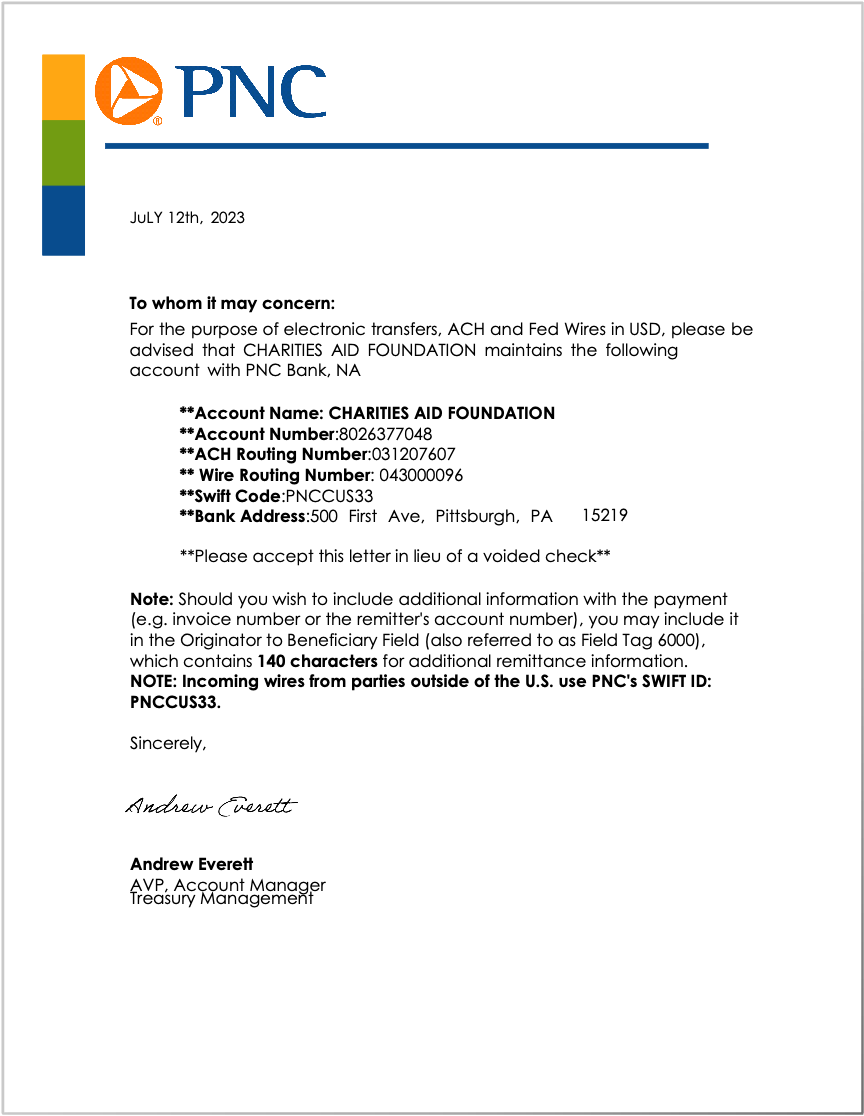
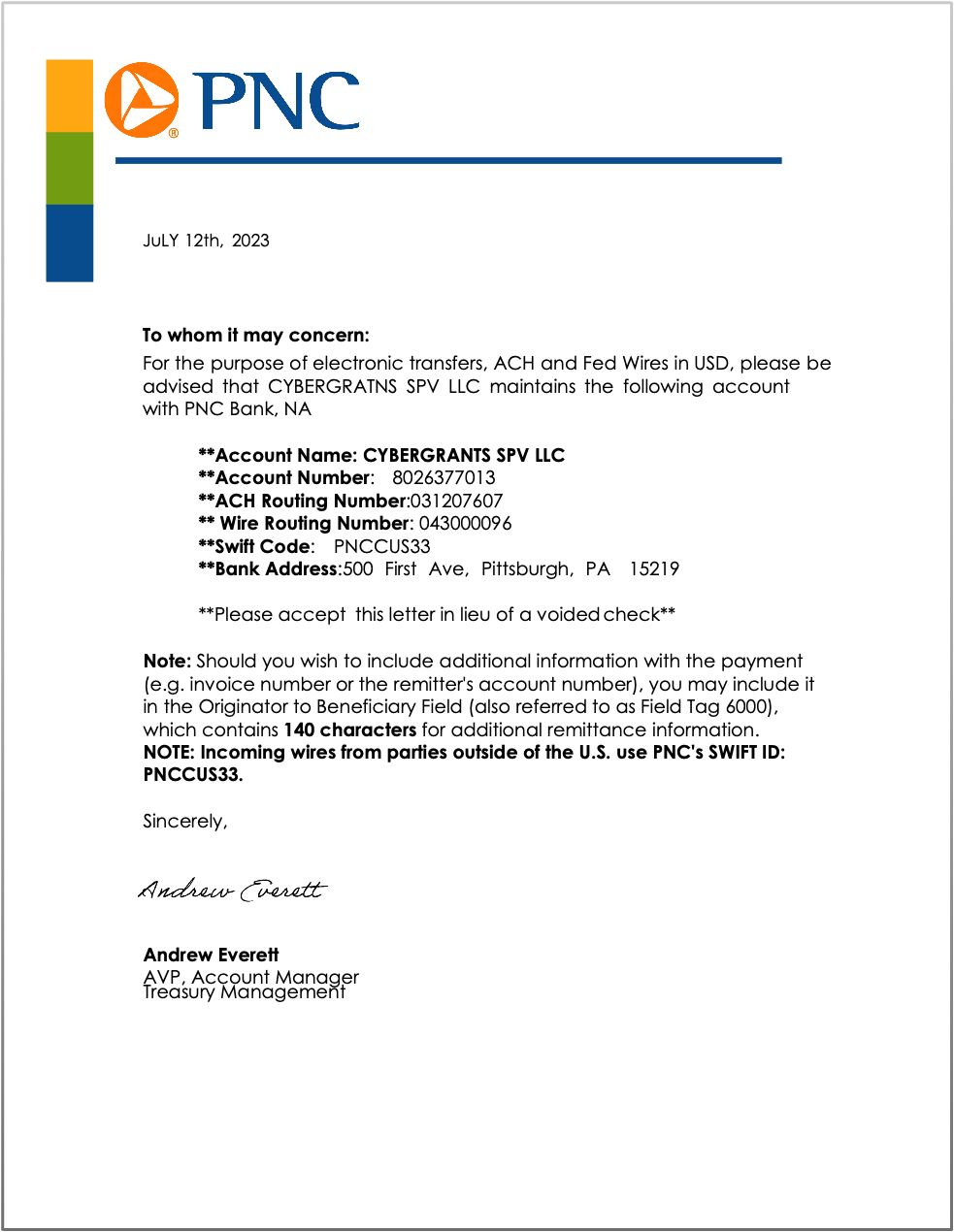
Set Us Up As Vendors! 15
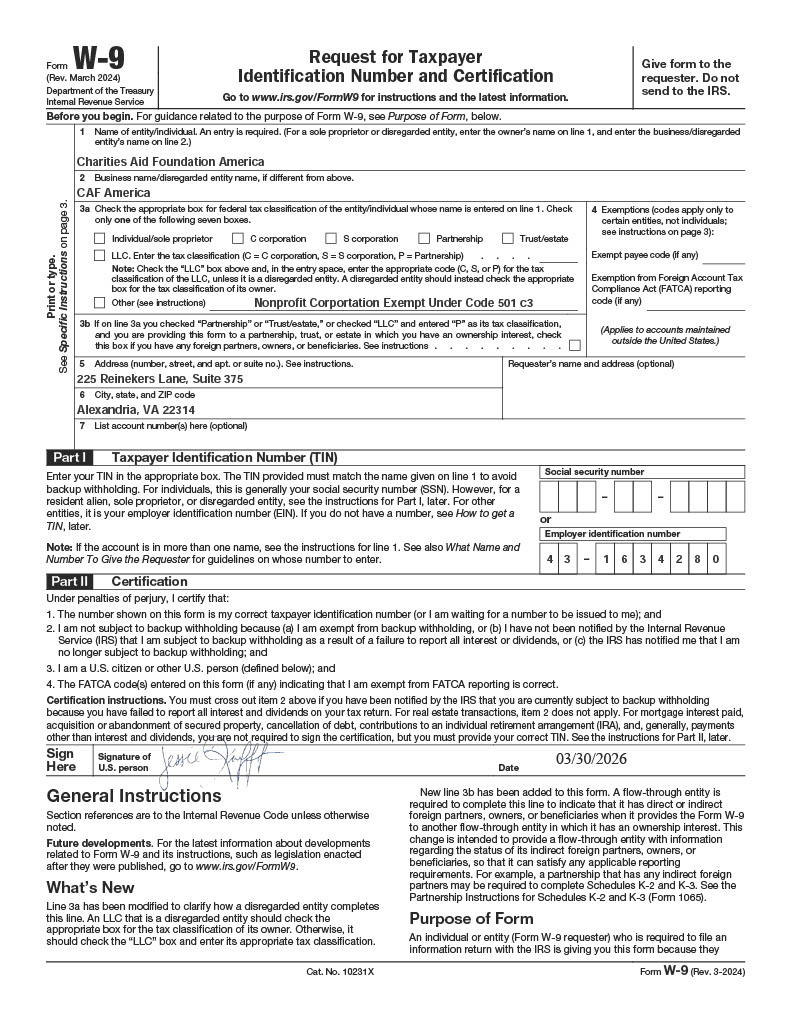
W-9 Charities Aid Foundation America 17
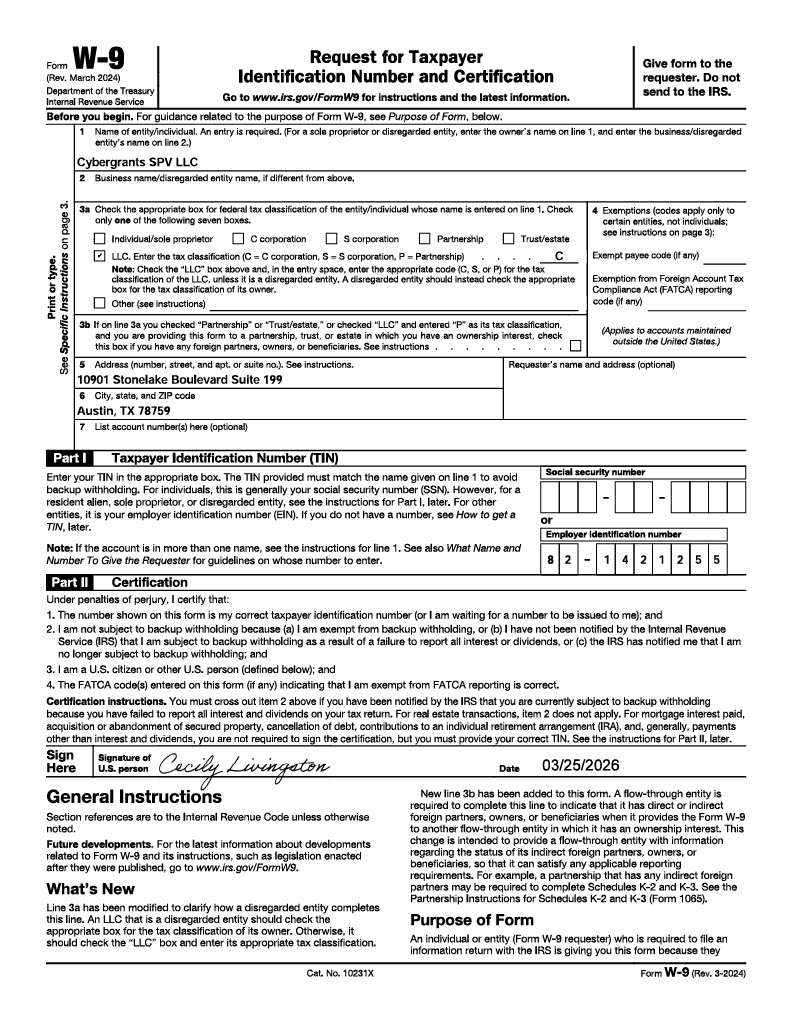
W-9 CyberGrants SPV, LLC 18
Nonprofit Organization (NPO) Experience 21
The Donor Experience (Tax Receipts) 23
For Employee Funds Paid Through MAA 25
CANADIAN DAF ACCOUNT 28
The Disbursement Solution (CGDS) is designed to provide CyberGrants users with a full suite of services to help manage your employee donations, corporate match, and grant dollars from funding-to-payment, while minimizing your risk and maximizing your philanthropic impact.
CyberGrants provides this service alongside industry-leading partners, which in turn, will transfer the risk of processing disbursements to our organization. We handle all the disbursement duties (except funding of course). This document outlines the entire process. When a client first starts with CGDS, there are often many questions about the funds flow and all the entities involved.
The Disbursement Solution contains two vehicles for its funds flow, which each utilize a separate bank account:
|
Donor Advised Fund (DAF)
|
Managed Aggregated Account (MAA)
|
- Owned by Charities Aid Foundation (CAFA), Managed by CyberGrants
- Primary Bank Account that pays out about 97% of fund flow to select Charities.
|
- Owned and Managed by CyberGrants
- Used for the remaining 3% of funds that may need to be paid to charities not eligible through the DAF
|
|
Eligible Charities (DAF)
|
Eligible Charities (MAA)
|
- The vast majority of 501c3 organizations:
- Public charities
- Churches and other religious institutions
- Hospitals
- Governmental units (counties, cities, park departments, etc.)
- Colleges, Universities, and their affiliated organizations
- Public Schools and School Districts (through data provided by the Department of Education’s NCES database)
|
- Any other 501c organizations(Examples: 501c6, 501c4 etc)
- Private Foundations
- Supporting Organizations (509(a)3 and Foundation Code 17)
- Private Schools
|
For more information on the DAF vs. MAA, please Click Here.
The purpose of this section is to outline the process flow for payments through CGDS. All disbursements are built around the “batching” of transactions into a single payment for the purpose of transmittal to the recipient nonprofit organization. CGDS operates on a regular, monthly or quarterly payout cycle with predetermined dates for all activities. Please refer to the CGDS Payout Schedule for the specific dates for 2025.
Payout frequency options
Monthly: Every Month
Quarterly: January, April, July, October
Quarterly-Mid: February, May, August, November
Quarterly-Late: March, June, September, December
Annually: Every January
This diagram represents the steps in the CGDS payout cycle.
2026 CGDS Payout Schedule
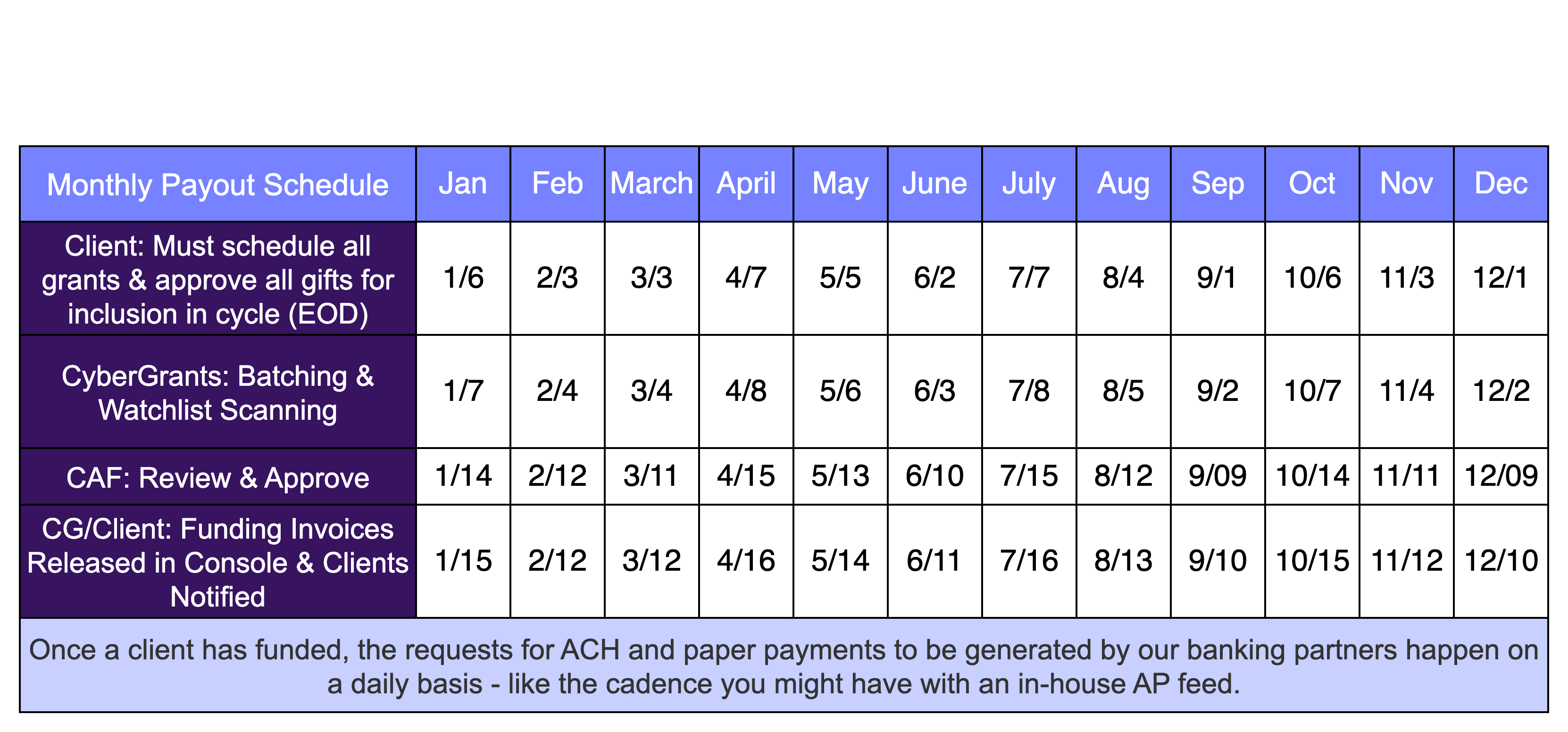
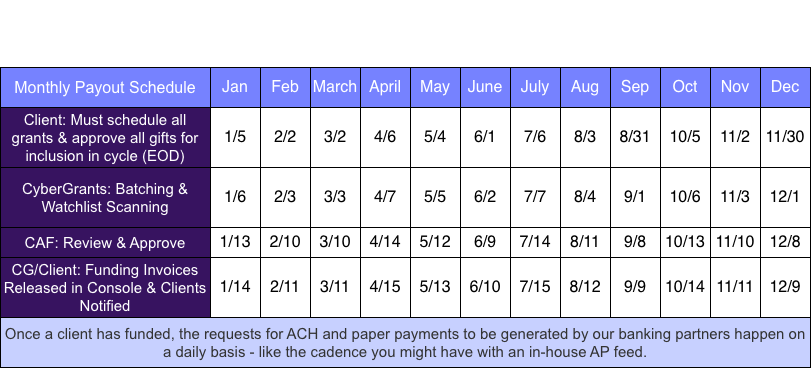
As long as the invoice is funded properly, CyberGrants will receive those funds according to when your bank can deliver them. CyberGrants has a nightly automated process through which we intake those funds and begin our processing. For checks, 1-2 weeks for delivery is typical. For ACH, delivery is typically 1-3 days.
For information on How To Fund an Invoice, Click Here.
How does it work?
Automation will run on a weekly basis every Wednesday with invoices available the following week by Thursday.
Example: Grants with a requested check date up to January 7, 2026, will have an invoice available no later than January 15, 2026.
Grants with a requested check date after January 7th and before January 14th, will be included in the invoice no later than January 22nd, 2026.
If you currently are on a monthly cadence and would like to change to weekly, please email your request with the applicable proposal types to help@cybergrants.com.
Due to a Holiday the automation will not run on the following days:
4/01/2026 7/01/2026 8/26/2026 11/25/2026 12/23/2026 12/30/2026
Back to the top
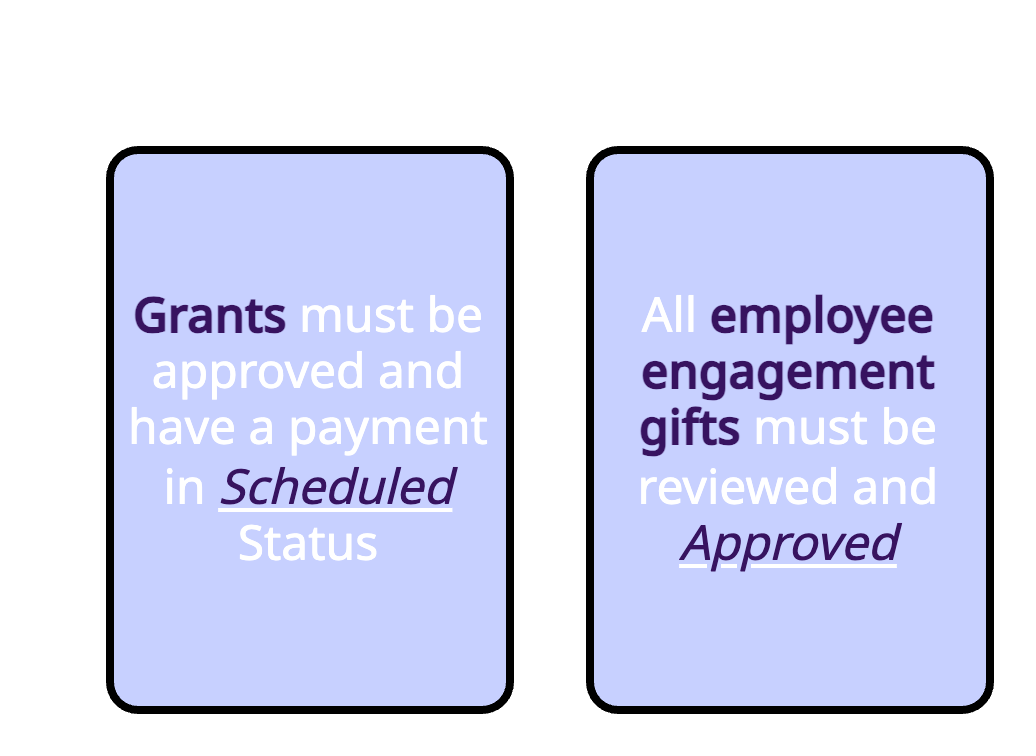
All gifts set to be approved at the time of Gift Batching will be reviewed by the system and determined whether they are CGDS Gift Batch Eligible and can make their way into the payout. Gifts must meet the following criteria:
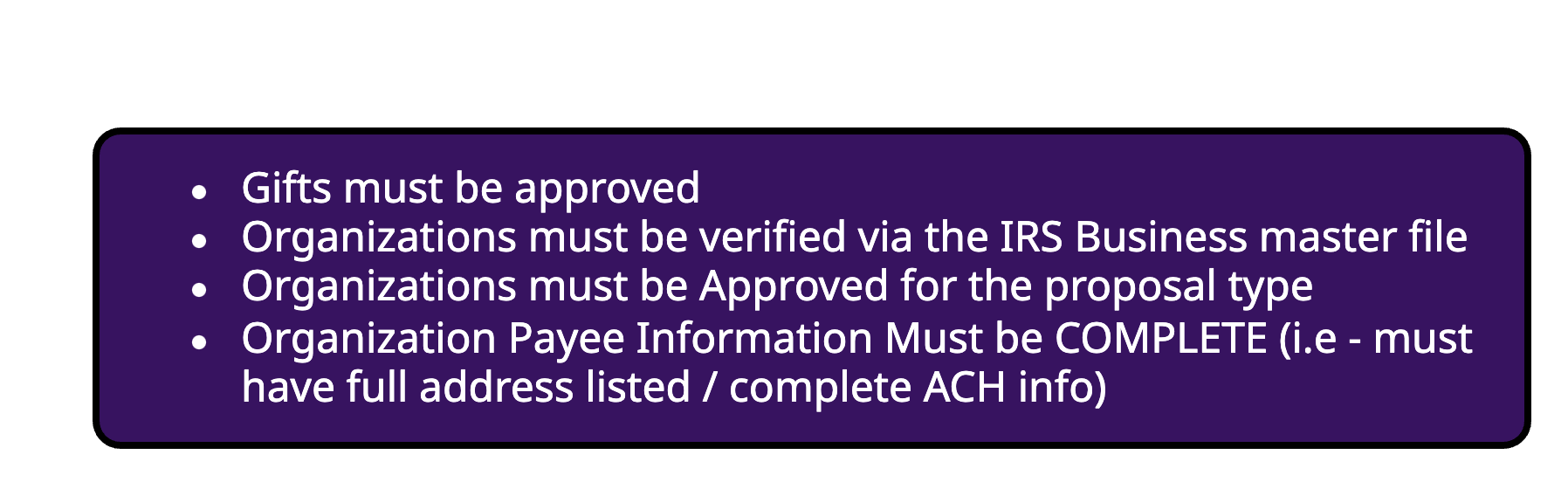
For information on how to troubleshoot gifts, Click Here.
For information on how to approve gifts, Click Here.
The system will automatically run our Watchlist Scanning and our Organization Vetting Team will review and clear any false positive flags. Any true positives result in the freezing of any funds to that organization and escalation to any affected clients.
For information on the organizational vetting process, Click Here.
Funding Invoices are then created based on the invoice types pre-determined by the client and then uploaded into the Funding Invoice Console. An email is auto-generated to the person configured to receive the invoice notifying them that the invoices are available to be viewed and downloaded.
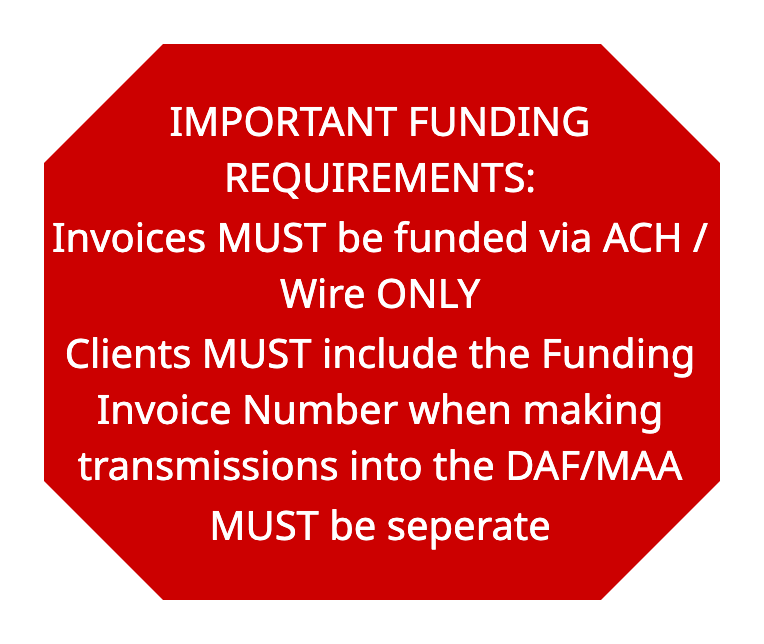
For information on Funding Invoice Types, Click Here.
Once the Invoices are fulfilled, we will process payouts daily depending on when the transmission of funds occurs.
Back to the top
If upon review, we find that there are payments / gifts made to organizations that are out of business, lose their tax status (permanently or until further notice), or can no longer accept funds, we will need to send those funds to another eligible entity.
In every client’s CGDS contract, a default organization is selected and is used in the event that redirection needs to occur.
There are 2 redirection options that the client can chose from depending on their programs and preferences.
For information about Redirection, Click Here.
The Default Option –Should we find payments / gifts that need to be redirected, we will create new payments and send them to the default organization that the client selected in their contract automatically.
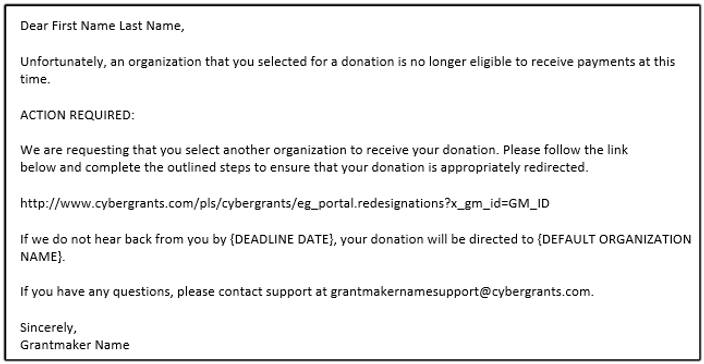
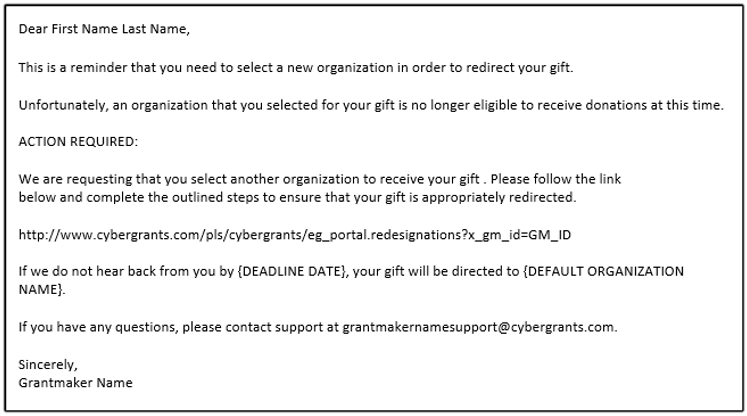
The Donor Choice Option – Should we find payments / gifts that need to be redirected, the donors will receive an email letting them know that they must log into their profile and select a new DAF eligible organization for the funds to go to. Donors have 10 days to select a new organization and will receive a reminder email at 5 days. If the donor does not select an organization within that time frame, the funds will be sent to the default organization that the client has selected in their contract.
Initial Email (10 days)
Reminder Email (5 days)
Reissues and Stale Dated Checks
Reissues for Payments Paid through CGDS:
When any reissue requests are sent into our support team by the organizations, the team will confirm with the NPO that the address information we have is correct. Then we will confirm with PNC Bank on if the check was deposited by the NPO. If it was not cleared, they will void the payment and we will process the reissue within the next monthly cycle.
NOTE: Because we already have the funds in the DAF/MAA bank account, these reissues will NOT be included in your invoices.
Reissues for Legacy Payments Paid outside of CGDS:
When any reissue requests are sent to our support team by the organizations, the team will confirm with the NPO that the address information we have is correct. Your POD will reach out to you for you to confirm whether the check has been deposited by the NPO. If it was not cleared, then you will void the payment at the bank, and we will process the reissue within the next monthly cycle.
NOTE: Because the initial payment was made through your bank account, you should expect to see the reissued payments included in your normal invoices. They are not invoiced separately.
Stale Dated Checks:
Checks go stale after 180 days.
For reissue, payments must meet eligibility criteria. If tax or approval status is unclear, vetting reviews manually — if validated, payment processes next cycle; if the organization is not in good standing, closed, revoked, then the organization is rejected, and the gift will be moved to the redirection process. (see here for redirection details)
For information on Stale and Reissued payments, Click Here.
Back to the top
There are two kinds of deducted fees for CGDS gifts:
CGDS Fees – These are the fees associated with the services provided for payment of gifts, vetting, and other CyberGrants processes. These fees can be covered/paid by the client or deducted at the time of payment to the charity. The election of fee CGDS fee coverage can be configured at the program level. Example: A client can cover fees for grants but have fees removed at payment for employee giving.
- US Fee (2.97%)
- CA Fee (3.47%)
International CGDS Fees – For clients with international employee engagement programs through Charities Aid Foundation America (CAF) on CGDS, there is an (5%) fee associated with each payment rather than the US (2.97%) and CA (3.47%) fee. These fees can be covered/paid by the client or deducted at the time of payment to the charity. The election of fee CGDS fee coverage can be configured at the program level.
Credit Card Fees – For clients with credit card programs, there is an additional fee deducted (3.31%, 4.21% for AMEX). This is a standard Merchant Fee. These fees can be covered/paid by the client or deducted at the time of payment to the charity.
NOTE: Regardless of Credit Card or CGDS Fees, the donor will receive a tax receipt for the amount they donated.
When are the Credit Card and CGDS Fees Deducted?
For Credit Card Donations - The 3.31% merchant fee is deducted from the donation first. Then during the payment batching process, the CGDS fee is deducted from each gift.
For all other Employee Programs and Grants - During the payment batching process, the CGDS fee is deducted from each gift/grant.
NOTE: There is a cap of $250 per individual transaction/gift. This cap is for CGDS fees only.
There is no cap on transaction/gifts paid out of international programs on CGDS.
Covering The Fees
If you have elected to cover one or both fees, they will be included in your CGDS Invoices along with their respective donations. We CANNOT separate the fees from the invoices as they are directly connected to the gifts and are reliant on our ability to pay the organizations in full.
The Fees will be listed as a separate line item in the invoices, should you need to fund them from a specific bank account.
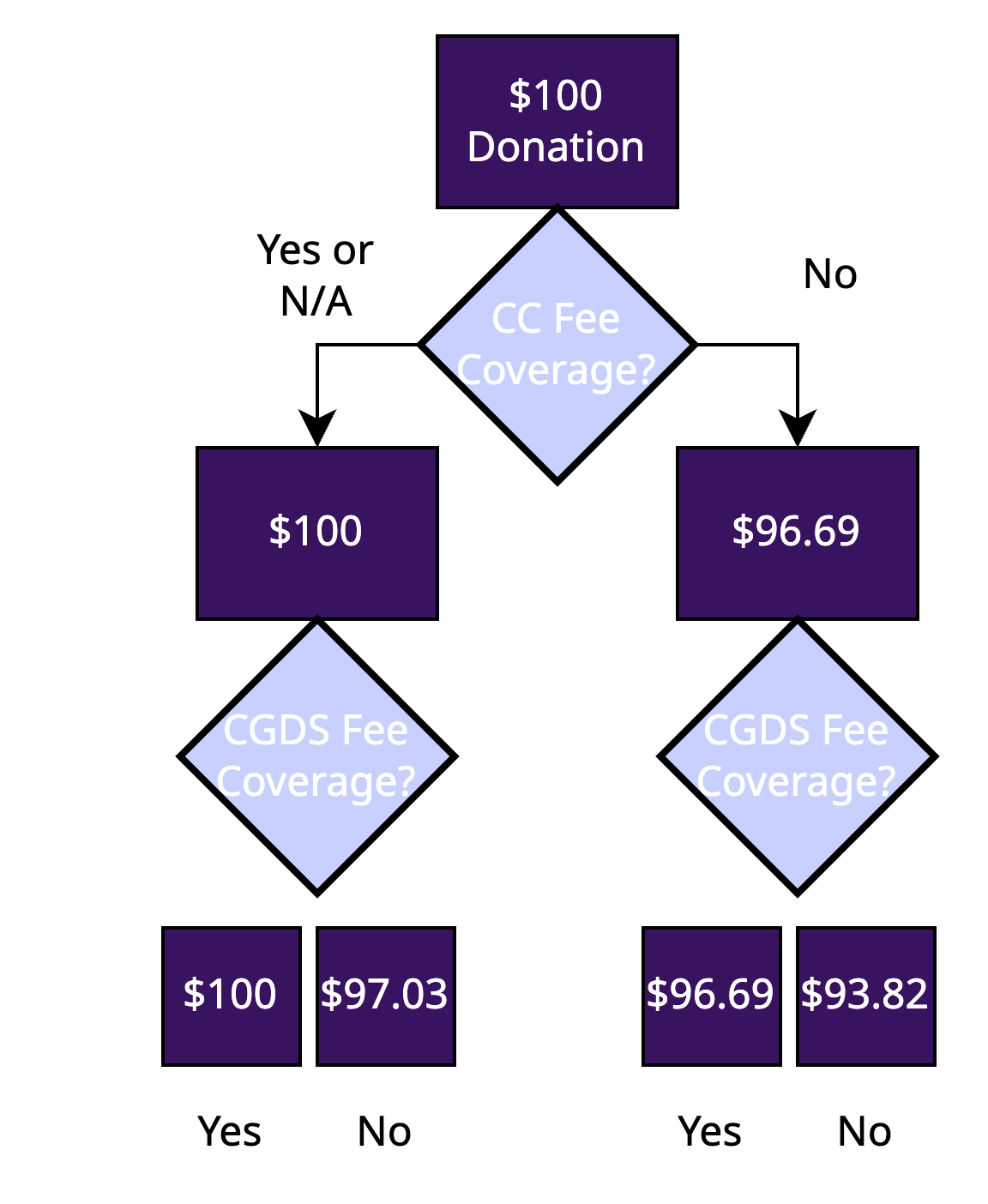
Below you will find a diagram with an example of how the fee coverage and deductions will affect a given donation:
Back to the top
CyberGrants Disbursement Services (CGDS) clients use Funding Invoices (formally known as Funding Requests) as the supporting documentation they require before transferring funds for employee donations, company matches, and grant payments. If you are choosing to cover the CGDS fees and/or Credit Card Merchant Fees, they will be included in your funding invoices. All new invoices are available to authorized administrators via the Funding Invoice Console located on the CyberGrants Admin tab.
For information about the Funding Invoice Console, Click Here.
Below is a sample of what the Funding Invoices look like:
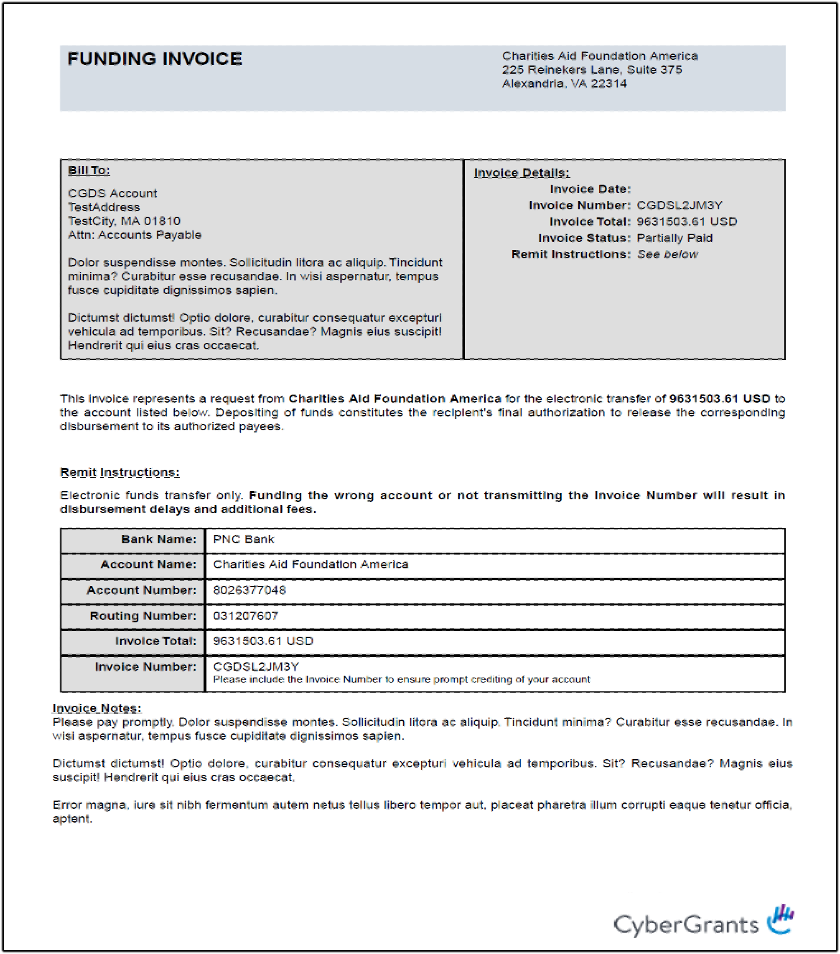
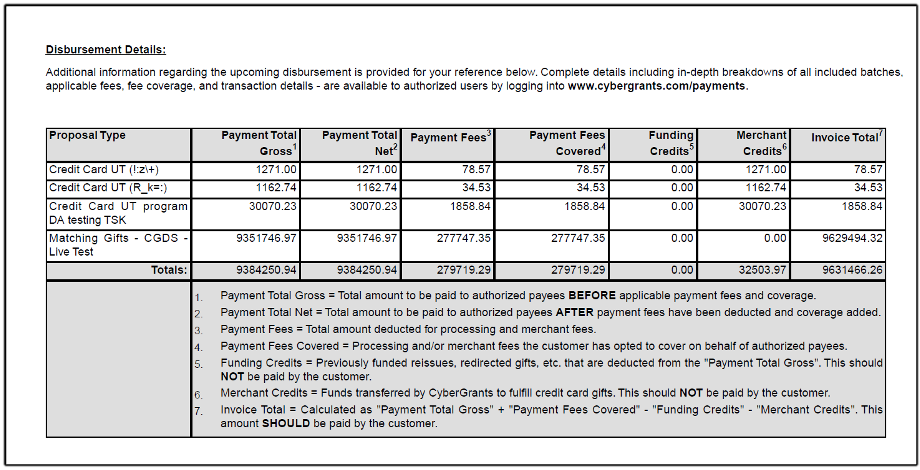
Funding Invoices may be configured to control how they appear, who is contacted regarding their status, and the conditions where they apply.
For more in-depth instructions/information about Funding Invoices, please see our guide:
Funding Invoice Help Guide
As discussed in the Phase 3 description, once all payments are created and processed, CyberGrants will create your Funding Invoices and release them into your Funding Invoice Console. You and/or your selected administrators will receive an email alert letting you know when these funding invoices are available for you in the console.
Within the console, you will be able to see all of your invoices from current/past payouts and download them to process your transmissions to the DAF / MAA starting from May 2021.
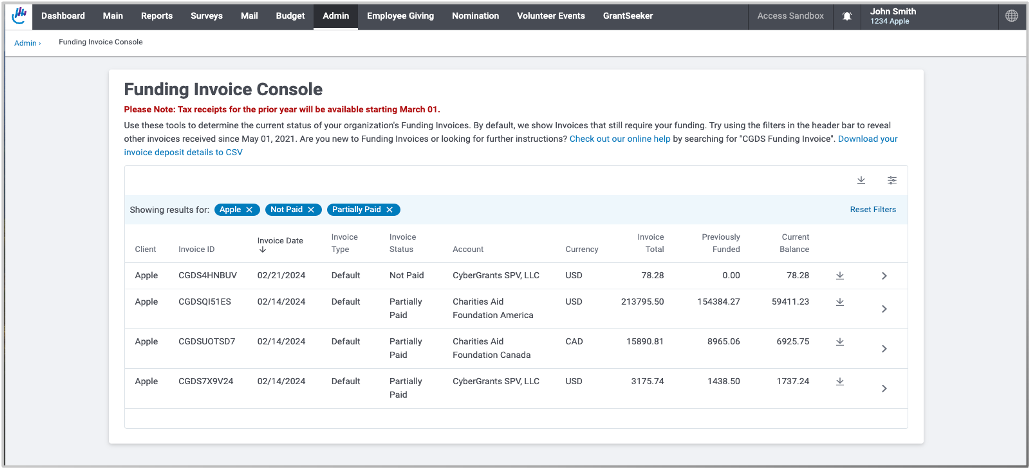
There are also two types of reports that you can download per Funding Invoice. One of them is a breakdown of each payment within that invoice and the other is a breakdown by donor level which will include all of the donor details within that invoice.
For more in-depth instructions/information about the Invoice Console, please see our guide:
Invoice Console Help Guide
Back to the top
Over the next few pages we have provided documentation in order to set up the DAF and MAA accounts up as Vendors in your AP systems for funding the Invoices.
Back to the top
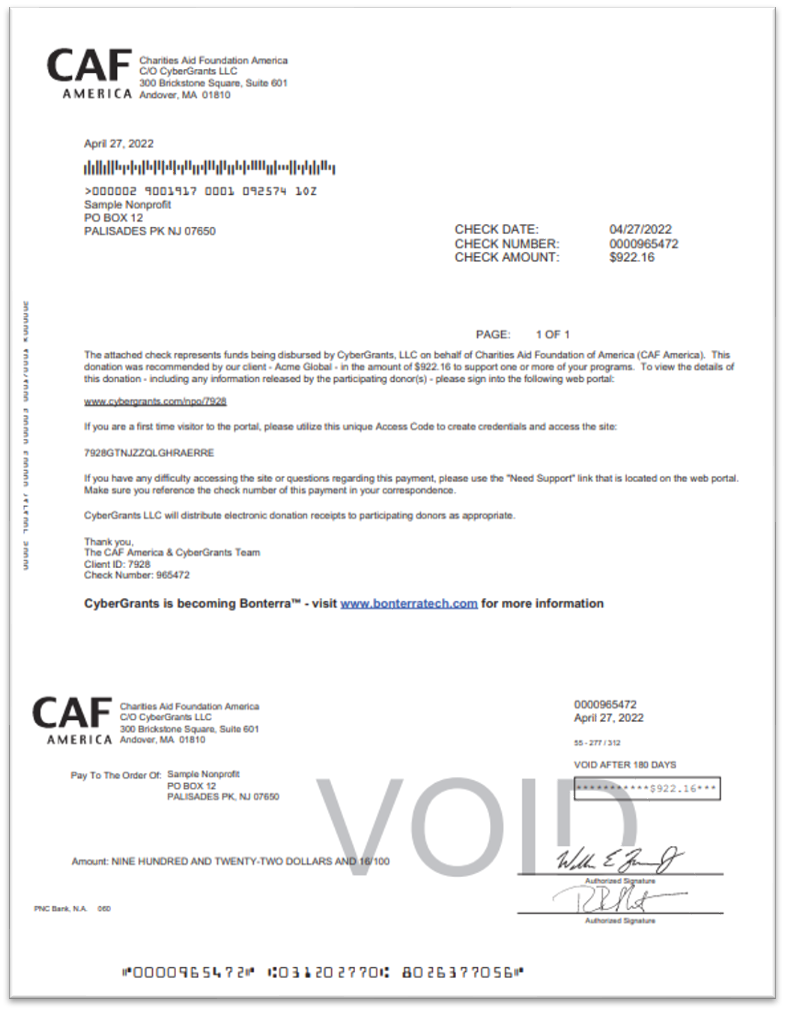
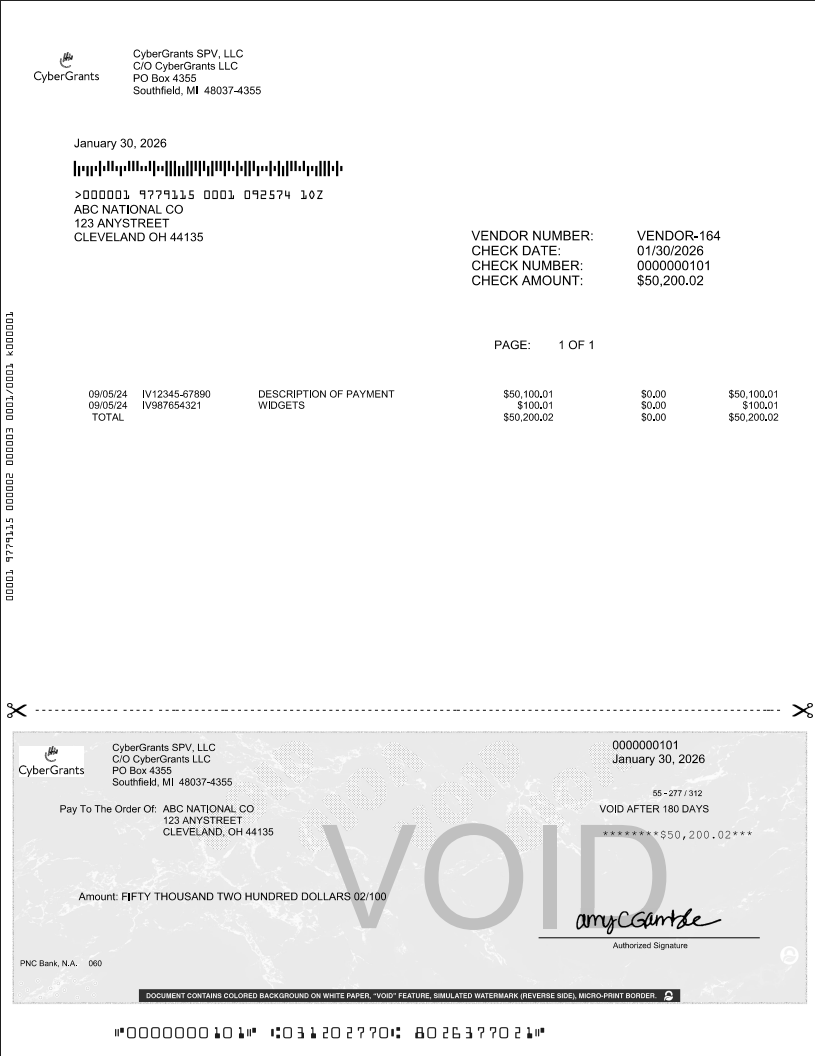
CGDS Check Information
Below we have provided samples of the check templates that we use for US DAF and the MAA.
Please Note: that these templates are generated using standard templates with the bank and therefore CANNOT be edited by any users.
Check Sample CAFA DAF Account Template
Check Sample CyberGrants SPV Account Template
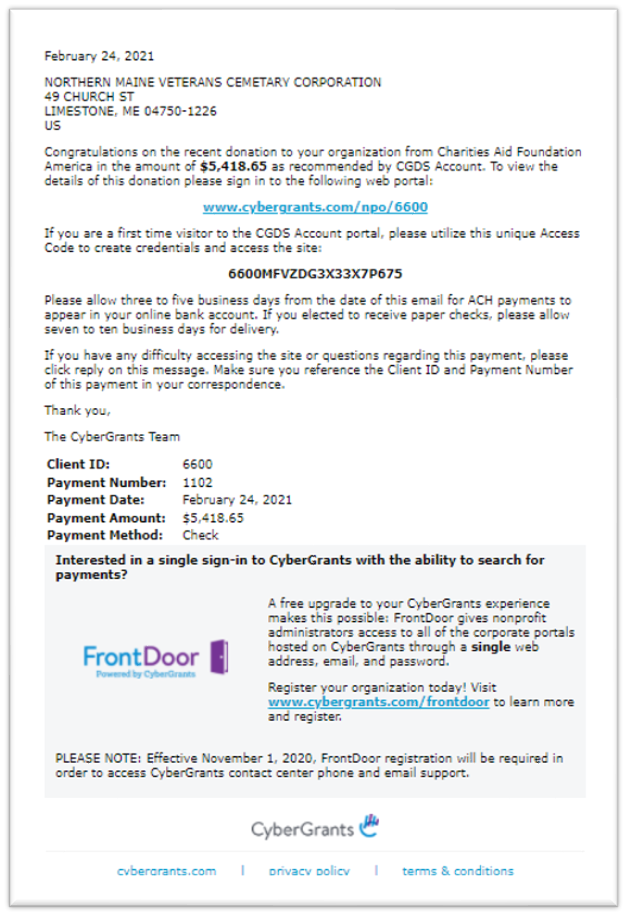
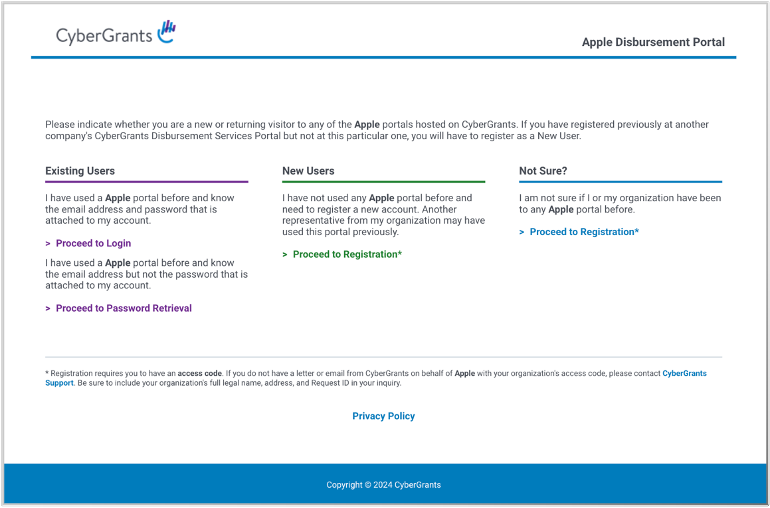
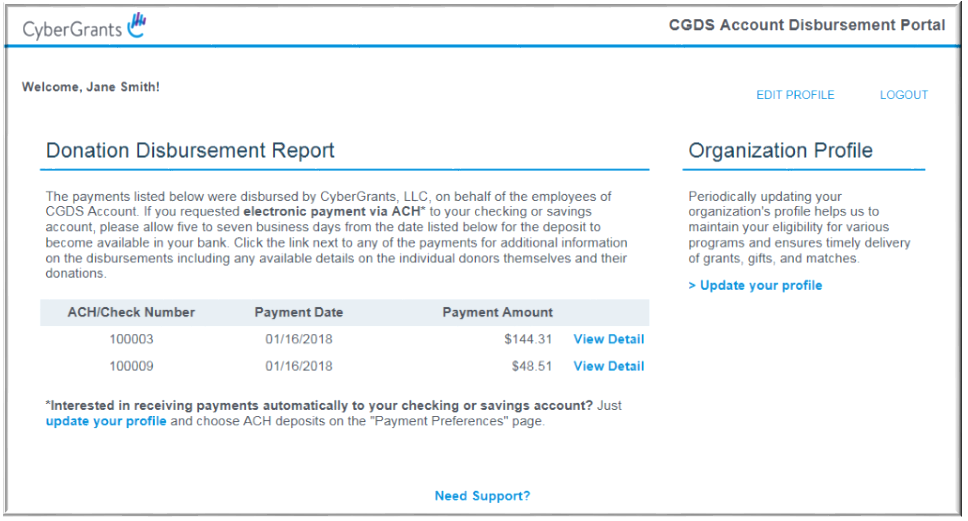
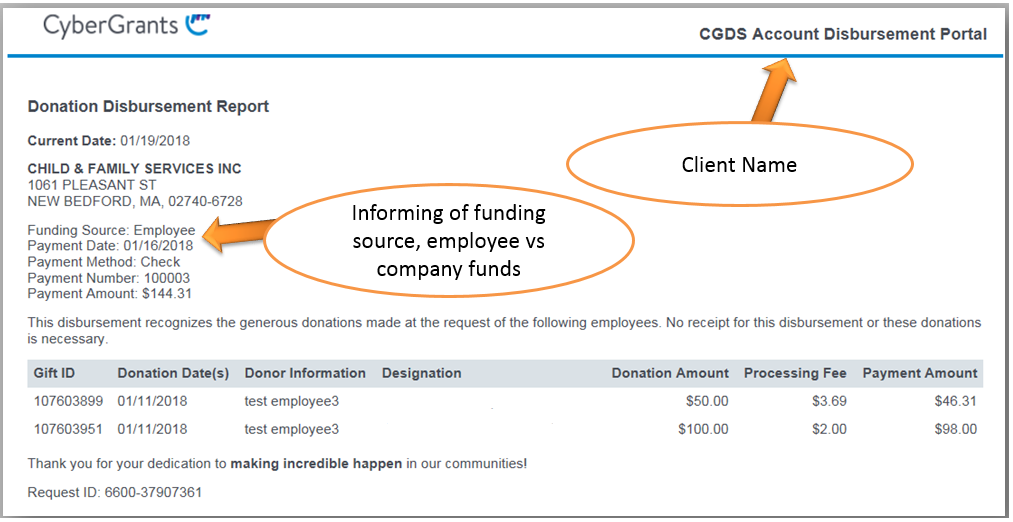
When payments are paid, an email notification is triggered and sent to the organization email address that we have on file. This email lets the NPO know of an upcoming payment that they will be receiving and includes the link to the disbursements portal where they can log in and view further details about the funds. There are different email notifications depending on whether the payment is a grant, employee engagement funds as well as whether the payments are from the DAF, MAA or the Canadian DAF (for funds paid in CAD).
For information on emails sent from CGDS, Click Here.
Below is a sample of what the notification will look like:
Back to the top
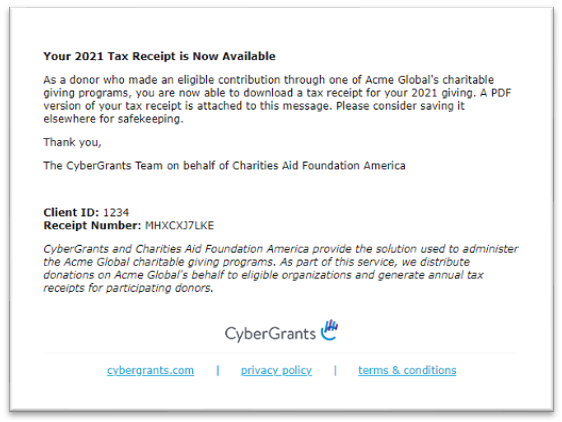
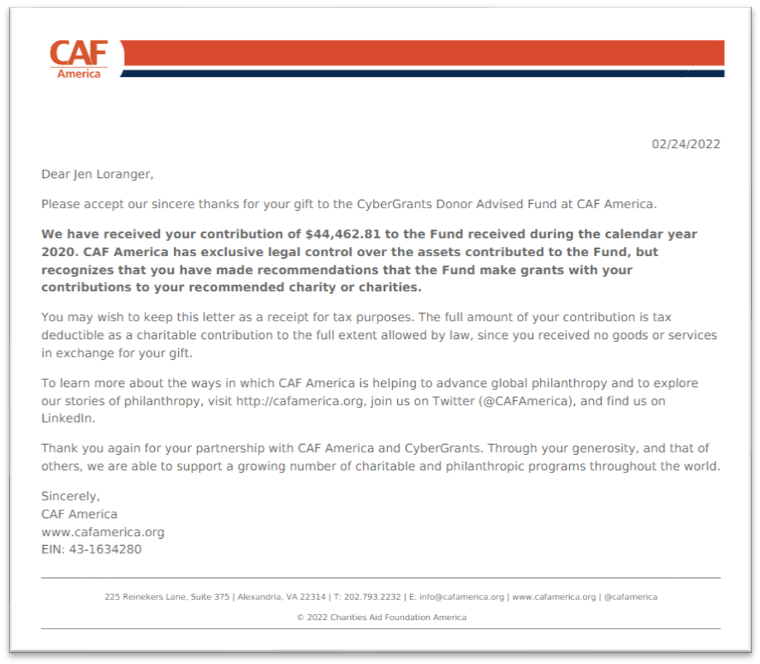
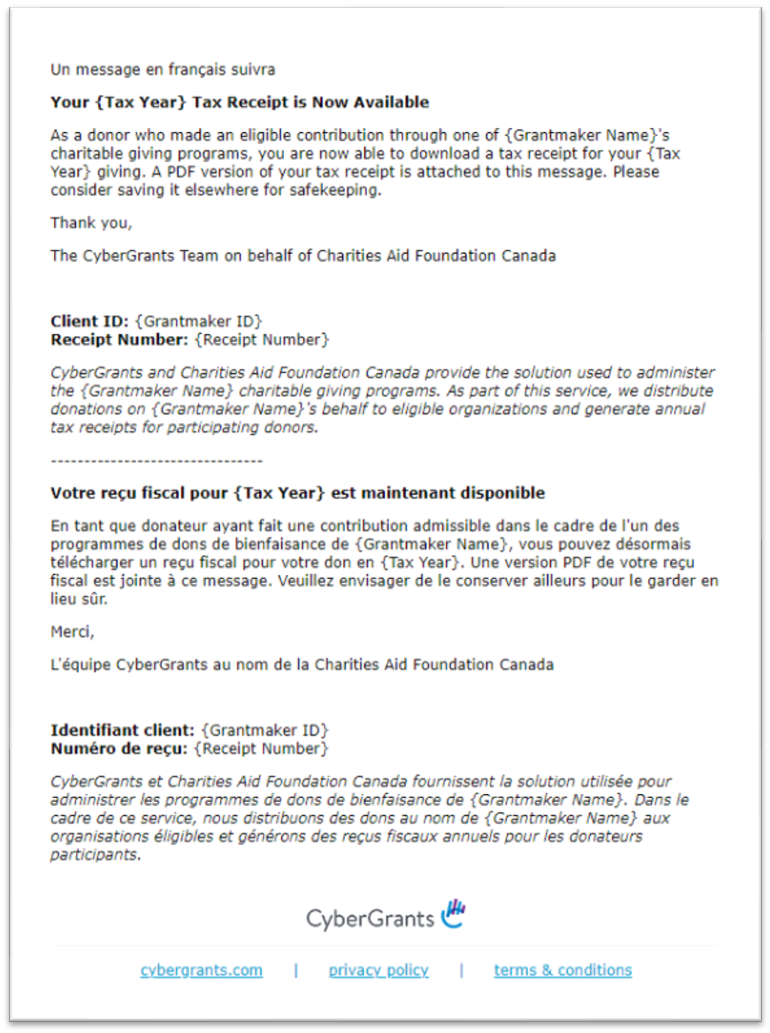
Tax Receipts for CGDS clients are available by March 1st of the year for the prior year’s gifts. Donors will receive an email notification letting them know that the receipt is available. Tax receipts will not be available for Canada.
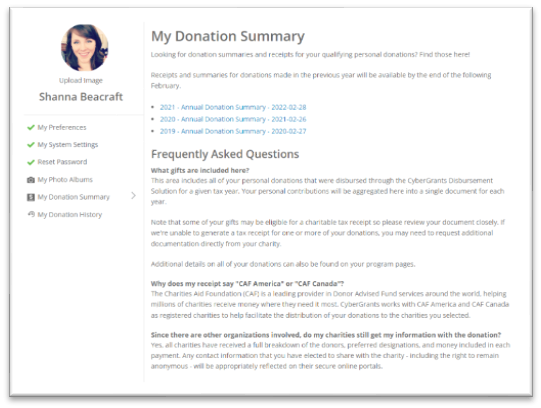
Donors who participate in CGDS programs will see a page located in their Profile page called “My Donation Summary”. The receipt will appear as a link at the top of the page per the picture below when it is available. Until a tax receipt is available, that section will be blank. As the years go on, these summaries will grow and always retain the documents for previous years.
For information about the Donor Experience, Click Here.
Donor Email Sample:
Donors can also access their Tax Receipts and Donation Summary by visiting the Donor Portal and going into their Donor Profile:
US Tax Receipt Sample
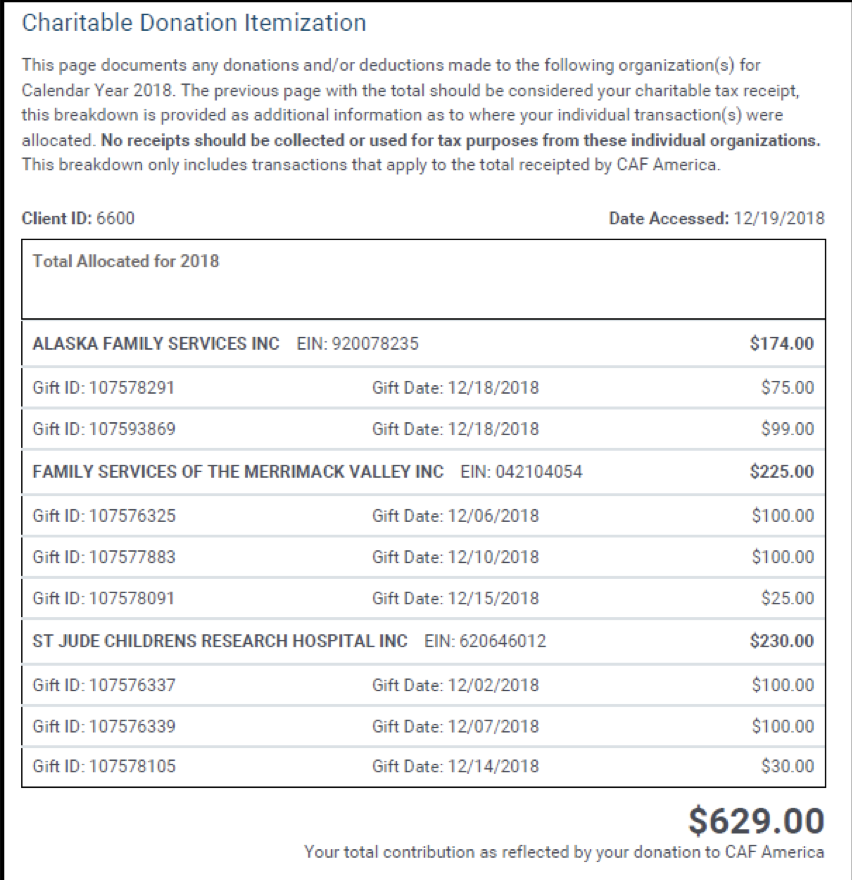
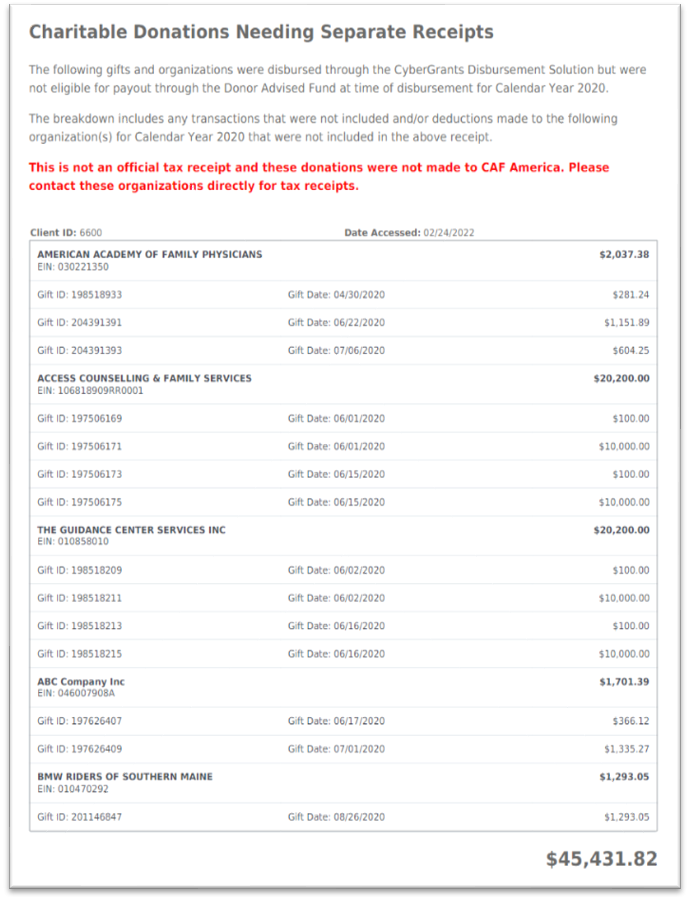
NOTE: Tax receipts will only be available to gifts paid out through the DAF/CAFA. Any funds paid through the MAA will require the donor to receive a tax receipt from the organization directly.
Canadian Tax Receipt Email Notification
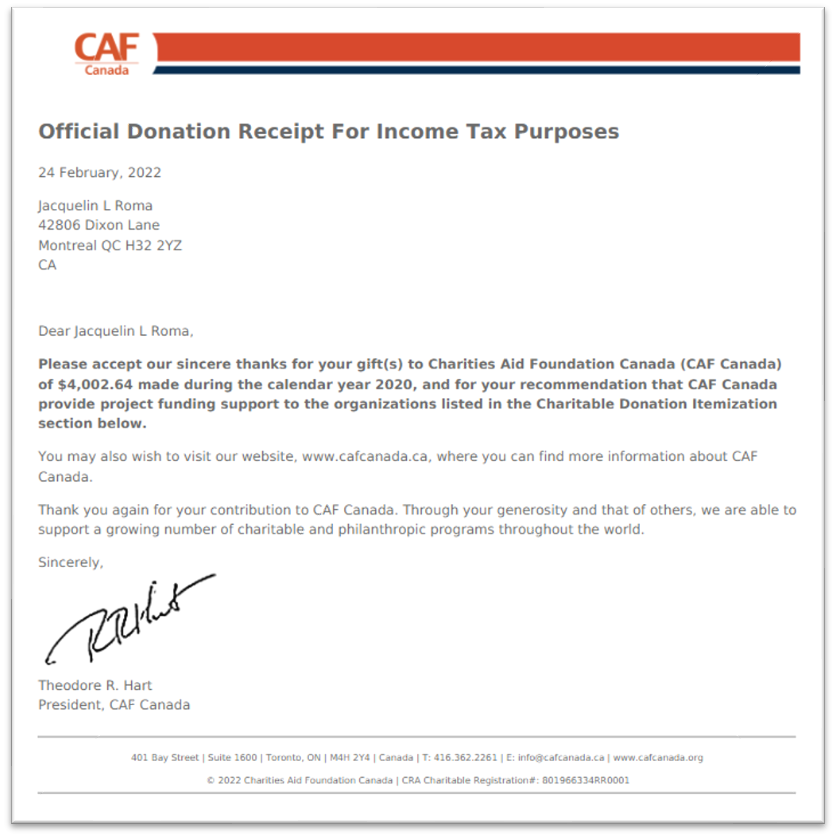
Canadian Tax Receipt Sample
CANADIAN DAF ACCOUNT
For programs that pay out in Canadian dollars, we have a separate Donor Advised Fund specifically for the Canadian currency ONLY. Below we have provided the Bank Account Details
Royal Bank of Canada – Donation, Match, or Grant Money Only
200 Bay Street
Toronto, Ontario M5J 2W7
DAF Account – Donation, Match, or Grant Money Only
Account Name: Charities Aid Foundation Canada
Bank Name: Royal Bank of Canada
Account #: 1561059
Institution #: 0003
Transit #: 00002
CAF Canada - SWIFT Code: ROYCCAT2
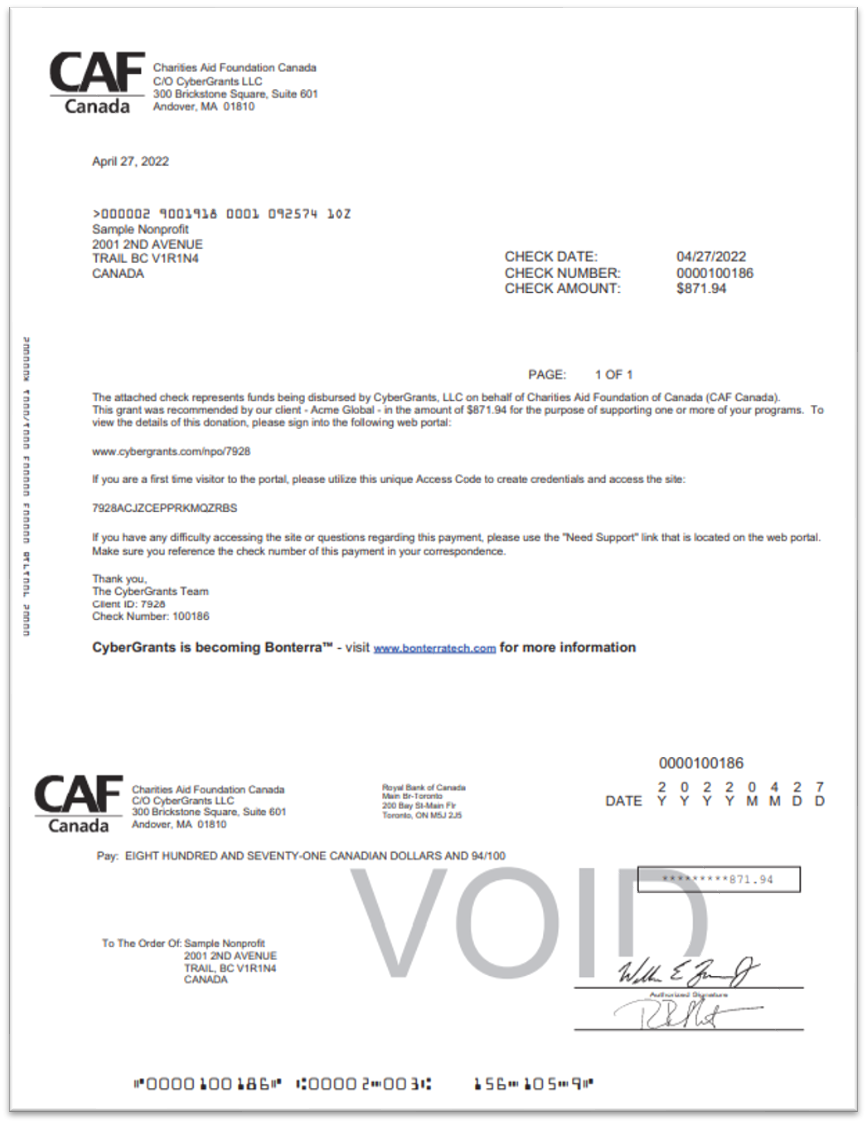
Check Sample Canadian DAF Account Template
Below we have provided a sample of the check template that we use for the Canadian DAF.
Please Note: that these templates are generated using standard templates with the bank and therefore CANNOT be edited by any users.
Back to the top
Back to homepage


