Manual verification is a process where CyberGrants vetting specialists conduct outreach to organizations to acquire documentation that can verify their legal tax status, ensuring their eligibility aligns with the program requirements.
This process is necessary when the organization's status cannot be fully verified through the available IRS and NCES data sources, or when the nomination details differ from the tax information. The manual verification process involves reviewing the organization's documentation, requesting additional information if needed, and ultimately assessing the organization's eligibility for the program.
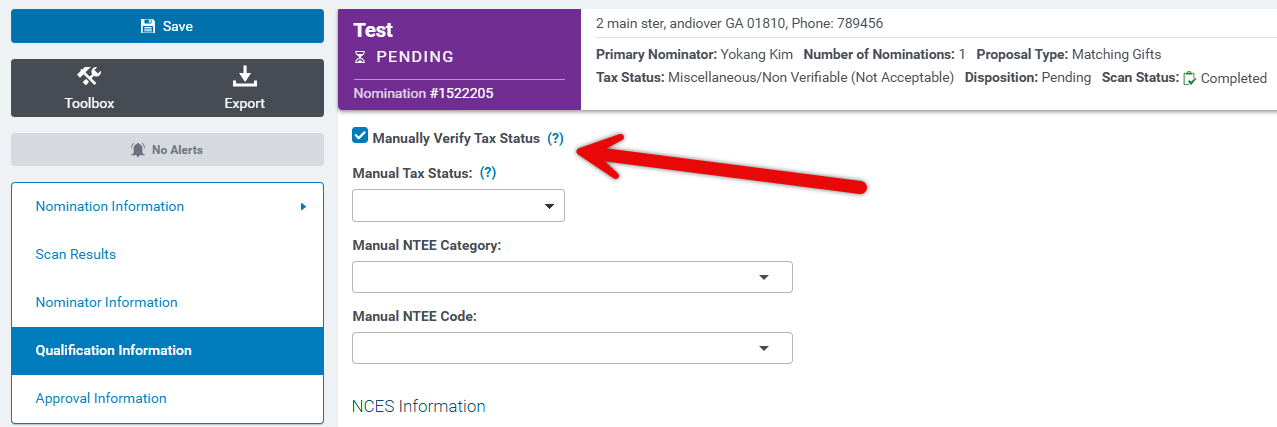
To learn more about the manual verification process conducted by CyberGrants vetting specialists, please review the information below.
Step 1: CyberGrants Vetting Specialist Reviews the Organization's Tax Status
The CyberGrants vetting specialist will assess the organization's tax status using the available resources, such as the IRS Business Master File (BMF) and the NCES system and they will determine if the organization's status can be verified through the existing information or if additional documentation is required.
- If the organization does not appear on the IRS BMF (revoked or recently acquired organization status) and manual verification is accepted, the vetting specialist will request a Tax Verification Letter to verify their tax status.
- If an organization is asking to change its tax status, the specialist will request the Tax Verification Letter, regardless of whether the new status is verified via the IRS database.
Step 2: CyberGrants Vetting Specialist Conducts Outreach to the Organization
If the organization's status cannot be fully verified through the available resources, the CyberGrants vetting specialist will need to reach out to the organization to request additional documentation.
Step 3: CyberGrants Vetting Specialist Obtains the Necessary Documentation
Depending on the organization's circumstances, the CyberGrants vetting specialist may request various documents, such as:
Document Type:
|
Description:
|
|
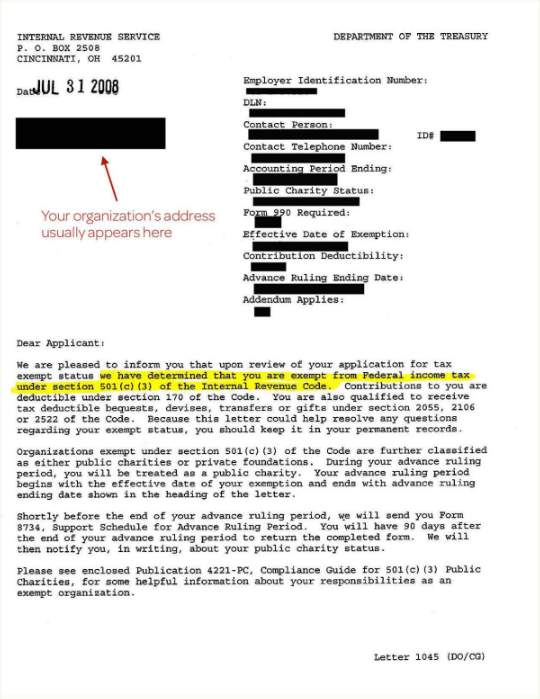
501(c)3 IRS Determination Letter (dated within the past 90 days)
|
- If the organization does not appear on the IRS Business Master File (BMF) as having a revoked or recently acquired status, a letter can be requested to verify the organization's tax status.
- Additionally, if an organization is requesting to change its tax status, this letter is required.
- If the new tax status is verified through the IRS Database (IRSDB), the letter does not need to be dated within the past 90 days.
- To obtain an updated 501(c)(3) determination letter, the organization can contact the Internal Revenue Service (IRS).
|
| Fiscal Agent Letter (dated within the past 2 years) |
- The organization's name and address must match the IRS BMF listing or additional documentation is required.
- If the organization has moved locations but the name has not changed, only address verification is needed.
- A fiscal agent letter is required if the name does not exactly match the parent organization or the address is for a different location or chapter organization.
- The nominated organization must be clearly noted in the fiscal agent letter, which must be on the letterhead of the IRS holder, dated within 2 years, and signed by an authorized official.
- If the name does not match the IRS holder, a current 501(c) determination letter is required.
- If the parent organization is under another parent, a second fiscal letter and 501(c) from the ultimate IRS holder are needed.
|
|
Religious Attestation Letter (If manual verification is authorized, and Religious organizations qualify, the following applies.)
|
- Religious attestation letters are accepted to verify that the organization is tax-exempt and qualifies as a non-profit Religious Entity under the IRS tax code. The letter must include a brief summary confirming the organization's alignment with the IRS tax requirements as a Religious entity, appear on letterhead, be dated within the past 2 years, and be signed by an official representative of the organization.
- If the organization falls under the parent of a religious organization, a fiscal letter will be required.
- Additionally, if the religious organization holds a tax status with the IRS or is under a parent organization registered with the IRS, a fiscal letter should be requested instead of the Religious Attestation letter.
|
| NCES Verification Letter |
- The vetting specialist will first review the NCES school directory (https://nces.ed.gov/ccd/schoolsearch/) if the school or district is not listed on the NCES feed. If the search results accurately match the nomination record, the record can be approved.
- If no results populate or the results do not match the information, the school can provide proof of their NCES listing through documentation.
- The Public School NCES file is published annually, and the Private school survey occurs every 2 years, so a recently erected school may not appear on a recent feed.
- The letter provided as proof must be from the NCES, signed by an official representative, and dated within the past two years.
|
|
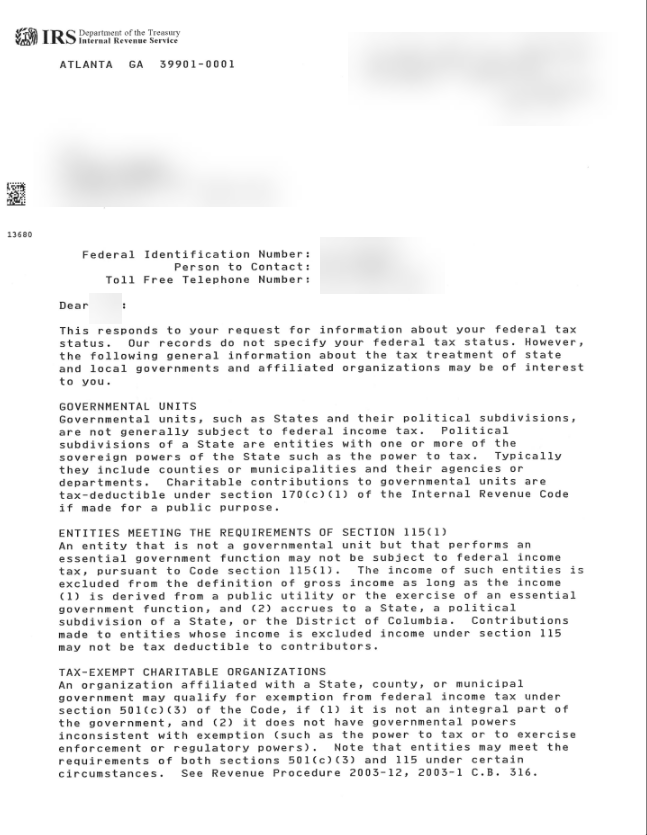
Government Agency Letters
|
- If the agency is a valid tax-exempt government unit under the 170(b)(1)(A)(v) subcategory, it will be listed on the IRS Business Master File. However, if the agency is a 170(c)1 organization, manual verification is required.
- For government agencies not listed on the IRS Business Master File, an IRS letter stating their tax status can be provided, and it does not need to be dated within the past 90 days if manual verification is accepted for the proposal type.
- If the government agency is not a tax-exempt government unit under the 170(b)(1)(A)(v) subcategory, an attestation letter on the organization's letterhead, dated within the past 2 years, and signed by an authorized official can be provided.
|
Step 4: CyberGrants Vetting Specialist Reviews the Submitted Documentation
The CyberGrants vetting specialist will carefully examine the provided documentation to ensure it meets the program's eligibility requirements. The specialist will verify that the organization's name, address, and tax status information are accurate and consistent across the submitted documents.
- If the organization's name and address do not match the IRS holder's information on the Fiscal Agent Letter, the specialist will require additional documentation, such as Articles of Merger, Articles of Incorporation, or a current 501(c)3 dated within the past 90 days, to prove the name change.
- Articles of Merger and Articles of Incorporation can be accepted as State documents proving the non-profit organization filed a name change.
Address Verification
- If the address of the IRS holder does not match the letterhead, the specialist will request address verification for the IRS holder.
- The address must appear on the organization’s letterhead (either as part of the letterhead or in the context of the letter); the letter must be dated within the past 2 years; the letter must be signed by an authorized official of the NPO.
Step 5: CyberGrants Vetting Specialist Determines the Organization's Eligibility
Based on the review of the documentation, the CyberGrants vetting specialist will assess whether the organization meets the program's eligibility criteria.
- If the organization is eligible, the specialist will proceed with the next steps in the vetting process.
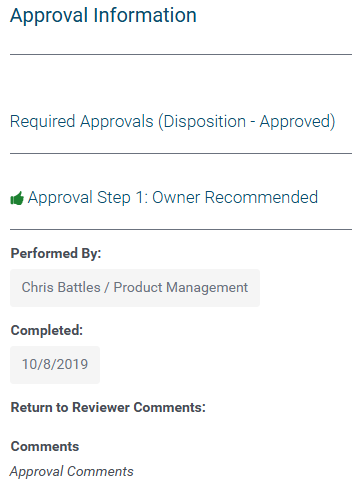
- If the organization is not eligible, the specialist will communicate the decision and the reasons for it to the organization.
Step 6: CyberGrants Vetting Specialist Documents the Verification Process
The CyberGrants vetting specialist will document the manual verification process in the organization's record, including the steps taken and the final determination.
Step 7: Understand Manually Verified Tax Status Expiration
The manual verification process for non-profit organizations (NPOs) that are not government entities has a validity period of 2 years. After this period, the manual verification status will expire, and the NPO will need to undergo the verification process again.
- However, for government entity NPOs, the manual verification does not expire and remains valid indefinitely.
Additional Resources
Looking for training?
Explore this feature at your own pace - access training video content or watch a recorded webinar by clicking the link below.


