Client Admins can exclude specific proposal types from the Nonprofit Hub Payment console. Opting out of the Bonterra Nonprofit Hub Payment Console prevents gift and payment receipts associated with the proposal type from appearing in an organization's Payment Consoles available in FrontDoor, through the organization's access to the Nonprofit Hub. Payment console exclusion works for both Grant and Employee Engagement proposal types, which provides a flexible solution in cases where, for example, you need to track In-Kind donations or internal data points.
Learn more about the Payments console.
To exclude gift and payment receipts from the Payment console:
- Navigate to the Admin tab and view the Application Configuration section.
- Click the View Proposal Types hyperlink. Your proposal types will display.
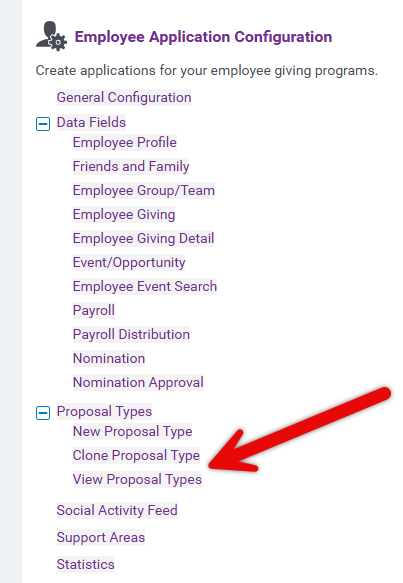
- Select the appropriate proposal type in the Employee Giving Proposal Types column.
- Scroll to the bottom of the Program Configuration form.
- Click the External Settings tab.
- View the Opt-out of Nonprofit Hub Payment Console setting.
- Select the checkbox to exclude gift and payment receipts from the Payments console for the selected proposal type.
- Unselect the checkbox to include gift and payment receipts from the Payments console for the selected proposal type.


