|
|
- View the Organization Record for the appropriate organization.
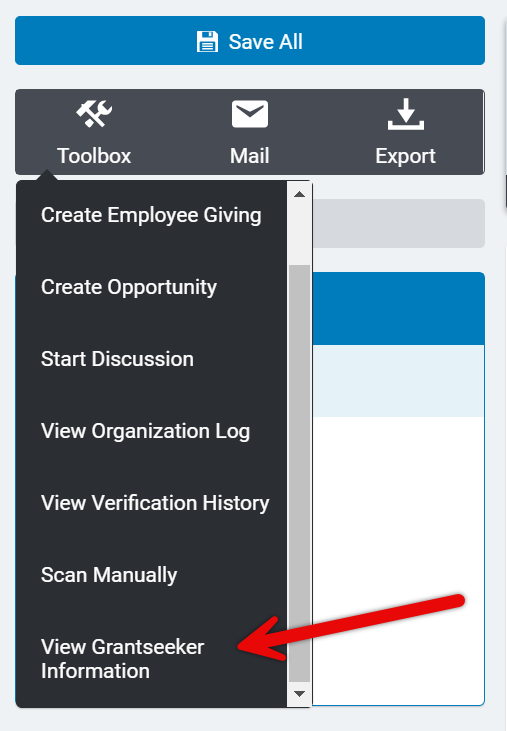
- Click on the Toolbox.
- From the displayed options, select View Grantseeker Information. The View Grantseeker form is displayed.
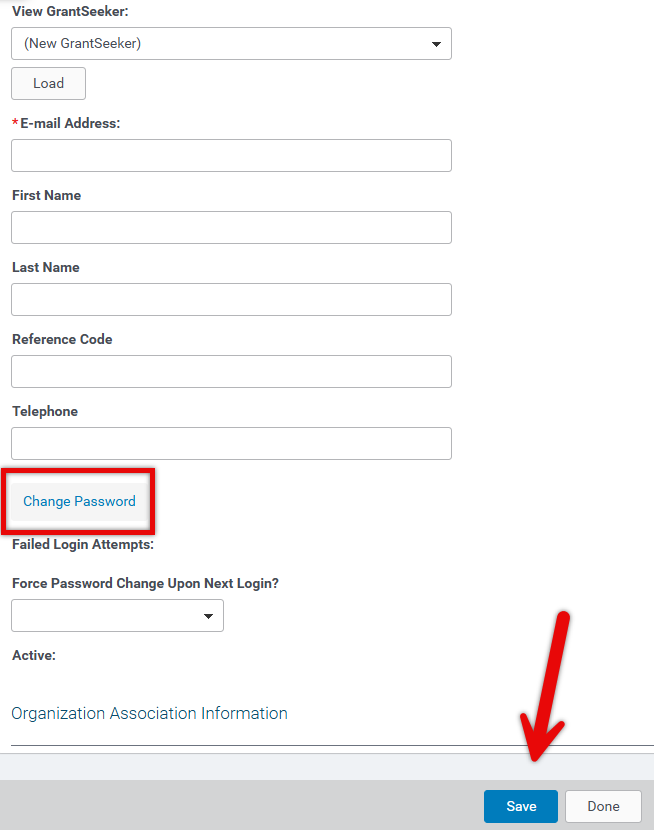
 - From the View GrantSeeker dropdown menu, (New Grantseeker) is populated. If you have a
- Complete the following fields:
- E-mail Address
- First Name
- Last Name
- Telephone
- Click the Change Password hyperlink. The Password field is displayed.
- In the Password field, enter a temporary password the Grantseeker can use to access their account for the first time. (For example, welcome123)
- From the Force Password Change Upon Next Login? field, select Yes.
- Click the Save button. The Grantseeker has been added.
|
|


