Looking for assistance with accessing the CyberGrants system? See our step-by-step instructions below.
Check out this video that guides you through the steps to access the CyberGrants system.
Step 1: Obtain User Credentials
A GrantMaker user needs to contact the system Administrator to obtain a password to log into the CyberGrants system. The Administrator establishes a user profile, which includes a user ID, a case-sensitive password, and a user group. The Administrator can also set an edit access level for each user. (Administrators: see the “User Management” section under the Admin Tab.)
Step 2: Access the CyberGrants Log-In Page
Once a user has a username and password, type the following URL in a browser to access the Bonterra Cybergrants home page: https://www.bonterratech.com/product/cybergrants, click the “Login” button located in the top right corner of the home page and click the link to access CyberGrants. Inactive users will not be able to log into CyberGrants via standard log-in or SSO.

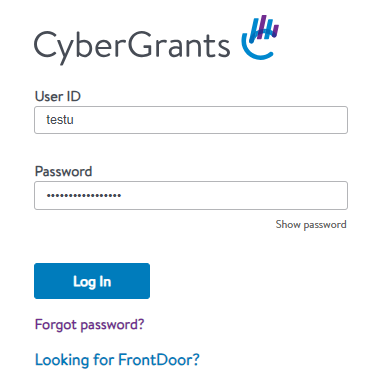
Step 3: Enter your User Credentials
Enter your User ID (username) and password to log in to the secure system.
What else do you need help with?
Not what you're looking for? Navigate to Understanding System Acces


