This standard feature allows all system users' preferred date format to display based on the date format that is detected by their browser or operating systems in Employee Engagement, Apply Online, Internal Configurations, and within the FrontDoor platform. The user will not have controls or configurations within CyberGrants to update the format.
The preferred date format displayed to all users in Employee Engagement Apply Online, Internal configurations, and within the FrontDoor platform is auto-detected through the user’s browser or operating system.
- All users, including admins and employees (donors), view their preferred date format on all portlets where a date is present, rendered in the user’s native date format.
- If your program includes volunteering, Event creators can create and manage both events and rosters in their preferred date format, which, then, translates other donor's preferred format determined by their browser or operating system’s configured settings.
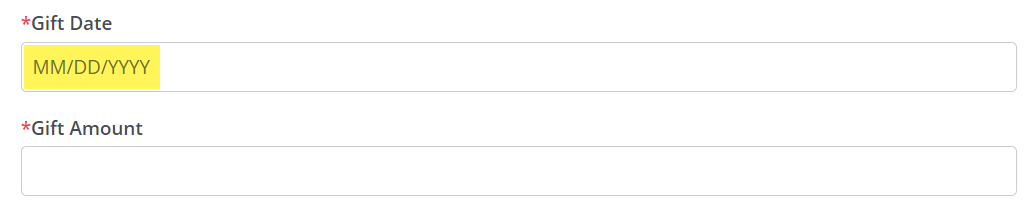
- Date pickers and format prompts reflect the user's preferred date format.
What Areas are Excluded from this Feature?
Areas that will NOT use preferred date format:
- Insights
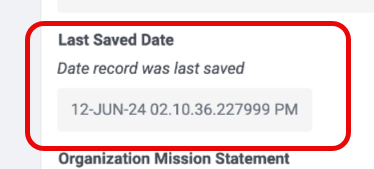
- Audit trail/System log: ISO format (YYYY-MM-DD)
- Email: ISO format (YYYY-MM-DD)-
- Date/Timestamp in internal administration
In addition to the above, please note the following key points related to this feature:
- There will NOT be any controls within CyberGrants for the user to control their own date formatting preferences.
- User Impersonation will detect the user's date format and may not match the donors. Internal users cannot see what the preferred date format is for another donor - This information is not stored.
- The users' preferred date format will not update if they travel to a different country unless they choose to change it in their system settings or browser.
NOTE: Ad hoc reporting filter screens will display the user’s preferred date format. Excel data prints in ISO and may translate the default value (YYYY-MM-DD) to a different format based on settings.
FAQs:
Q: How do I change my date format?
-
A: You can identify the date format being used and update the display in your browser or operating system. There are no controls within the online application to change the date format based on your location.
Q: Will emails show the donor's preferred date format?
- A: Emails will use ISO format, regardless of what is detected by their browser.
Q: When impersonating another user, will I see my date format or the donors?
- A: Impersonation will detect the users’ date format and may not match the donors.
Q: Can an internal user see what the preferred date format is for another donor?
- A: No, this information is not stored.
Q: Will my date format change when I travel to a different country?
- A: The users' preferred date format will not update if they travel to a different country unless they choose to change it in their system settings or browser.
Q: How do I change my date format?
- A: Update the date format display in your browser or operating system. There are no controls within the application to change the date format.
Q: How do I know what date format is being used?
- A: Check your browser settings or operating system settings to determine what date format is being used.
What else do you need help with?


