There are two options to view grantseeker information:
Organization Record
- In Production, when viewing the organization, click on the 'Toolbox' icon in the left hand menu.
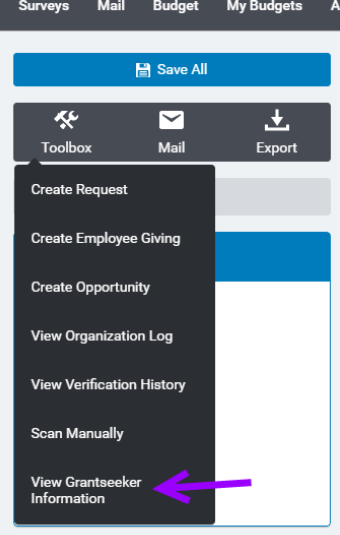
- Select 'View Grantseeker Information'
-
Select a name from the drop down
The user dropdown list on the internal GrantSeeker Information screen gives administrators additional information about each user.
- Results are now listed in first name + last name format
- Results are listed alphabetically by first name + last name
- Icons have been added to indicate active and inactive status
- Results now include the user's email
- Results now include the user’s last logon date
- Results now include indicator an indicator if the user has FrontDoor access
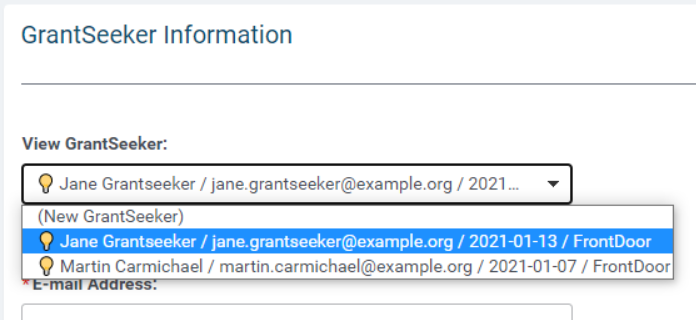
- From here you can see the grantseekers, name, email, change password and force them to create a new password on login.
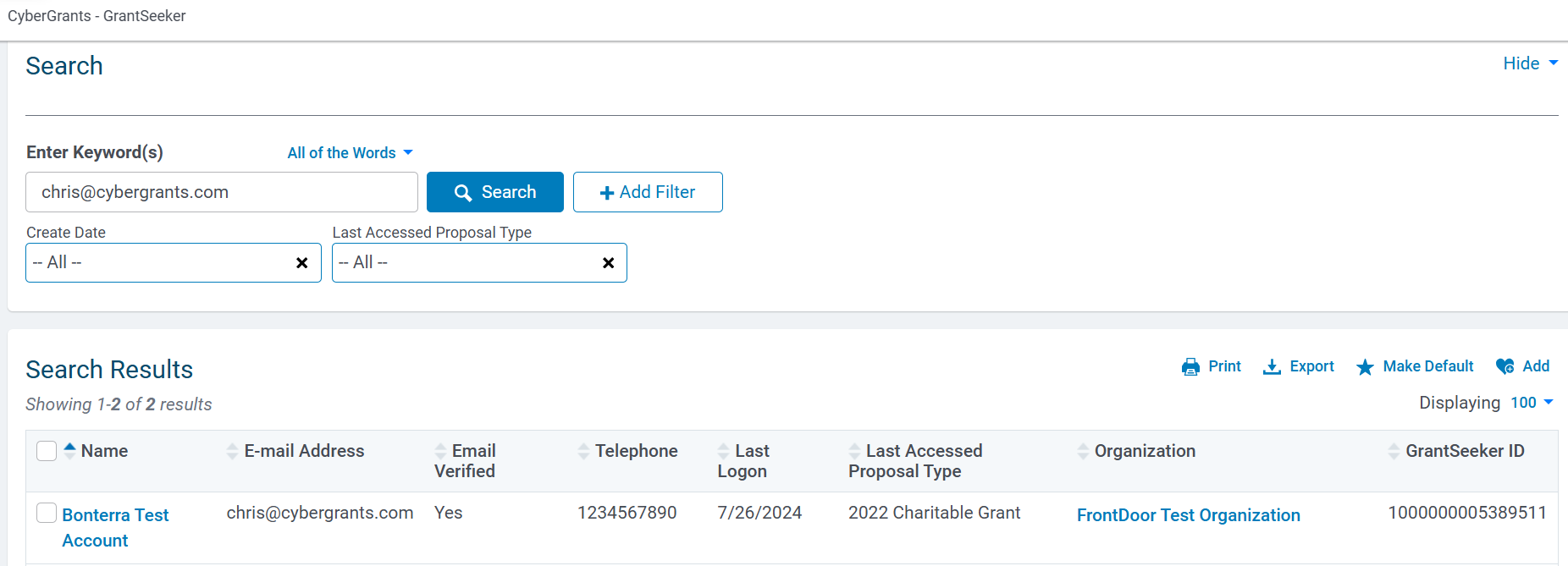
Grantseeker Tab
The Grantseeker Tab allows a user to search for a GrantSeeker by name, email address, or organization name. This is helpful when the organization is not known or the grantseeker is associated with many organizations.
To configure columns see: How to Add Columns to a Tab
To configure filters see: How to Set Filters on Tabs


