Overview
Recurring credit card giving is another way for donors to make an ongoing impact with their giving.
- Donors are able to set up recurring credit card transactions through existing portlets, then manage their recurring transactions from their profile.
- Enhanced experiences within the credit card form and donor credit card confirmations aimed at ensuring donors are aware of the details and status of their recurring donation.
- A robust and smart nightly batch job to process recurring credit card transactions, including notifying and retrying when there are card declines.
- Admin users can search for and report on recurring credit-card subscriptions within the Internal UI
 Restrictions/Limitations
- Available for CyberGrants Disbursement Solution (CGDS) clients.
- Standard automatic matching is available with the same behaviors as a single one-time donation. Programs requiring special logic to look across the recurring donation and calculate a total match amount for a time period or other calculations will require a custom Technical Services project.
- A program must be set up to inactivate users in HR feed using the active/inactive flag on the donor, to ensure that recurring donations are canceled if a donor is no longer active.
- Available in the single organization workflow
Donor Workflow
When recurring credit card frequencies (monthly, quarterly, or yearly) are enabled, a donor can choose whether their gift is a one-time or monthly recurring donation. If a donor selects to give on a recurring frequency, they can then select their start date and end date.
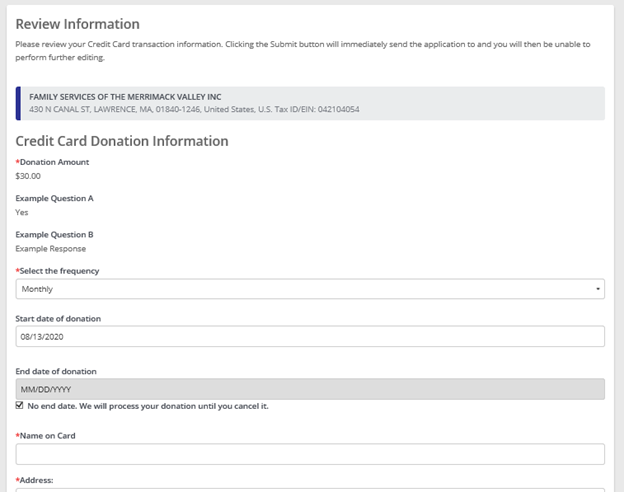
Recurring frequencies (not one time) can be scheduled for any future start date.
If the start date is selected to be today, then the charge will be processed immediately. Otherwise, the card will be verified, and the charge scheduled for the date selected. There are also options available to control what start dates can be selected by donors. See Configuration of Recurring Credit Card for more details on those options.
While recurring donations will continue until canceled by default, donors can choose to set a specific end date. Any charges scheduled for that day will complete prior to closing the recurring donation. There are also options to control how far out of an end date can be set (removing the option to continue indefinitely) and set a fixed end date. See Configuration of Recurring Credit Card for more details on those options.
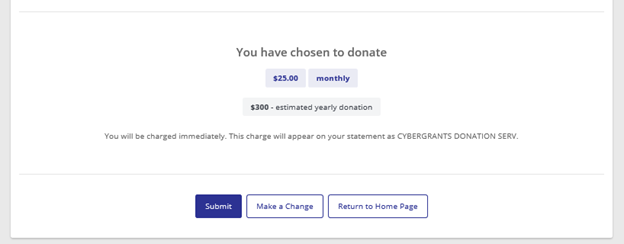
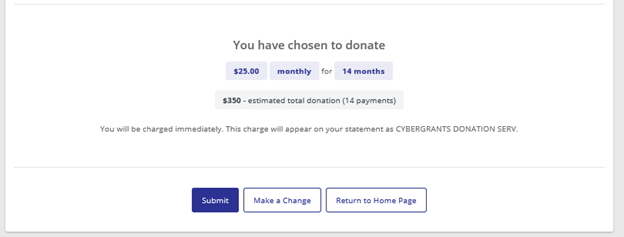
Donors can also see the estimated total of their donation prior to submission, based on their selected start date, end date, and frequency.
Example with no end date:
Example with a specified end date:
Donor Emails
There are a set of standard emails sent to donors throughout the lifecycle of the recurring donation to keep them informed of confirmations, charges, and exceptions. These emails are not configurable,
These include:
A confirmation email for the recurring donation
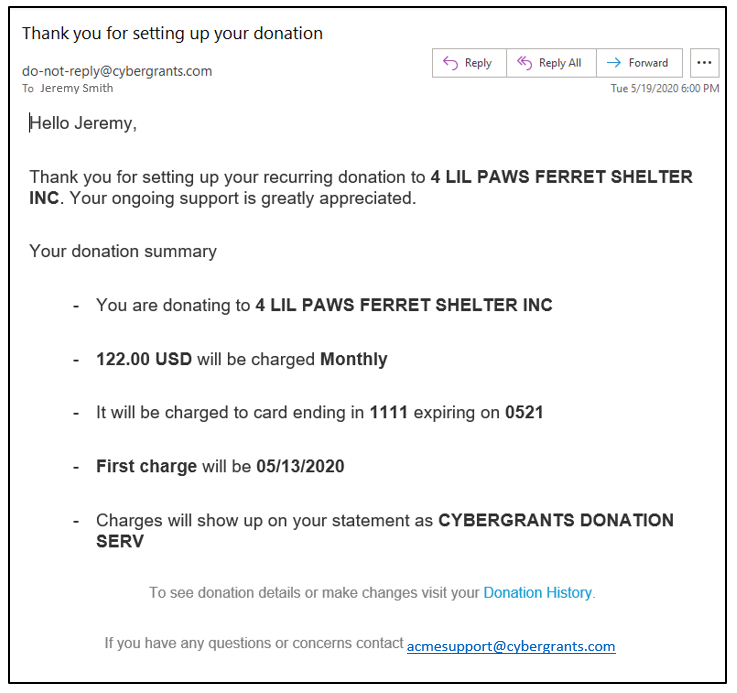
Note: Email confirmations will show the method of payment as whatever digital wallet used (e.g., Apple Pay, Google Pay), if applicable.
If the donation is set up with an end date, it will include a statement on when the donations will end.

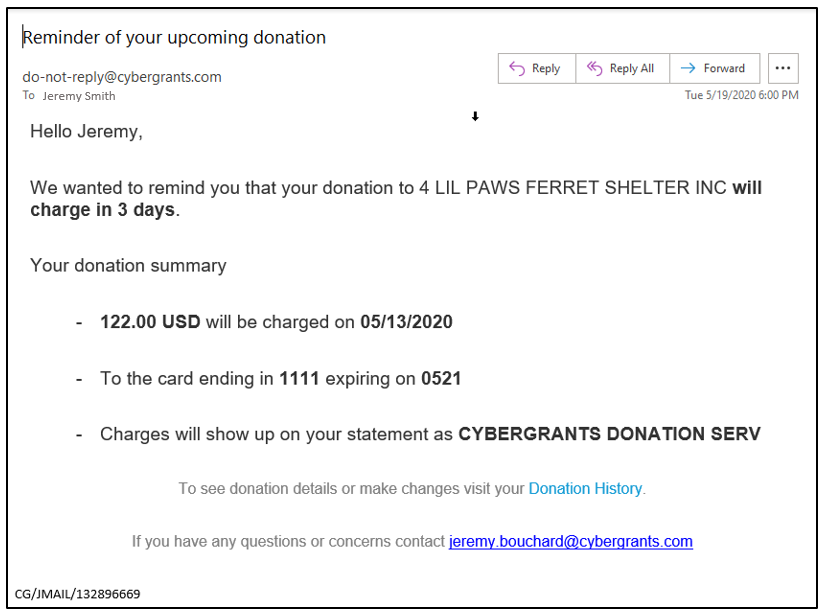
A reminder of upcoming charges
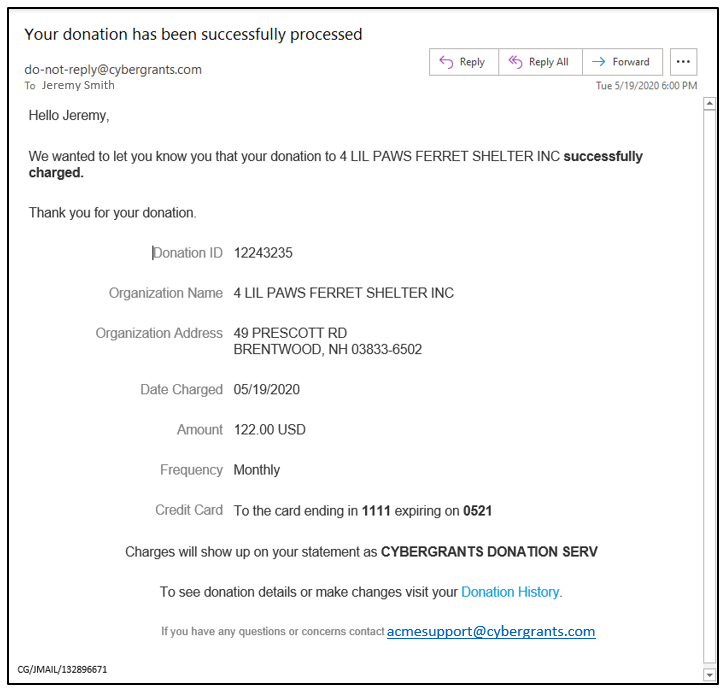
Notification that a charge has been completed
Notification of issue with card
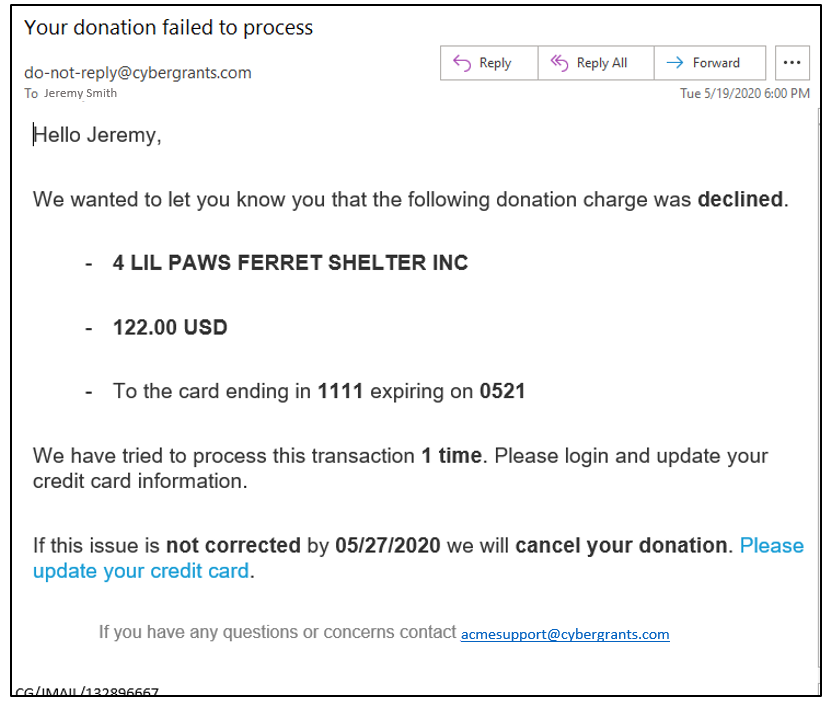
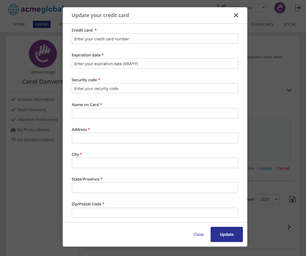
This update credit card link will take a user directly to a form where they can update their credit card information (after authenticating into the site).
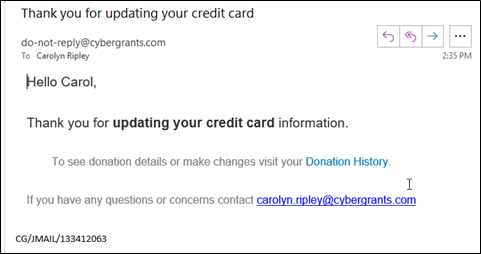
Notification that credit card has been updated:
Managing Current Recurring Donations
My Donation History is the location for a donor to see all active and past recurring credit card donations. This area is always on if recurring credit card frequencies are available for a proposal type, regardless of configuration. See Donor Profile article for more information on the areas within My Donation History.
In the Upcoming Donations area, a donor can view the details, update the card information, or cancel the donation. The Recurring ID is the same identifying number that could be searched for internally (as EG Deduction Summary ID in Employee Giving Tab). When updating the card information, there is no effect to the original recurring donation.
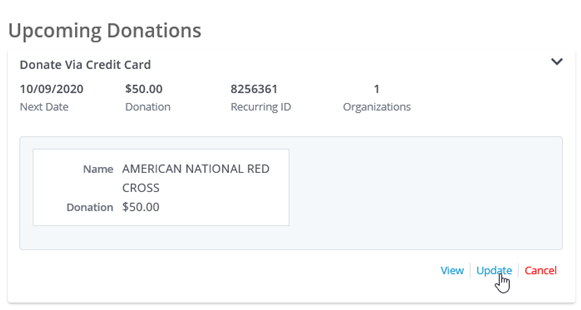
The Contribute Again portlet displays recurring credit card donations similarly to payroll, with an option to cancel if it is active (there is no change option at this time). A donor can also select to "Donate again", similar to other credit card transactions, which is a copy of all data from the donation except for the frequency and dates. For more information, check out the Contribute Again article.

The Giving History portlet displays the recurring donation as either Active, Cancelled, or Closed and the individual donations will display with their defined statuses (typically configured as Approved with the configured status text).

Note: The "Payroll Contribution History" portlet current will show transactions from the credit card proposal type, as it currently shows all donations made regardless of origin, unless configured to limit proposal types. Other "payroll" portlets will not, such as the Payroll Contribution portlet.
Viewing Recurring Donation
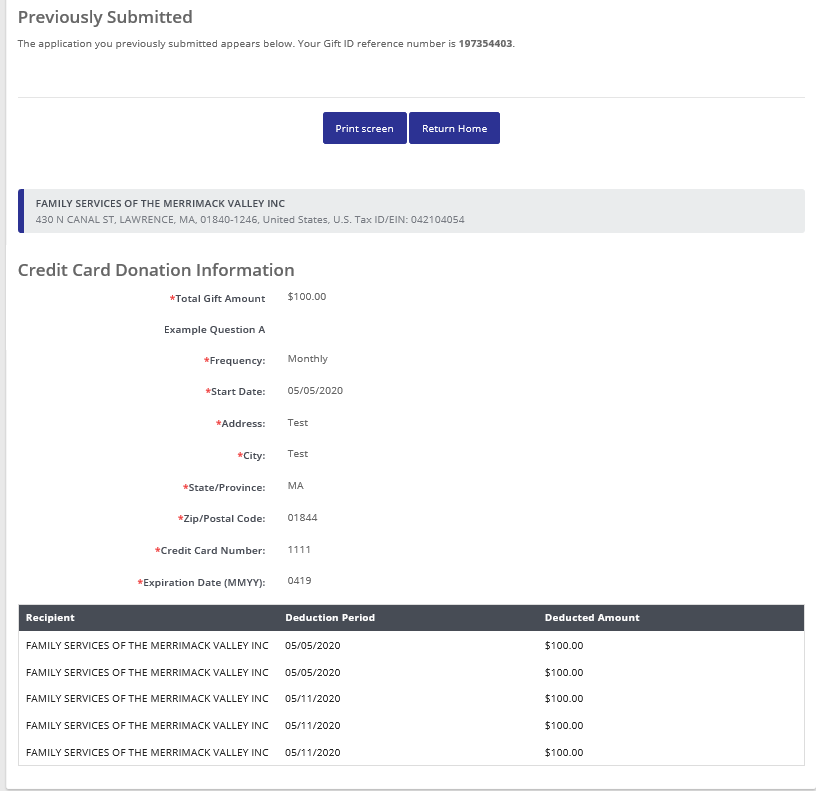
Recurring donations appear similar to recurring payroll donations, with a single view that contains the questions answered and list of all donations that have occurred. This can be accessed from both the Giving History portlets and from My Donation History.
There is also an option to cancel here, if it is an Active recurring donation.
Processing Scheduled Charges
On a daily basis, all active recurring credit card donations will attempt to process.
After a scheduled charge has been completed, if date of the scheduled charge is the same as the end date, the recurring donation will be closed. Otherwise, the next scheduled date will be set based on the selected frequency (monthly, quarterly, or annually). For end of month dates that are not in all months, the date will be shifted to the last day of the month. (For example, if a monthly donation started on 1/31/20, then for February it runs on 2/28, then 3/31, etc).
If there are delays in making a scheduled charge, such as due to a declined credit card, to the point that it is past the scheduled end date, the transaction will be closed and not charged. (For example, if the scheduled transaction date is 7/16/20 and the end date is 7/20/20, if the issue is not resolved by 7/20/20 the last charge will be skipped in order to not)
If a donor has a scheduled charge, and is no longer eligible, that subscription (and any other for the same program) will be canceled. Reasons include:
- Donor leaves company, as indicated by the Active Flag being unchecked (inactive)
- Donor is no longer eligible per configured donor rules
- Donor is no longer eligible per configured gift rules
- Organization no longer eligible per configured organization eligibility rules
If there are any unexpected failures, these will be recorded on the subscription and viewable on the record in the Internal UI.
If CyberGrants is unable to process the donation due to a declined card, CyberGrants will notify the donor upon first decline, then try and notify 7 days later, then try again 7 days later. If the 3rd attempt fails, CyberGrants will immediately cancel entire recurring subscription. If at any attempt the card is approved, the system will charge and the donor's next scheduled transaction date will be set per their schedule.
Donor donations will not be processed if a grantmaker account is expired or if are greater than 90 days (but are also not canceled at this time).
Internal UI Management
Management of recurring credit card donations follows a similar pattern to the management of recurring payroll contributions today.
From the Internal UI, you can view the record and see the emails that have been sent regarding the recurring donation, including any decline warning emails.
NOTE: Unlike payroll, you currently cannot "change" this record. It can be canceled, and the donor will need to create a new recurring donation through the employee engagement portal.
Searching for a recurring donation record:
- From the Employee Giving tab, you can search for the proposal type or gift dispositions that correspond to recurring (ongoing) donations (Active & Canceled for recurring credit card)
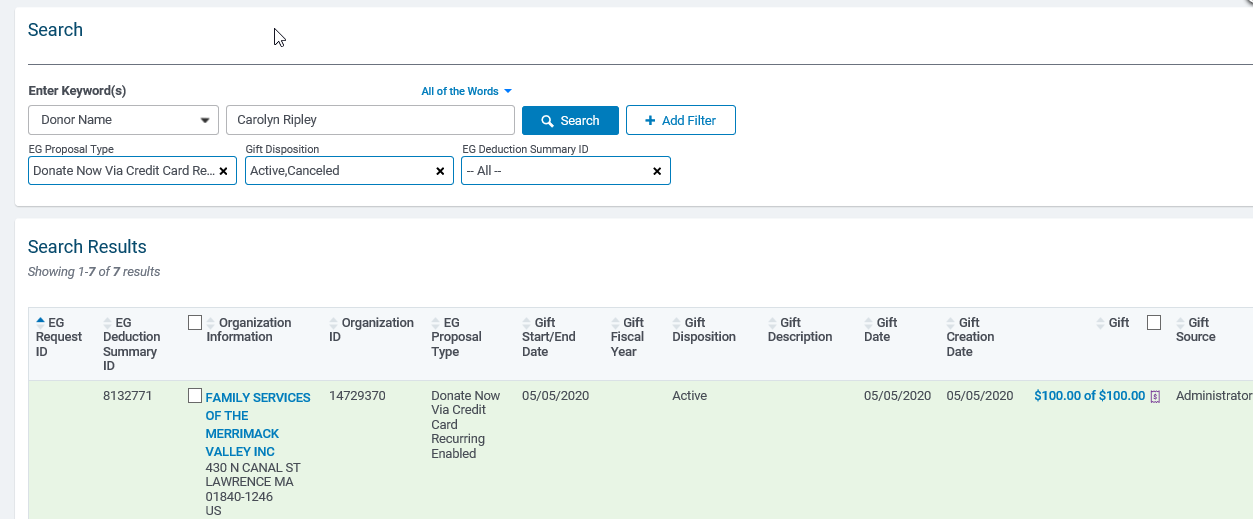
- Selecting a record brings you to the full recurring donation summary page
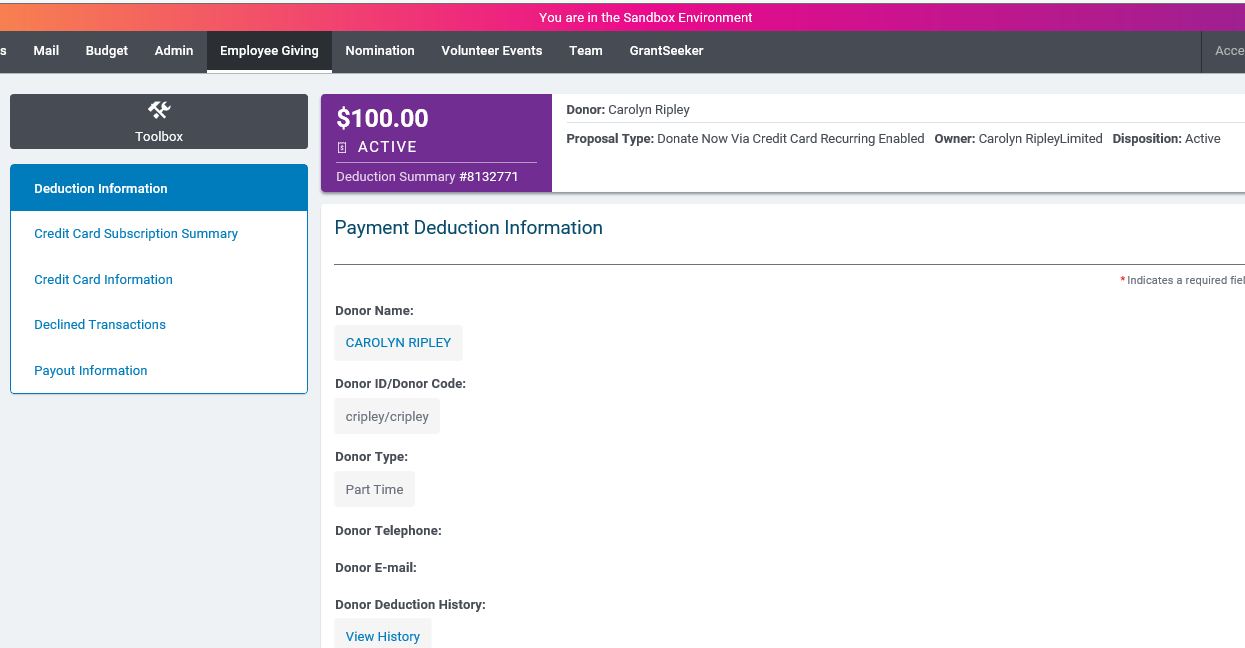
The Deduction Information area includes the same information as payroll (the donor information and answers to custom field questions). The Toolbox > Audit Log area allows you to see the emails that were sent.
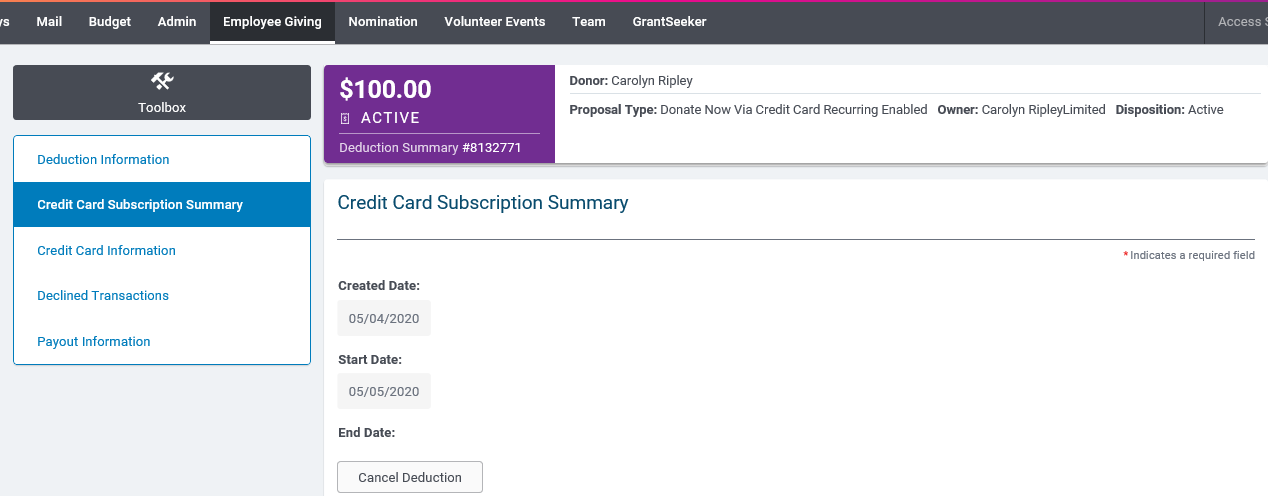
The Credit Card Subscription Summary includes the information about the recurring transaction including the start date, end date, cancellation date and cancellation user.
- If canceled by the system, it will display "Canceled by system: <reason>" Reasons include: Organization Ineligible, Donor Ineligible, Gift Ineligible, Donor Inactive
- Otherwise, it will display the donor or internal admin user's name
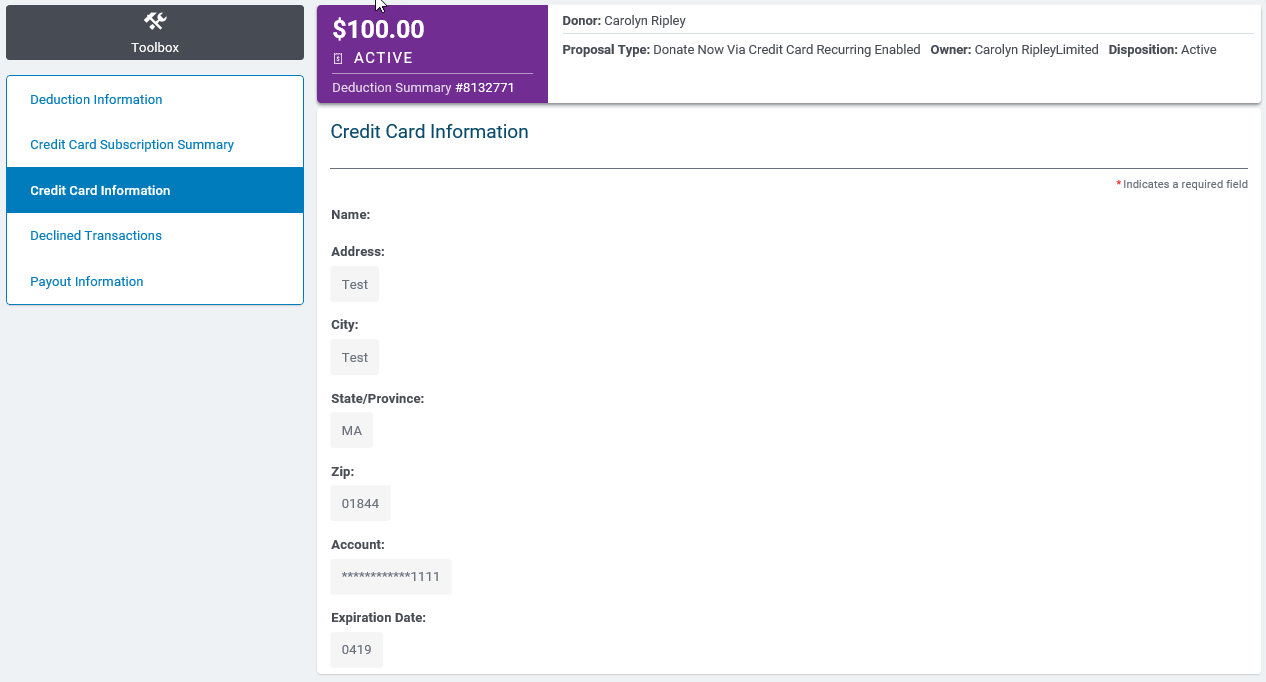
The Credit Card Information that includes the details of the card that was used, for reference if donors have questions about which card is used.
The Declined Transactions displays if there were any decline attempts and which card was used

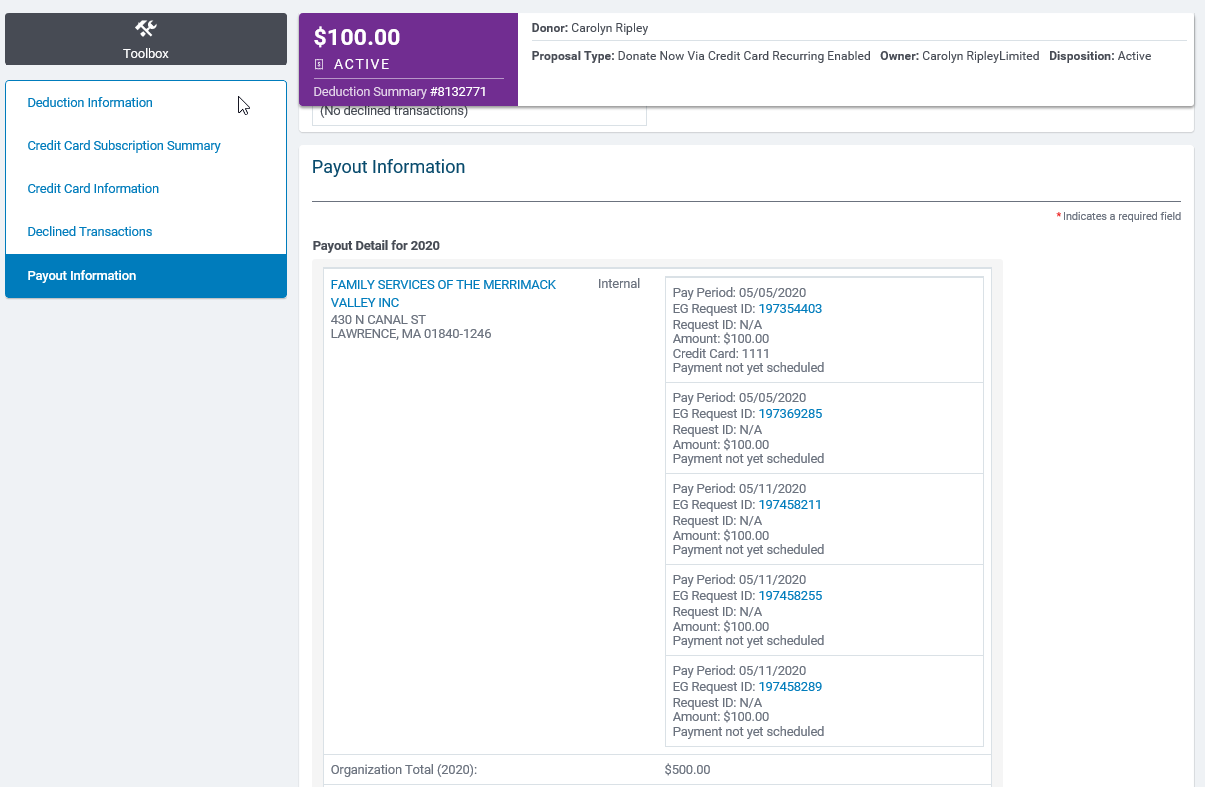
The Payout Information area displays each individual donation (which is a single charge), same as payroll.
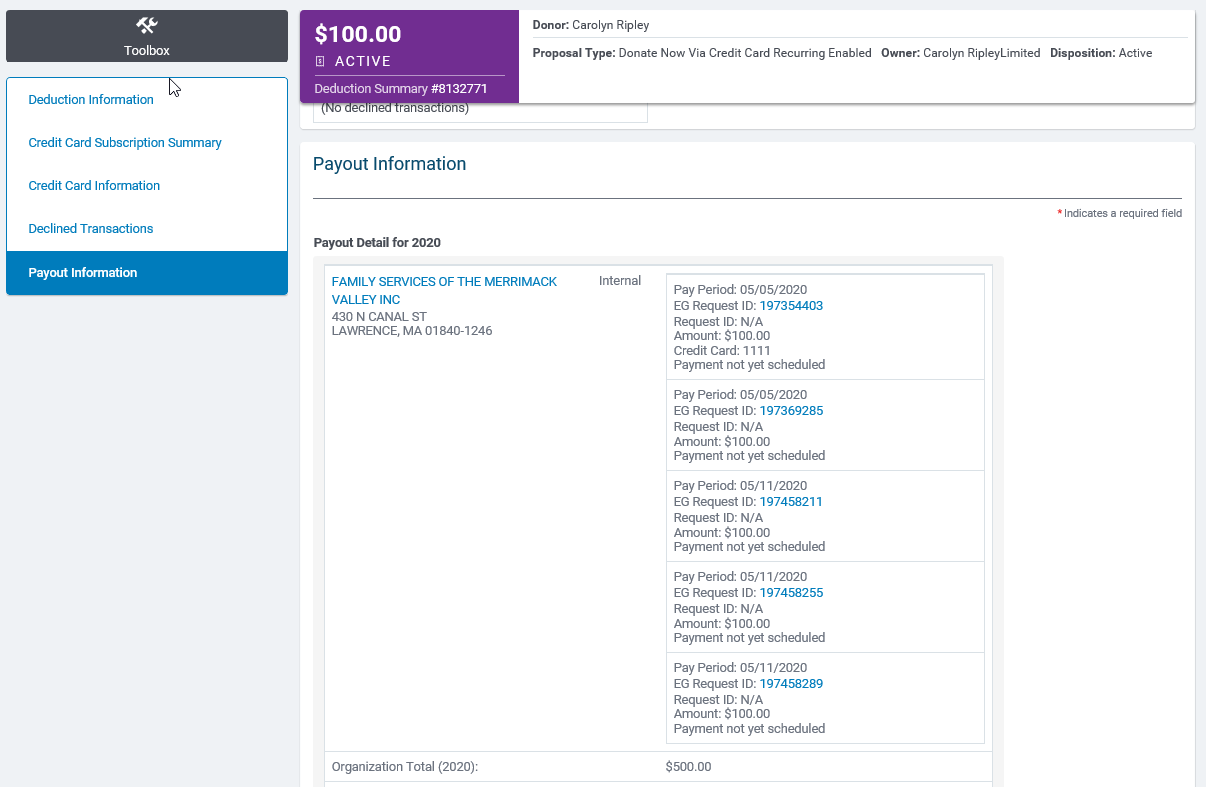
Searching for a specific donation (eg request id):
- From the Employee Giving tab, you can search for the specific EG Request ID.
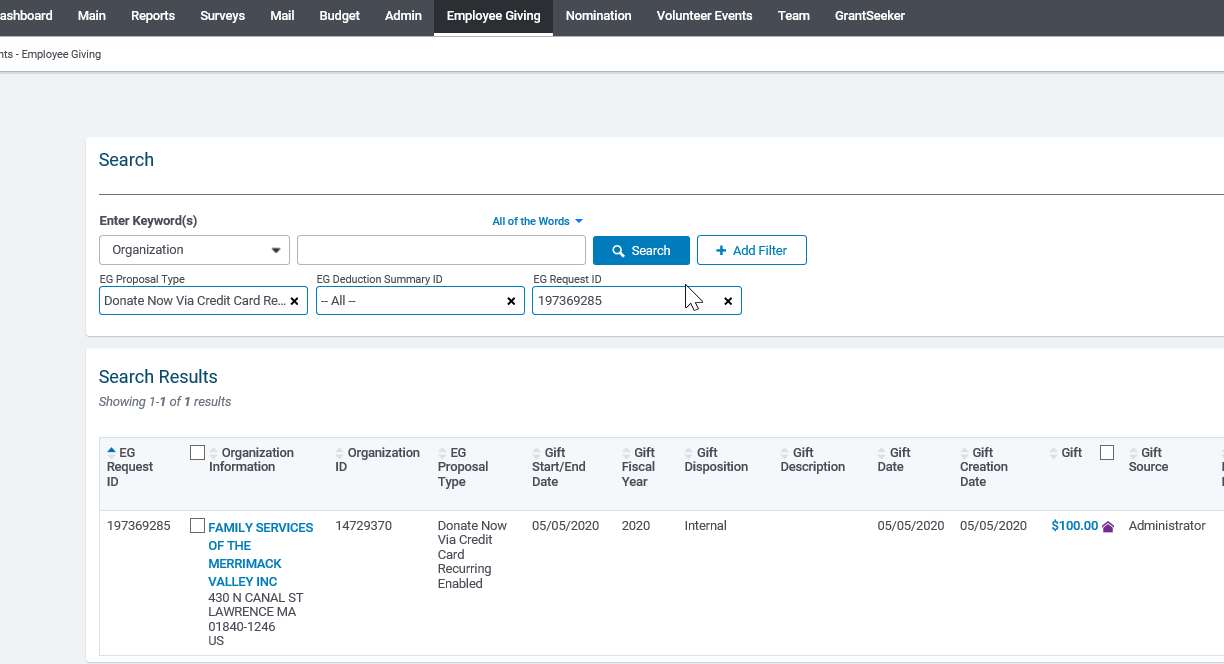
Selecting that record will bring you to the full recurring donation summary page, where you can then select the specific donation in question.
Redirection for Recurring Credit Cards
When an organization is either unwilling or unable to receive gifts from employees, Redirection allows donors to select eligible alternates to receive their donations. Redirection was launched earlier this year for payroll contributions and one-time credit card donations.


