Funding Invoices
CyberGrants Disbursement Services (CGDS) clients use Funding Invoices (formally known as Funding Requests) as the supporting documentation they require before transferring funds for employee donations, company matches, and grant payments. If you are choosing to cover the CGDS fees and/or Credit Card Merchant Fees, they will be included in your funding invoices. All new invoices are available to authorized administrators via the Funding Invoice Console located on the CyberGrants Admin tab.
Below is a sample of what the Funding Invoices look like:
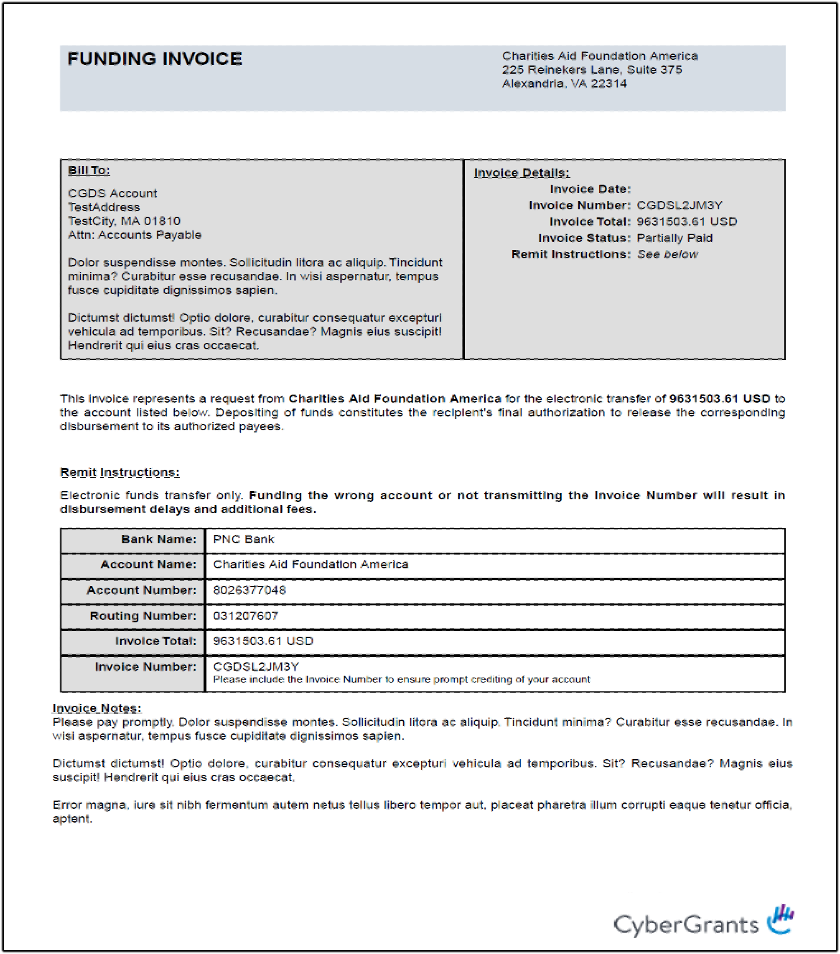
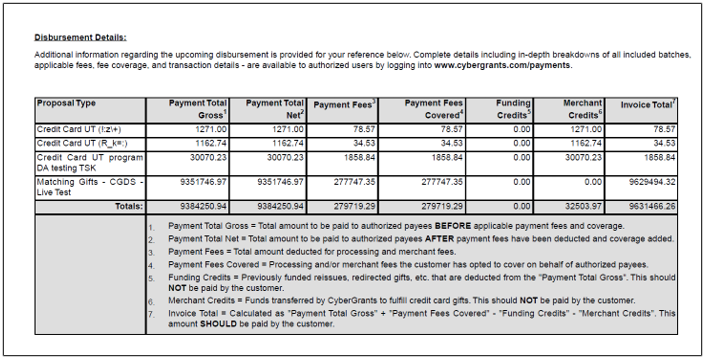
Funding Invoices may be configured to control how they appear, who is contacted regarding their status, and the conditions where they apply.
For more in-depth instructions/information about Funding Invoices, please see our guide: Funding Invoice Help Guide
Funding Invoice Console
As discussed in the Phase 3 description, once all payments are created and processed, CyberGrants will create your Funding Invoices and release them into your Funding Invoice Console. You and/or your selected administrators will receive an email alert letting you know when these funding invoices are available for you in the console.
- Within the console, you will be able to see all of your invoices from current or past payouts and download them to process your transmissions to the DAF / MAA starting from May 2021.
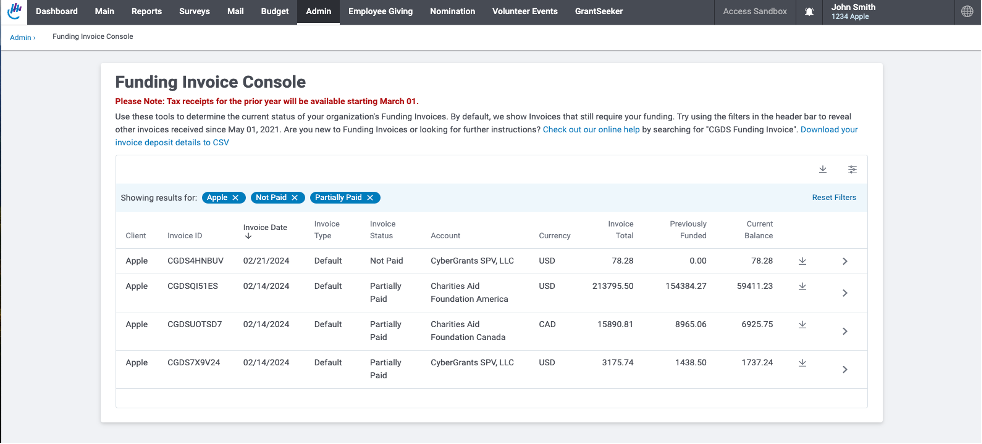
There are also two types of reports that you can download per Funding Invoice. One of them is a breakdown of each payment within that invoice and the other is a breakdown by donor level which will include all of the donor details within that invoice.
For more in-depth instructions/information about the Invoice Console, please visit the below articles:
Invoice Console Help Guide
Invoice Reporting
Back to Funding and Invoicing
Back to Homepage


