Insights Advanced Filter Expressions Overview
Within the Analyze section of Insights, filters can be used to limit the returned results of a data set in an Explore. Each attribute (dimension or measure) that has been added as a filter comes with its own set of standard filter expressions, based on the attribute's data type (number, date, etc). The "matches (advanced)" option presents a freeform text field, where a host of other filter expressions can be utilized related to Date, Time, Numbers & Location.
The following articles provide an overview of the advanced filter expressions available in Insights including how to access the feature, as well as key concepts and examples for using date/time, number, and location-based filters.
Feature Availability:
Insights Explores are accessible only to Insights Analysts. Administrators can manage Insights permissions for their program's internal users through the Users section in the Insights platform. Click Here to learn more about the Insights Self-Service User Management Portal.
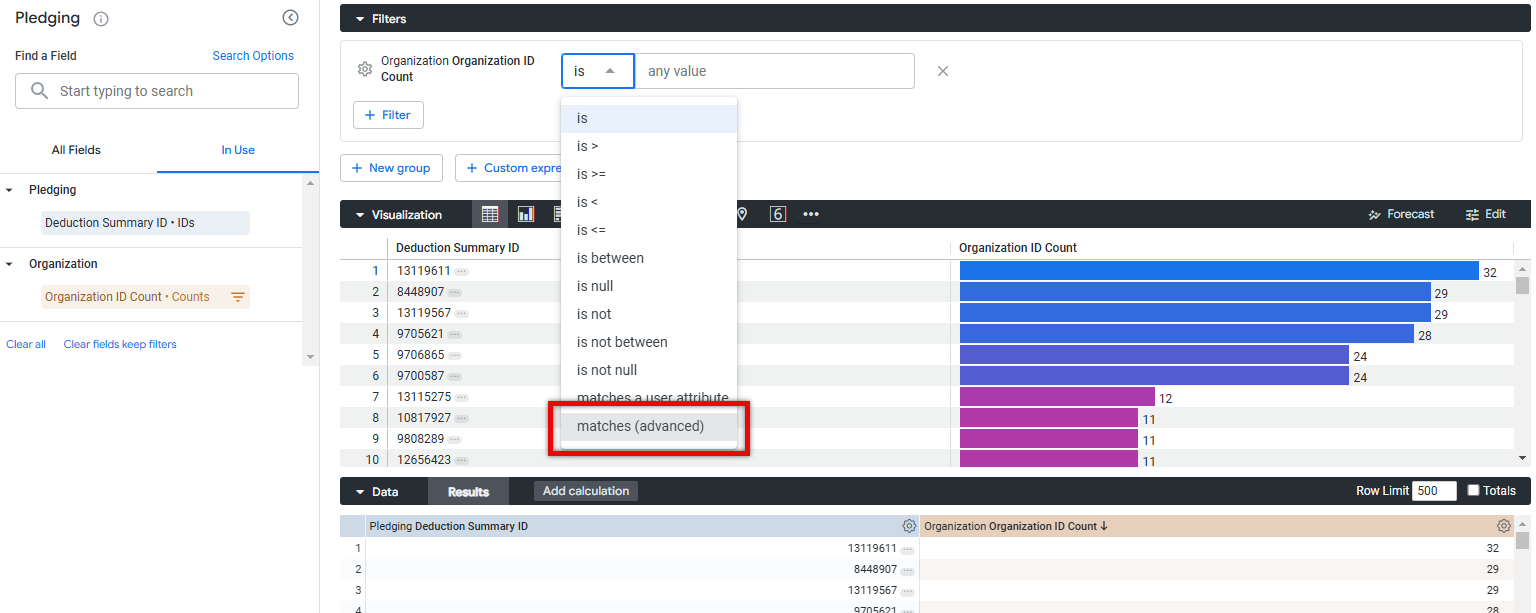
Proceed as follows to learn more about leveraging advanced filter expressions in Insights.
What do you need help with?
Not what you're looking for? Navigate to Insights Analyze Advanced Overview


