Insights Self-Service User Management Portal Overview
The Insights self-service user management portal provides Insights administrators with the ability to independently manage user accounts within the platform. Through this enhanced self-service management feature, administrators have the tools and knowledge to independently handle Insights user account management tasks, such as adding new users, removing user accounts, or modifying user permissions as needed, without relying on the support team's assistance.
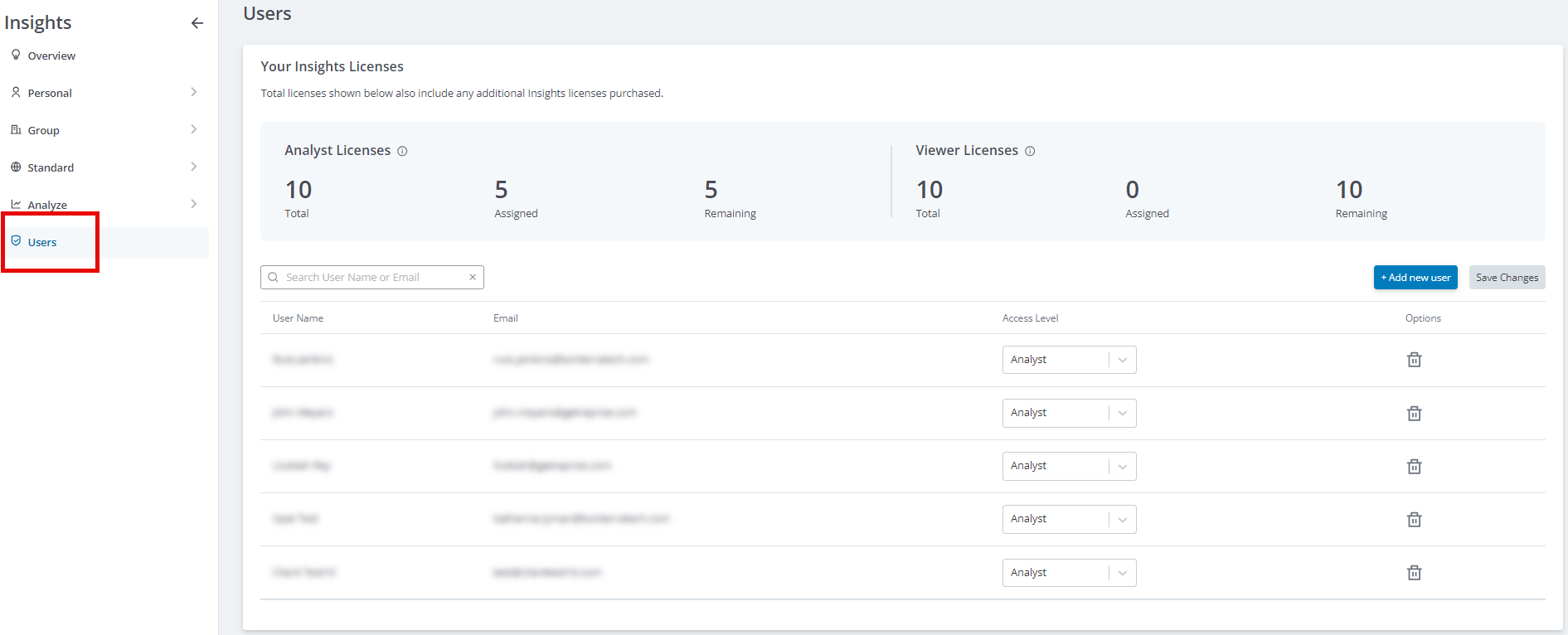
- The "Users" page within Insights offers a comprehensive overview, displaying the number of available licenses and a detailed list of all provisioned users along with their assigned access levels.
- This centralized interface enables administrators to easily navigate and make the necessary Insights user-related changes at their convenience.
This level of autonomy allows for more efficient and timely user management, ensuring the Insights platform remains tailored to your program’s evolving reporting needs.
Feature Availability:
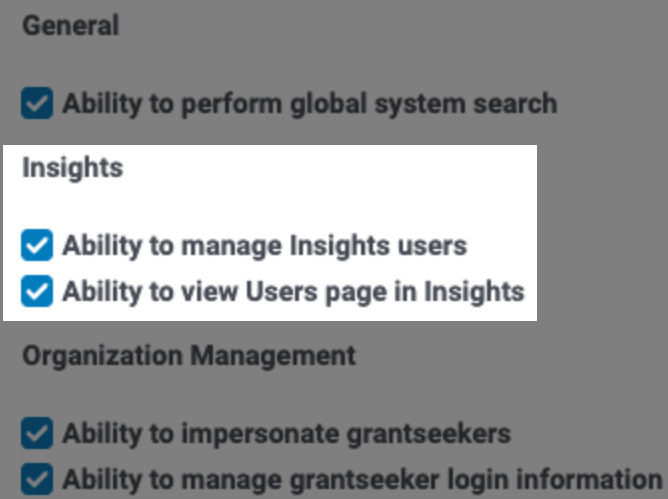
To access these enhanced user management capabilities, administrators must be assigned to a User Role with the appropriate Insights permissions enabled:
- Ability to view the Users page in Insights.
- Allows a user to access the "Users" page, view the number of licenses available vs in use, and view the list of all users with their assigned level of access. However, they cannot add, remove or modify users.
- Ability to manage Insights users.
- Allows a user to access the "Users" page, view the number of licenses available vs in use, view the list of all users with their assigned level of access, and add, remove or modify users as needed.
NOTE: The Insights user role requires either permission, but not both, as the specific needs and responsibilities of the user can determine the appropriate level of access.
Please view the following articles to learn more about the self-service user management capabilities within the Insights platform, which enable administrators to independently manage Insights user accounts and access levels.
What do you need help with?
Additional Resources
Not what you're looking for? Navigate to Understanding Insights Data Integration and Permissions


