Reports portlet parameters limit who can see a given portlet. You can restrict visibility by Security Level, User Group ID, User Role ID, or User Type ID. Not all customer accounts define all of these categories. All changes must be published from the portal page in the Sandbox environment.
The following steps will guide you through selecting a parameter and saving your configuration.
Step 1: Open portlets and select a portlet
Enter the Bonterra CyberGrants Sandbox environment and go to Admin > Portal Pages > Reports > View/Edit Portlets.
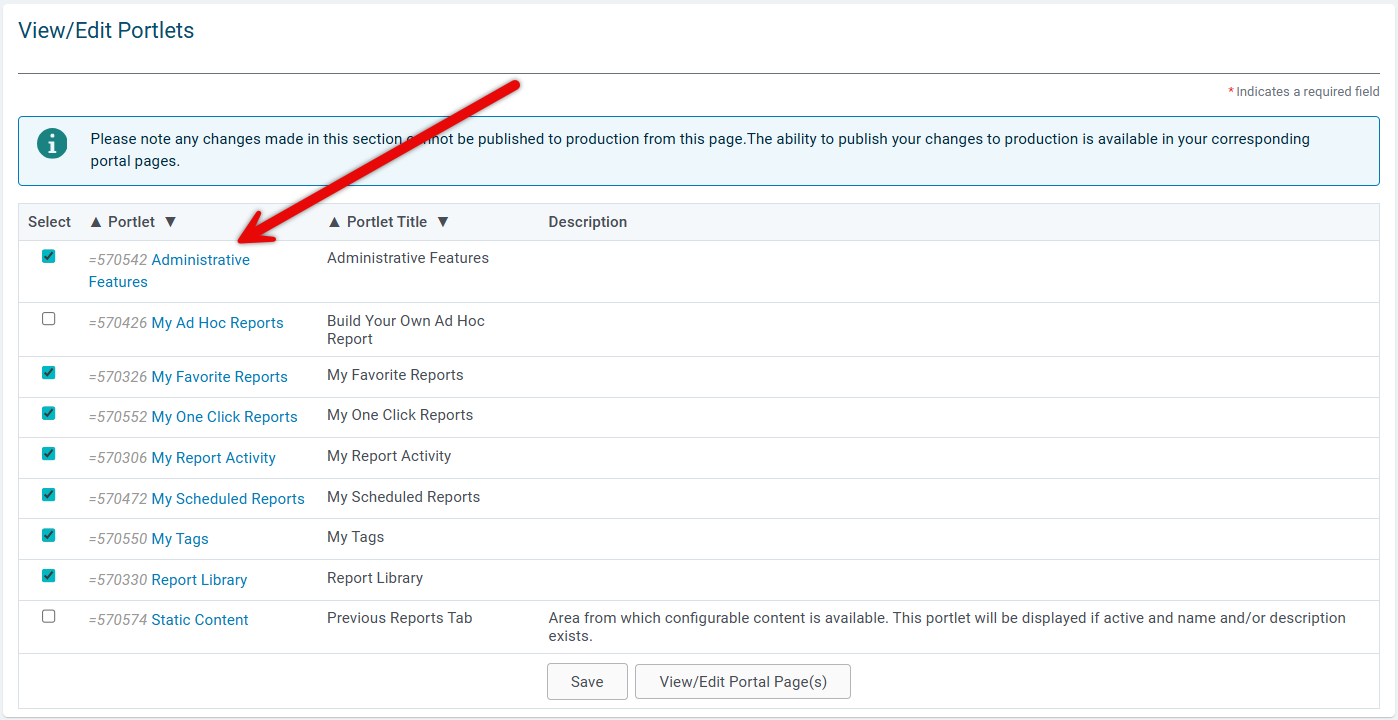 Step 2: Open Advanced
Scroll to the bottom and click Advanced.
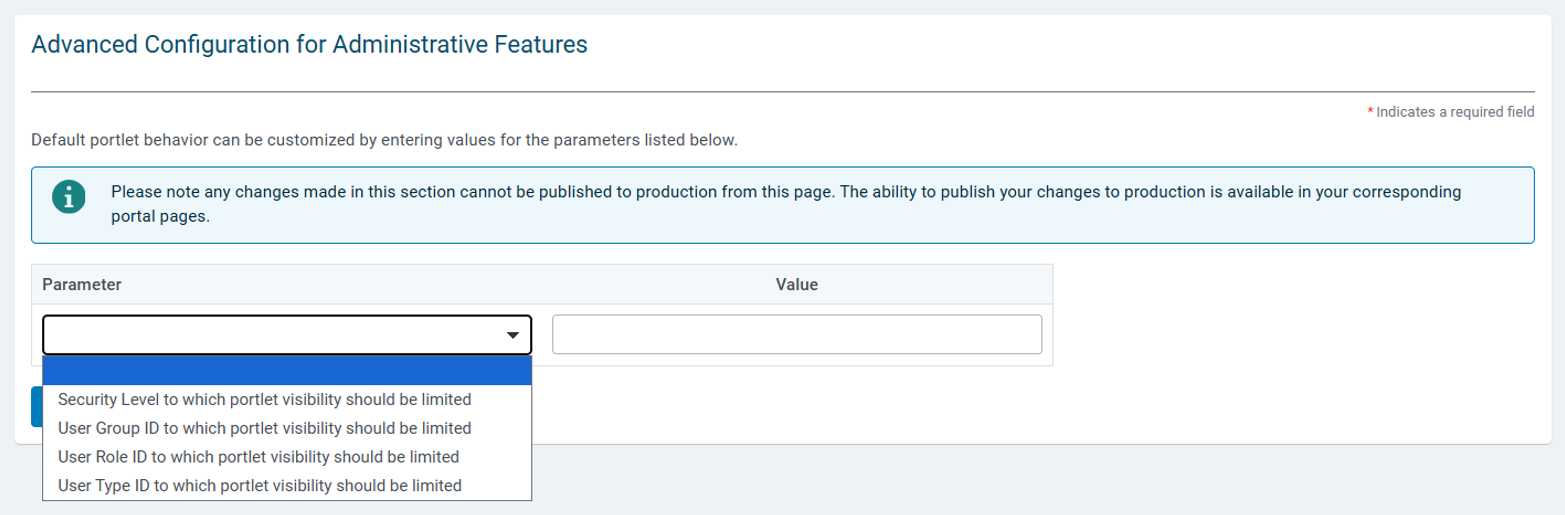
Step 3: Choose a parameter
Open the Parameter dropdown and select one of: Security Level, User Group ID, User Role ID, or User Type ID. Identify the value for the parameter.
Step 4: Enter values and save
Enter the appropriate value(s), then click Save and Done. Publish from Sandbox when ready.
What else do you need help with?
Not what you're looking for? Navigate to Understanding how to configure a Reports Portlet


