The CyberGrants system captures the information from the online survey forms. Surveys collect information from external organizations without the requirement for the organization to register. Surveys typically ask the applicant for contact and organization information. They can also be used in conjunction with an eligibility quiz. Responses to online eligibility quizzes are automatically captured in a survey.
Step 1: Access Surveys Tab
Navigate to the Surveys tab.
Step 2: View Surveys Tab Sections
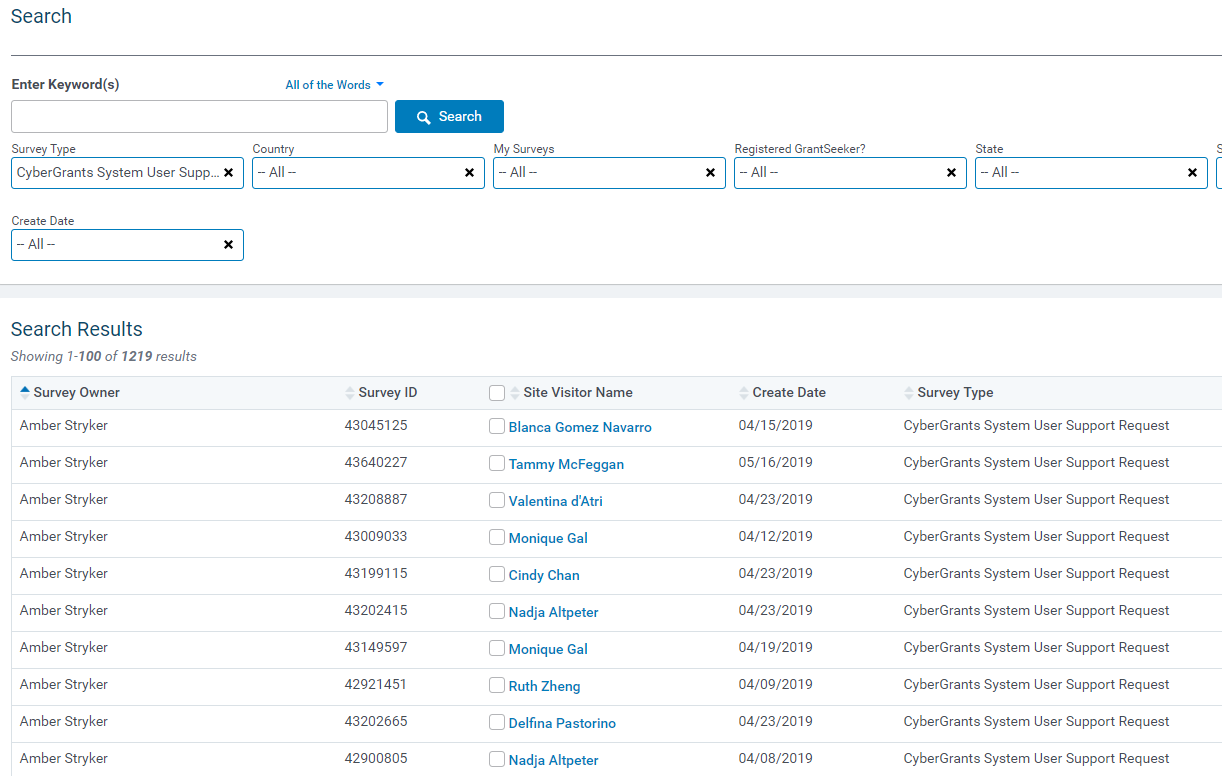
The Surveys Tab screen is comprised of two sections (similar to the Main Tab):
Search Section
The search section defines the criteria for searching for site visitors and online survey information.
Results Section
Results Section displays the site visitor and online survey information that match the criteria specified in the Search Section.
What else do you need help with?
Not what you're looking for? Navigate to Understanding CyberGrants System Tabs and Navigation


