A Proposal Type Matrix is applied to the logic of field types that include List Values. The matrix allows administrators to add list values to specific Proposal Types and remove them as options from others as needed.
Proceed through the following instructions to access the matrix on a List Value field type.
Step 1: Access the Data Field
Navigate to the Admin tab and access Data Fields under Application Configuration. Select the appropriate data type (Contact, Organization, Request, Payment, etc.) to locate the field.
- NOTE: If you need to make changes through the matrix to the proposal types linked to the list values, updates must be made in the Sandbox environment.
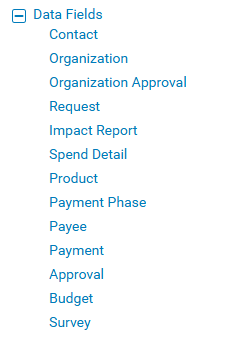
Search the Field Name/Description Column for the desired field and click the “Edit” button to the far right.
Step 2: Navigate to Values
Scroll down to the bottom of the page and select the "Edit List Values" button.

Step 3: View Proposal Type Matrix
Click the “View Proposal Type Matrix” button located at the bottom of the “List Values” table.
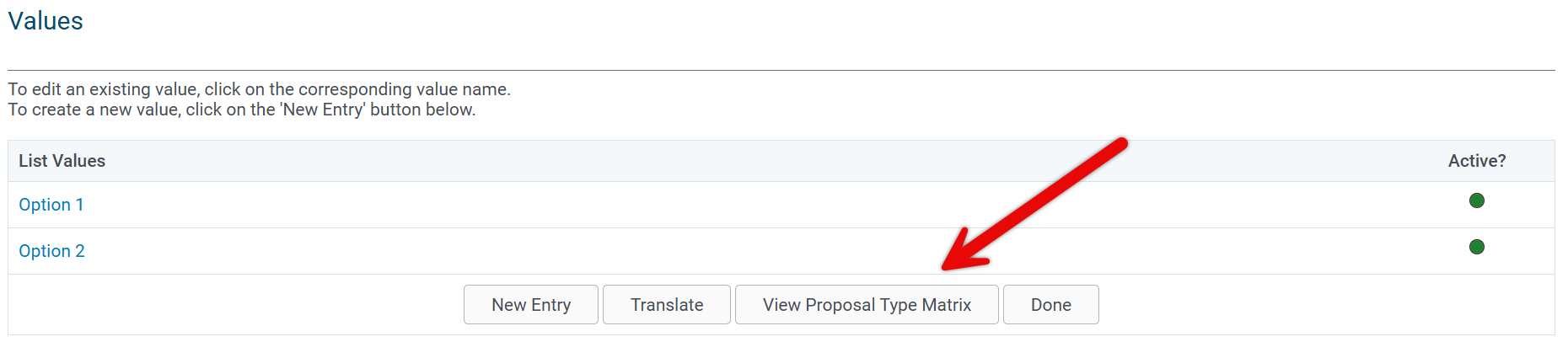
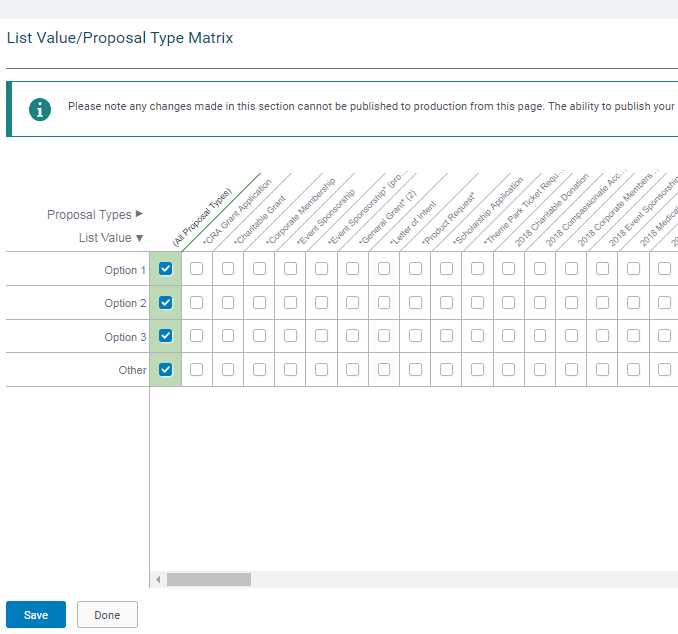
The matrix will only display proposal types where the field is already enabled. To have a proposal type added to the matrix, the field should be added to the proposal type configuration.
- You can allow the list value to appear in the field in all available Proposal Types or select the checkbox for each specific proposal type(s) where the list value should be added to the field.
- Make sure to "Save" any changes made and, when prepared, publish on the custom field screen.
What else do you need help with?
Not what you're looking for? Navigate to Create and Edit Fields Overview or visit Understanding Field Configuration


