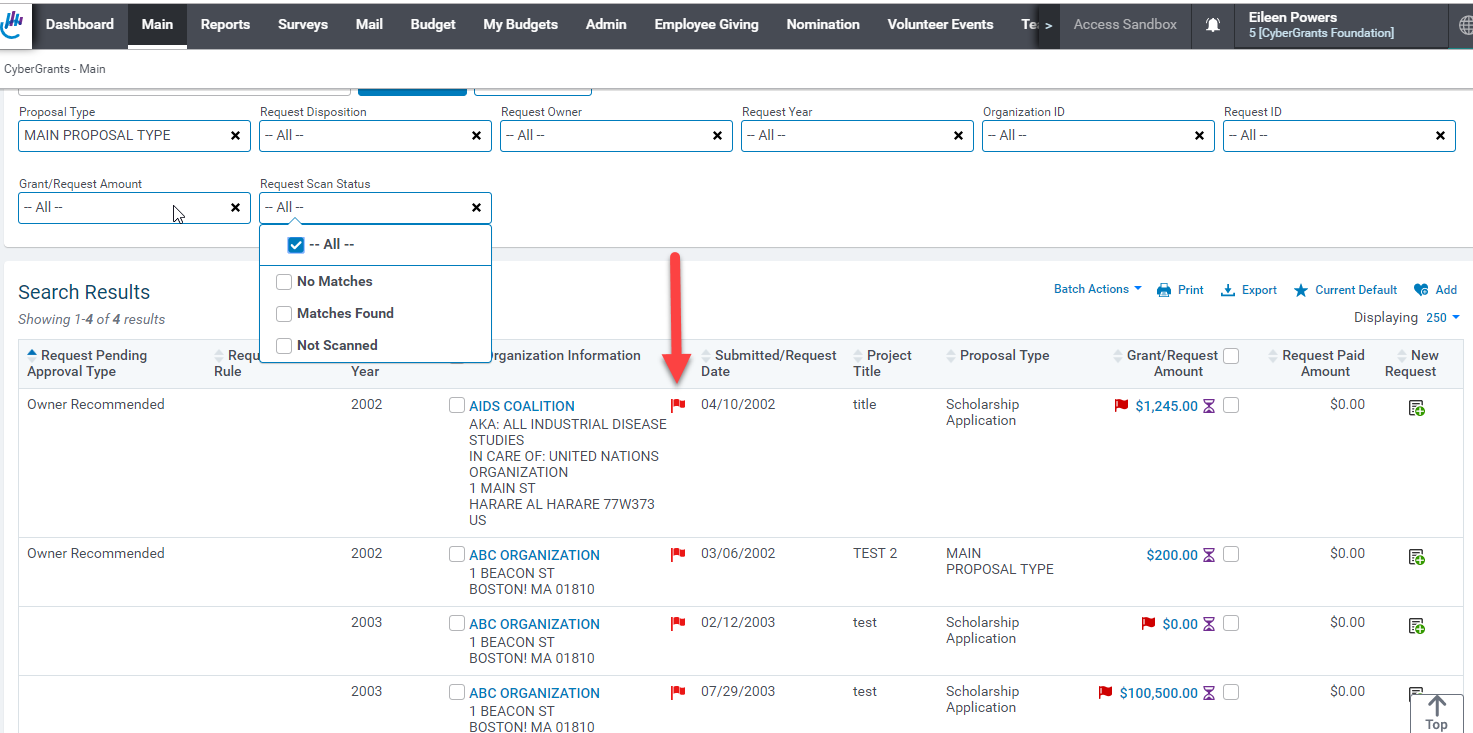
Within the Organization Information and Request Amount columns, the Scan icon may display a red flag to the right of the organization name or to the left of the grant/request amount. The red flag indicates a name within the Organization or Request Record that has received a value above the match threshold set by the Administrator. Also, it indicates that the scan results have not been reviewed, accepted, and signed off.
NOTE: A CyberGrants Administrator can add custom organization user-defined or text fields to the scan.
Step 1: View Scan Icon
Look for the Scan icon, which may appear as a red flag to the right of the organization name or to the left of the grant/request amount. The presence of a red flag indicates that:
- A name within the Organization or Request Record has received a value above the match threshold set by the Administrator.
- The scan results have not been reviewed, accepted, and signed off.
Step 2: Automatically Included Scan Fields
The following fields are always automatically included in the scans:
- Organization Legal Name
- AKA Name
- In Care Of
- Official Name
- Contact First and Last Name
- GrantSeeker First and Last Name
What else do you need help with?
Not what you're looking for? Navigate to Understanding Search Configuration


