Ensuring emails will get to their intended recipients is a cornerstone of effective electronic communication. Any grantseeker who logs in or registers in any of the CyberGrants nonprofit organization portals will have to confirm the validity of their email address before proceeding.
Step 1: Automatic Email is sent
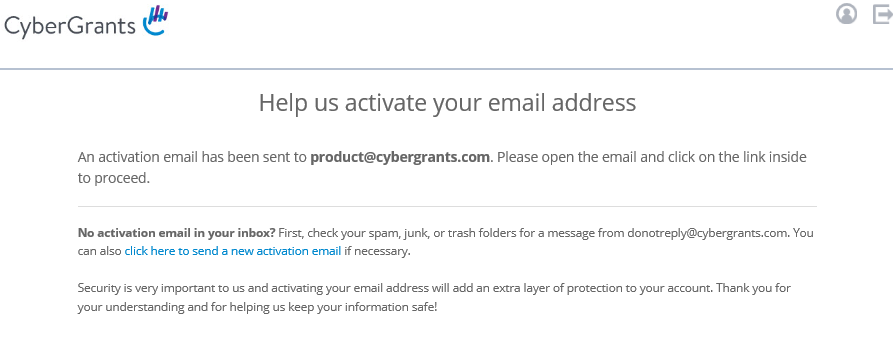
An email is triggered and sent to the address the grantseeker registered with that includes a link they have to click to "activate" their email address. Grantseekers who have used our self-service password reset tool since January 2018 will be automatically listed as validating their email.
Grantseeker view upon login before their email is verified:
Sample nonprofit verification email:
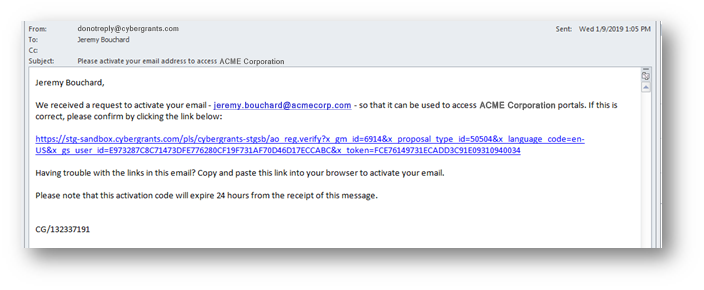
Step 2: Grantseeker activates Email Address
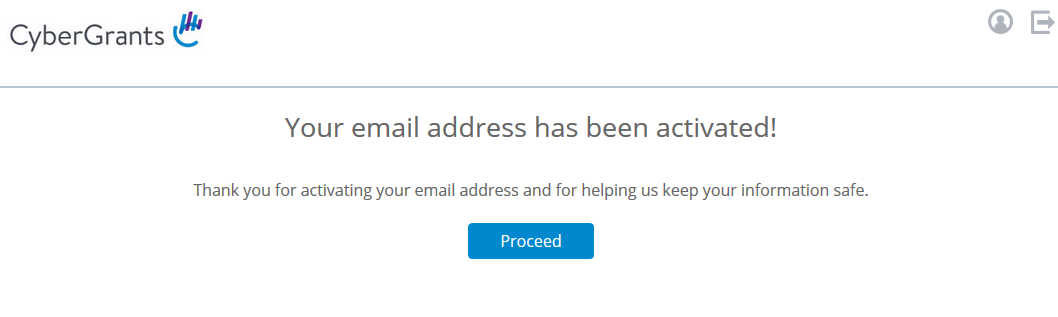
Once the link is selected, the email address will be activated and the grantseeker will receive a confirmation message.
Grantseeker confirmation message after validating their email:
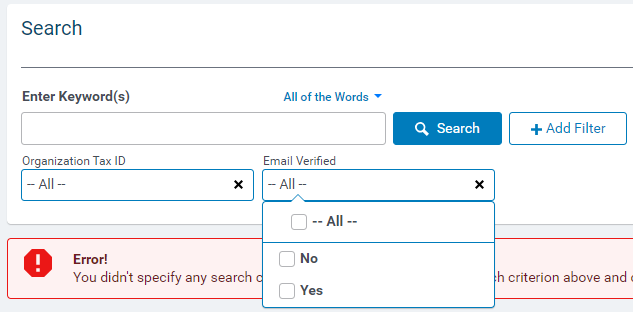
Step 3: Admin internal view of activated Grantseeker Email Address
A filter is available on the Grantseeker Search Tab to see which email addresses have been verified.
What else do you need help with?
Not what you're looking for? Navigate to Understanding Email Communication Management


