Users with specific permission to configure email events can send test emails from Sandbox. This allows users to confirm merge fields are correctly written, senders and reply-to's are appropriate, or that any HTML appears as you expect. All emails are available for testing - including Email Events, Reminders, Mail Tab, and customizations.
Proceed through the steps below to view and test email formatting.
Step 1: Ensure you have the necessary permission
Users must have the "System Maintenance > Ability to configure e-mail events and reminders" permission to access the test email feature.
Step 2: Access the test email functionality
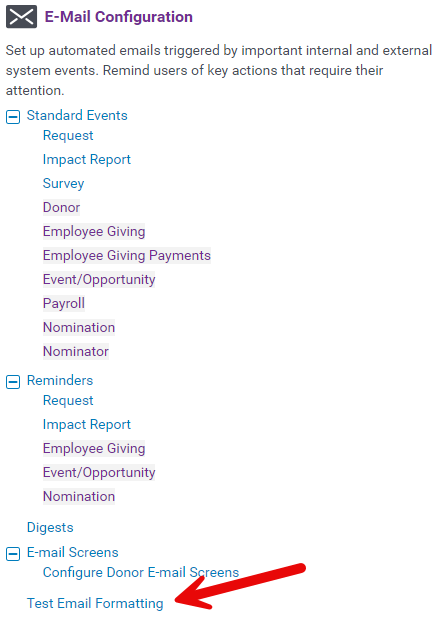
Go to the Admin tab and navigate to E-Mail Configuration > Test Email Formatting.
Step 3: Confirm email details
Verify that the merge fields are correctly written. Ensure the sender and reply-to addresses are appropriate. Check that any HTML formatting appears as expected. For tips on using basic HTML, visit How do I use Basic HTML?
Step 4: Send test emails
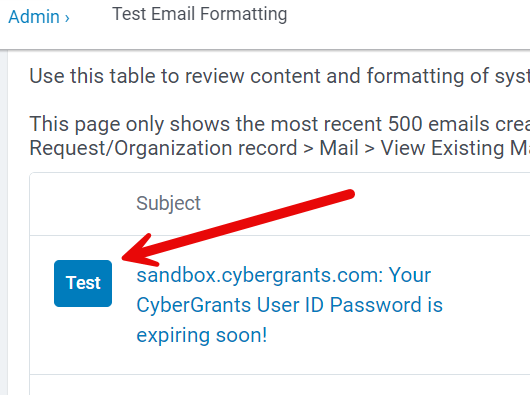
Use the test email feature to send emails. All test emails will have the subject line prefix "[Sandbox Test]" to differentiate them from regular production messages.
Step 5: View email history
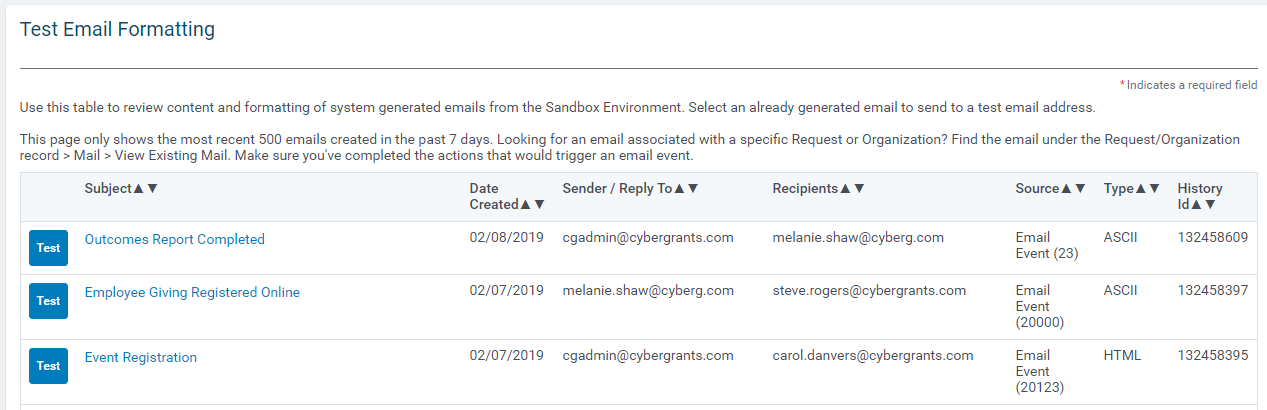
Within the Admin tab, you can view the most recent 500 emails created in the past 7 days. Emails that share the same email event ID, subject, sender, and recipient are deduplicated — only the most recent instance of each is shown. You can see the source of the email, such as an email event or the actions of a specific user.
Note: If you need to see all instances of a duplicate email (for example, to compare email bodies), add a merge field to the subject line to make each email unique.
Step 6: Troubleshoot and refine
Use the test email functionality to confirm the proper configuration and behavior of your email events, reminders, mail tab, and any customizations. Make necessary adjustments based on the results of the test emails.
Remember, this feature is restricted to users with the specific permission "System Maintenance > Ability to configure e-mail events and reminders." Ensure that the appropriate users have access to this functionality.
What else do you need help with?
Not what you're looking for? Navigate to Understanding Email Communication Management


