Administrators can configure an Approval Workflow for Employee Giving, allowing them to define the process that will occur when a record is created.
This feature enables administrators to customize approval rules and workflows for Employee Giving programs, tailoring them to fit their specific needs.
Learn more about setting up an Approval Workflow for Employee Giving by following the instructions below.
Step 1: Access the Approval Setup
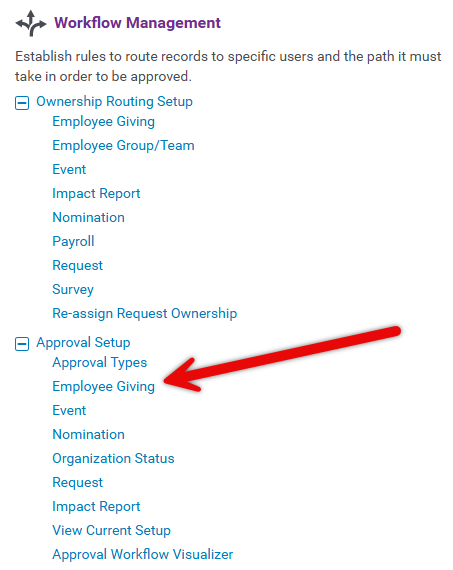
Enter the CyberGrants Sandbox environment and navigate to the Admin tab. Locate the Workflow Management section and click on the Employee Giving hyperlink under Approval Setup to access the Approval Rule configuration.
Step 2: Create a New Approval Rule
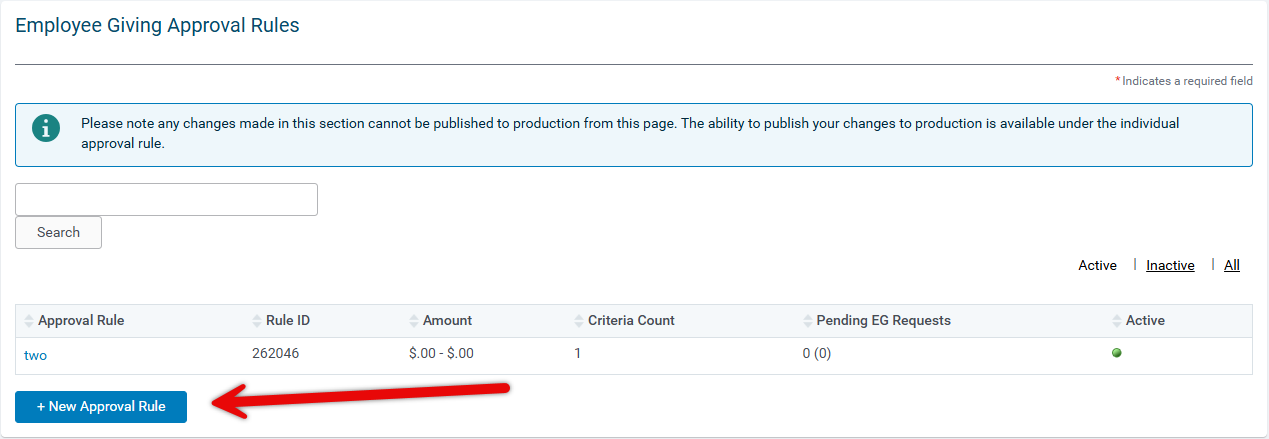
On the Employee Giving Approval Rules page, click + New Approval Rule button.
Step 3: Enter the Rule Name
In the Rule Name field, enter a descriptive name for the rule.

Step 4: Activate the Rule
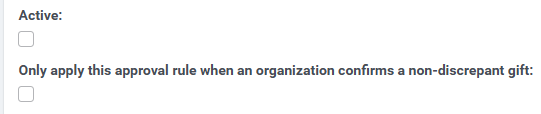
Check the Active checkbox to make the rule active.
Under the Active button, you can choose to only apply this approval rule when an organization confirms a non-discrepant gift.
Step 5: Choose an Auto-disposition
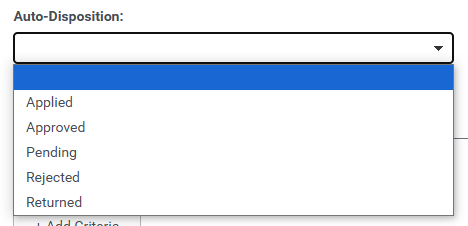
In the Auto-disposition dropdown menu, select the status that records adopt upon creation.
- If an organization needs to confirm the gift, the gift needs to be in Internal Status. Set the approval rule to apply only when an organization confirms the gift as non-discrepant. Organizations cannot confirm the gift if the request is in approved status.
- If no organization confirmation needs to be set, then the gift can be set to pending.
Step 6: Add Criteria
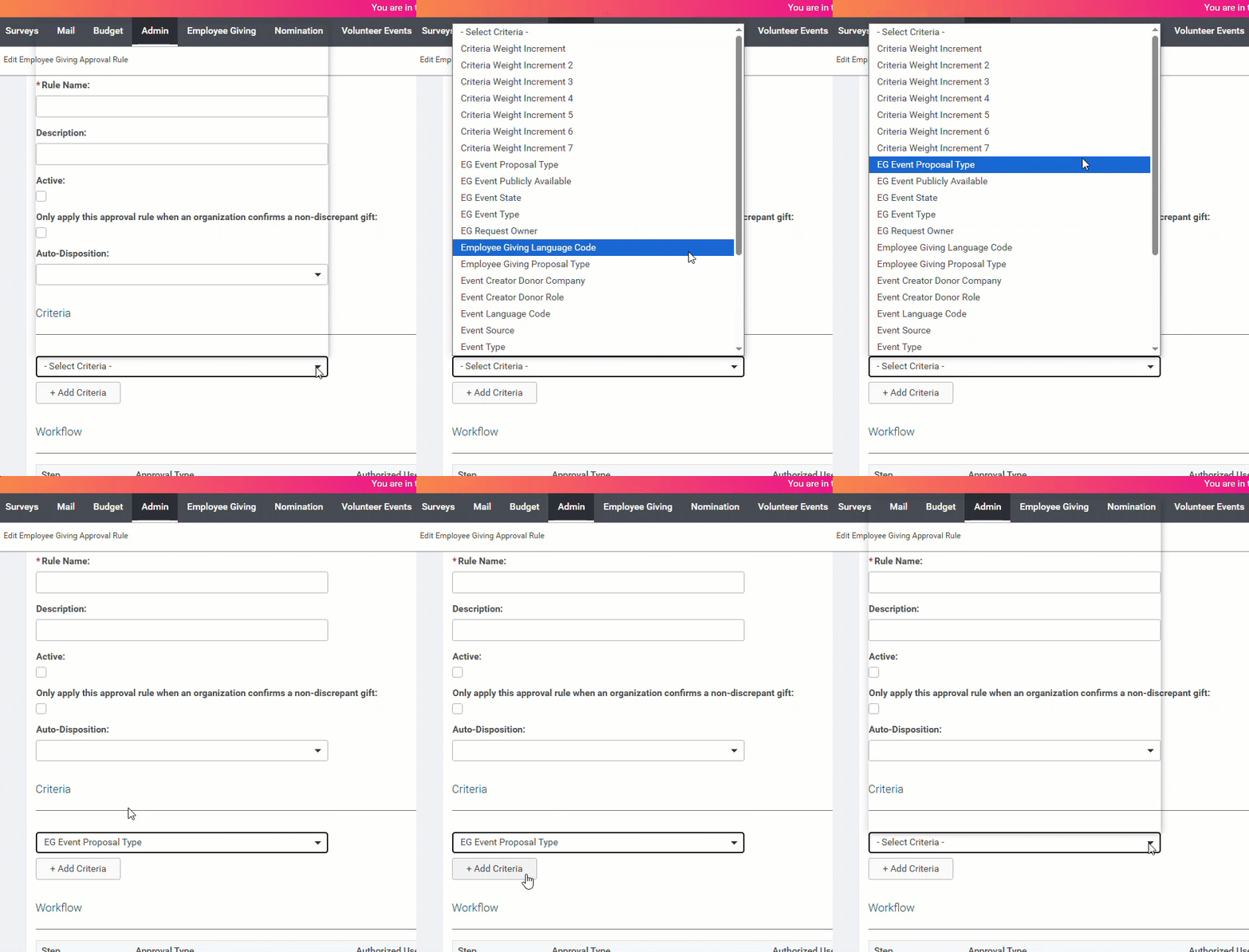
In the Criteria section, click the + Add Criteria button to set up the criteria for the rule. For example, you may select a proposal type.
Step 7: Update the Workflow
Under the Workflow section, in the Select Approval Type dropdown, select the appropriate Approval Type.
- Click + Add Approval Step button
- Repeat as needed for each approval step.
- Click the Save button when done.

What else do you need help with?
Not what you're looking for? Navigate to Workflow Management Overview


