Administrators may need to update approval workflows when changes occur in their CyberGrants internal user base.
- This feature allows administrators to update the approval workflow by modifying the ownership, routing, and steps involved, in order to accommodate changes in the approval process.
This capability can help maintain the integrity of approval workflows and ensure internal processes continue uninterrupted.
The following instructions will guide you through updating an approval workflow.
Step 1: Reroute Approval Ownership
Enter the Admin tab in the Sandbox Environment and navigate to Workflow Management. Then, select the appropriate category under Ownership Routing Setup.
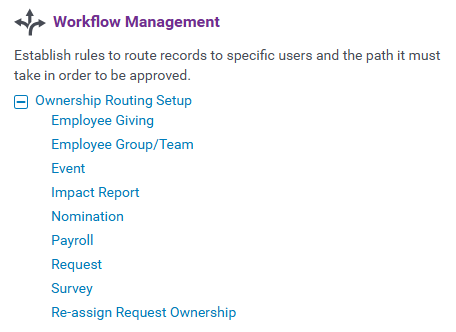
- From the list, select the Rule you are updating.
- On the configuration page, to transfer ownership, select the previous user's name and enter the name of the user replacing them in the search field that appears.
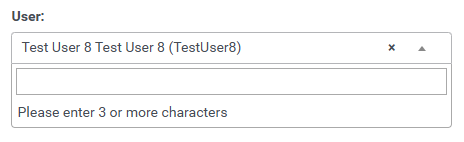
- Save and publish the changes.
Step 2: Update Approval Workflow
Update the workflow by scrolling down under Workflow Management and selecting the appropriate category name under Approval Setup.
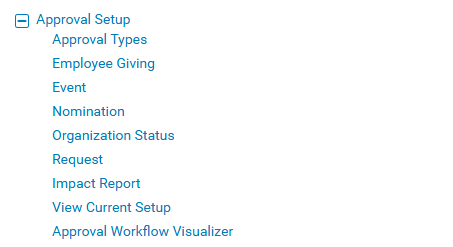
- Click on the Approval Rule that needs to be updated.
- Scroll down to the Workflow section to view the approval steps.
- To update the Authorized User, click "Edit" next to the applicable step.

- Either select a different name to change the Authorized User to another user, or hold down the control key and highlight multiple users to add to the approval type.
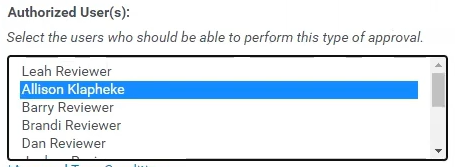
- Save and publish the changes.
What else do you need help with?
Not what you're looking for? Navigate to Workflow Management Overview
Looking for training?
Explore this feature at your own pace - access training video content or watch a recorded webinar by clicking the link below.


