Portal Pages are web-based interfaces that allow donors and organizations to interact with the CyberGrants platform externally. These pages serve as a gateway for users to access and manage various functionalities within the CyberGrants system.
 Key Considerations
- Portlets are the building blocks of content for the Portal Pages, and multiple portlets can be assigned to a single Portal Page.
- All changes and updates to Portal Pages and Portlets must be configured in the Sandbox environment before being implemented in the production environment.
Types of Portal Pages
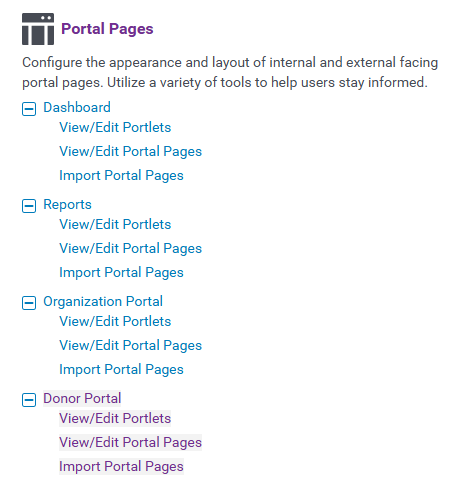
There are four types of Portal Pages:
- Dashboard - Specifically designed for internal users of CyberGrants, the Dashboard can be configured to include specific views, resource tools, easy search boxes, and other features.
- Reports - This section allows internal users to build reports and report views, including "My Favorite Reports" and "My One Click Reports."
- Organization Portal - Provided to non-profits and other organizations, the Organization Portal enables them to view activity and conduct transactions related to nominations, grants, etc..
- Donor Portal - Designed for employee engagement programs, such as Matching Gifts, the Donor Portal allows employees (donors) to perform transactions and view their past activity.
What else do you need help with?
Not what you're looking for? Navigate to Understanding Content Configuration.


