Salesforce

How do I view the Total Giving Insights Explore?

« Go Back
Information
How do I view the Total Giving Insights Explore?
How-do-I-view-the-Total-Giving-Insights-Explore
Details

The Total Giving Explore provides Insights Analysts with comprehensive reporting on grant requests and employee giving, encompassing payment, payee, donor, impact report, organization, program, budget, and approval details.
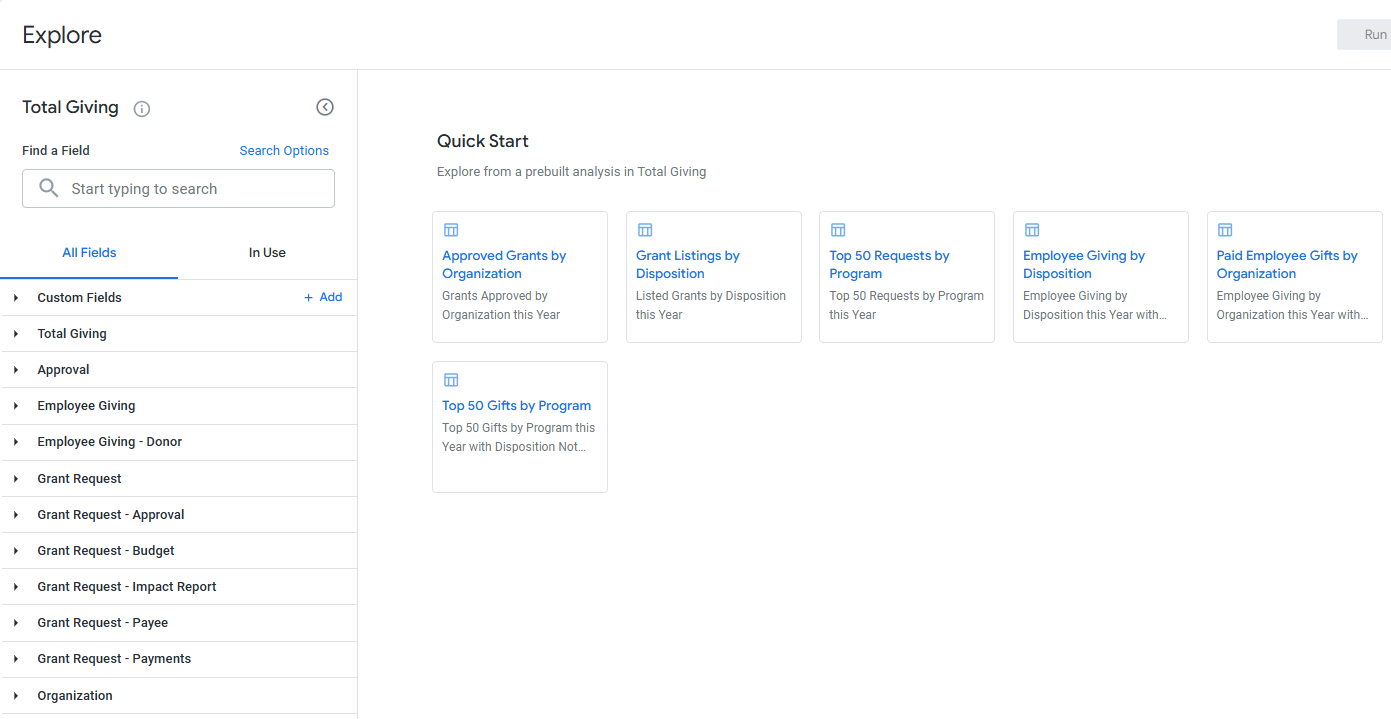
Proceed through the steps outlined below to access the Insights Total Giving Explore and view its available data fields.

Step 1: Access the Insights tab

Log in to the CyberGrants platform and navigate to the Insights tab.

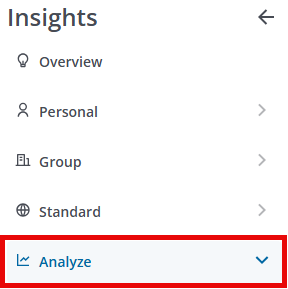
Step 2: Click on Analyze

From the left-hand menu, Insights Analysts can click on Analyze to view the available Explores. 
Step 3: Select the Total Giving Explore

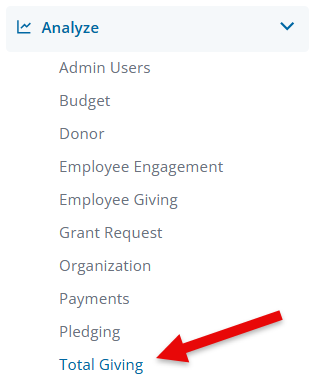
Click on Total Giving to view the Explore.
Step 4: Access the Quick Start Reports

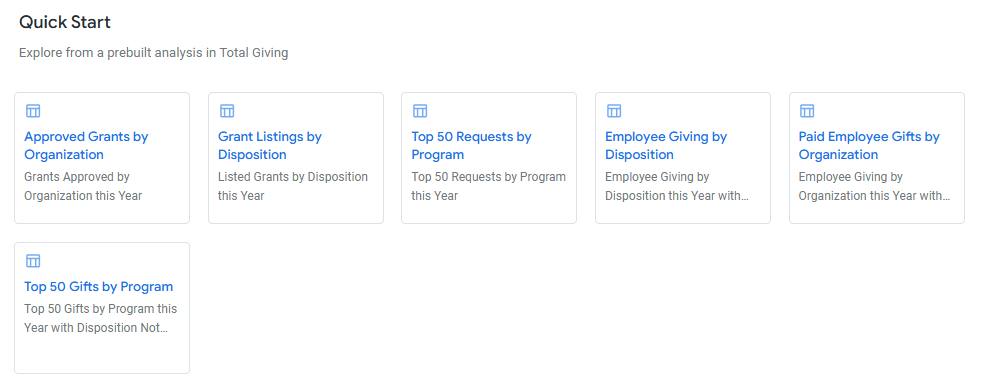
Before starting fresh by creating a new data set using the fields available within the Explore, review the Quick Start reports listed to determine if these prebuilt analyses will pull the program data you are seeking. The Total Giving Explore includes the following Quick Start analyses:

  • Approved Grants by Organization - Grants approved this year.
  • Grant Listings by Disposition - A list of this year's grants categorized by their disposition.
  • Top 50 Requests by Program - The current year's top 50 Requests categorized by program.
  • Employee Giving by Disposition - This year's Employee Giving requests, excluding those with a disposition of "Cancelled" or "Rejected".
  • Paid Employee Gifts by Organization - The current year's paid Employee Giving requests.
  • Top 50 Gifts by Program - The top 50 Gifts this year organized by program, excluding those with a disposition of "Cancelled" or "Rejected."
Step 5: View the Field Dimensions & Measures

Below are the fields available within the Total Giving Explore along with their dimensions and measures.

Field Names

Dimensions

Measures

Total Giving
  • Amounts
  • Dates
  • Fiscal Year
  • Giving Type
  • Program
  • Program Category
  • Hours Volunteered
  • Total Giving
Approval
  • Approval Rule
  • Dates
  • Averages
Employee Giving
  • Amounts
  • Approval Comments
  • Dates
  • Description
  • Designation
  • Disposition
  • EG Fiscal Year
  • Flags
  • IDs
  • Is Recurring?
  • Recognition
  • Reference Code
  • Wallet Type
  • Averages
  • Counts
  • Medians
  • Totals
Employee Giving - Donor
  • Company
  • Dates
  • Department
  • Distance (Miles)
  • Does Donor Have a Request?
  • Donor Code
  • Donor ID
  • Donor Team
  • Email Address
  • Employee Type
  • Flags
  • geocode_history
  • Location
  • Location: Geocode
  • Name
  • Pay Cycle
  • Role Name
  • Tenure
  • Distance (Miles)
  • Donor Team
  • Participation
  • Totals
Grant Request
  • strong class red Total Program Budget strong
  • strong class red Program Impact Area strong Funding Principle
  • strong class red Program Title strong
  • Amounts
  • Dates
  • Disposition
  • Flags
  • GIK Request Workflow Status
  • Grant Year
  • Grantseeker
  • IDs
  • Invitation
  • Number of Payments
  • Reference Code
  • Request Owner
  • Request Submitted By
  • Request Type
  • Strategy
  • Tags
  • Averages
  • Counts
  • Totals
Grant Request - Approval
  • Approval Comments
  • Approval Order
  • Approval Result
  • Approval Type
  • Approver
  • Dates
  • Approval Calculations
  • Counts
Grant Request - Budget
  • Amounts
  • Budget Group
  • Budget Level
  • Budget Name
  • Budget Year
  • Dates
  • Order By
  • Budget Calculations
  • Counts
  • Totals
Grant Request - Impact Report
  • Comments
  • Dates
  • Disposition
  • Flags
  • Grantseeker Editor
  • IDs
  • Impact Report ID
  • Impact Report Owner
  • Impact Report Type
  • Organization Review Comments
  • Program
  • Reference Code
  • Submit User
  • Averages
  • Counts
Grant Request - Payee
  • Contact Information
  • Create User ID
  • Create User Name
  • Flags
  • Location
  • Name Line 1
  • Name Line 2
  • Payee EFT Bank
  • Payee EFT Bank Account Number
  • Payee EFT Routing Code
  • Payee ID
  • Payment Contact Email Address
  • Payment Contact Name
  • Payment Contact Phone Number
N/A
Grant Request - Payments
  • Amounts
  • Check Number
  • Dates
  • IDs
  • Payment
  • Payment (Years)
  • Budget Year
  • Quantity
  • Reference Code
  • Rejection
  • Counts
  • Totals
Organization
  • Cause & NTEE
  • Create New Organization
  • Dates
  • Flags
  • geocode_history
  • IDs
  • Location
  • Location: Census
  • Location: Geocode
  • Name
  • NCES
  • New Request
  • Organization Information
  • Organization Type
  • Tax
  • Vetted User Name
  • Year Founded
  • Counts
  • Location: Census
  • Location: Geocode


What else do you need help with?

Not what you're looking for? Navigate to Understanding Standard Insights Explores. To learn more about using an Explore to analyze your program's data, please refer to Navigating Insights Explores Basics or return to Insights Analyze Basics Overview.



Powered by