CyberGrants provides administrators the ability to delete users in the system when necessary. This functionality is useful for maintaining user management within the platform.
Follow the instructions below to securely remove internal users as needed.
Step 1: Access User Management
From the Admin tab, navigate to the User Management section to begin the process of deleting an internal user.
Step 2: Locate the User
Use the "Modify/Search Users" option to search for the user you wish to delete.
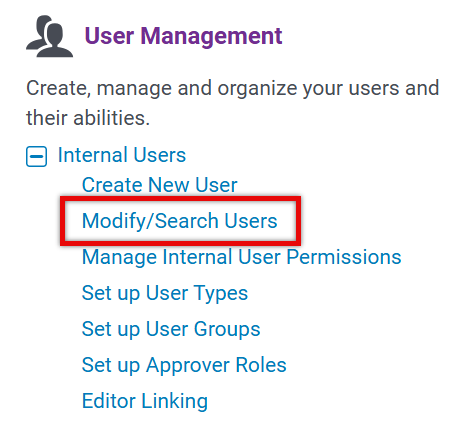
You can perform a basic search or an advanced search to find the specific user.
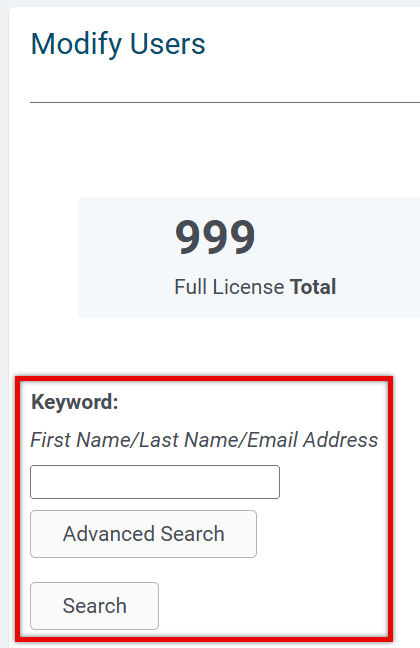
Step 3: Select the User
Once you have located the user, click on their profile to select them for deletion.
Step 4: Delete the User
After selecting the user, click the "Delete" button.

NOTE: If the user you are deleting is associated with a request mapping rule, you have the option to reassign ownership from the user being deleted to an active user within the system.
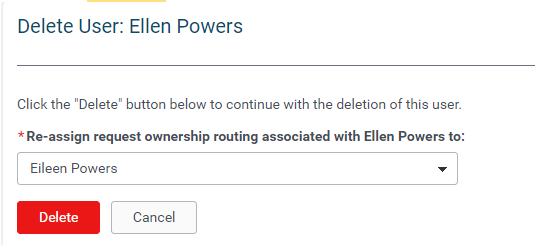
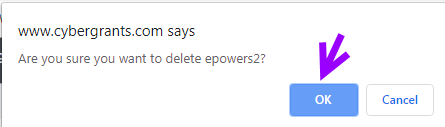
You will receive a warning message and can confirm the update by clicking "Delete" again to complete the process.
What else do you need help with?
Not what you're looking for? Navigate to Understanding Internal Users - Approvers and Administrators


