CyberGrants provides administrators the ability to add new internal users by creating them through the platform.
Review the instructions below to familiarize yourself with the process for creating a CyberGrants internal user.
Step 1: Access User Management
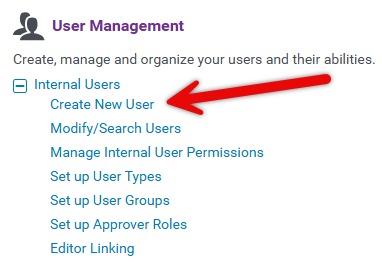
From the Admin tab in CyberGrants, navigate to the User Management section.
Step 2: Create New Internal User
Under Internal Users, click the "Create New User" hyperlink to initiate the process.
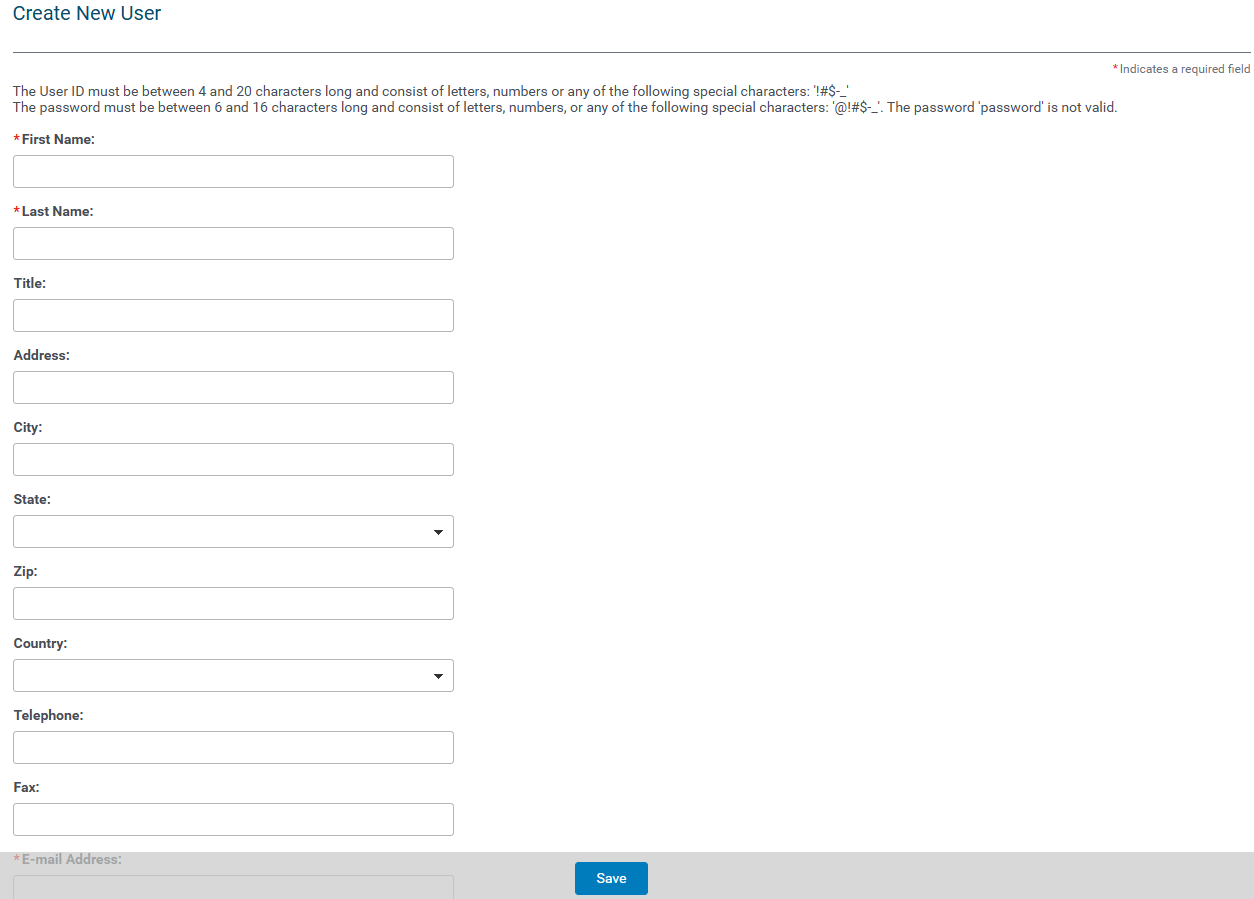
Complete the form by entering the necessary user information.
- Fields marked with an asterisk (*) are required.
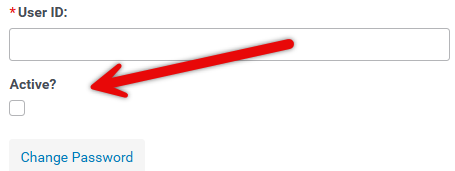
Ensure the "Active?" checkbox is selected to designate the user as active in the system. Leave the "Active?" checkbox unselected to create an inactive user account.
Step 3: Save the User
Click the "Save" button to finalize the creation of the new internal user.
What else do you need help with?
Not what you're looking for? Navigate to Understanding Internal Users - Approvers and Administrators


