User Impersonation is an essential feature within the CyberGrants platform that enables internal users to assist grantseekers, donors, as well as other internal users (available for CyberGrants staff only) by temporarily accessing their accounts and viewing their perspectives. This functionality is designed to provide efficient support and troubleshooting capabilities for various user types.
- Please note that all impersonation attempts will be recorded and that any user can only be logged in once, whether directly or via impersonation.
Review the following to learn more about the User Impersonation feature.
Impersonate a Grantseeker
Internal users can grant or revoke the ability to modify grantseeker information, as well as the ability to impersonate or “log in as” grantseekers.
- Impersonation allows the impersonator to see the grantseeker’s same view and perform actions as the grantseeker in order to assist in providing support.
- The "Ability to impersonate grantseekers" permission must be enabled within the appropriate internal user role(s).
To impersonate a grantseeker, one must enter their record and click the “Log In” button.
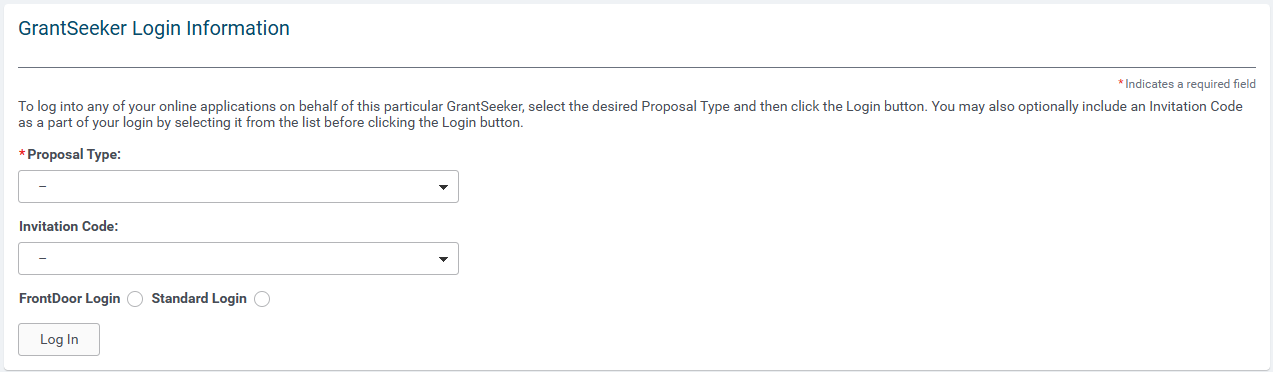
The ability to unlock a grantseeker account is available within their record for those clients implementing security policies that lock these accounts after a certain number of failed login attempts.
Impersonate a Donor
Internal users with the appropriate permissions can impersonate, i.e. “log in as” donors.
- Impersonation allows the impersonator to see the donor’s same view and perform actions as the donor in order to assist in providing support.
- The "Ability to impersonate donors" permission must be enabled within the appropriate internal user role(s).
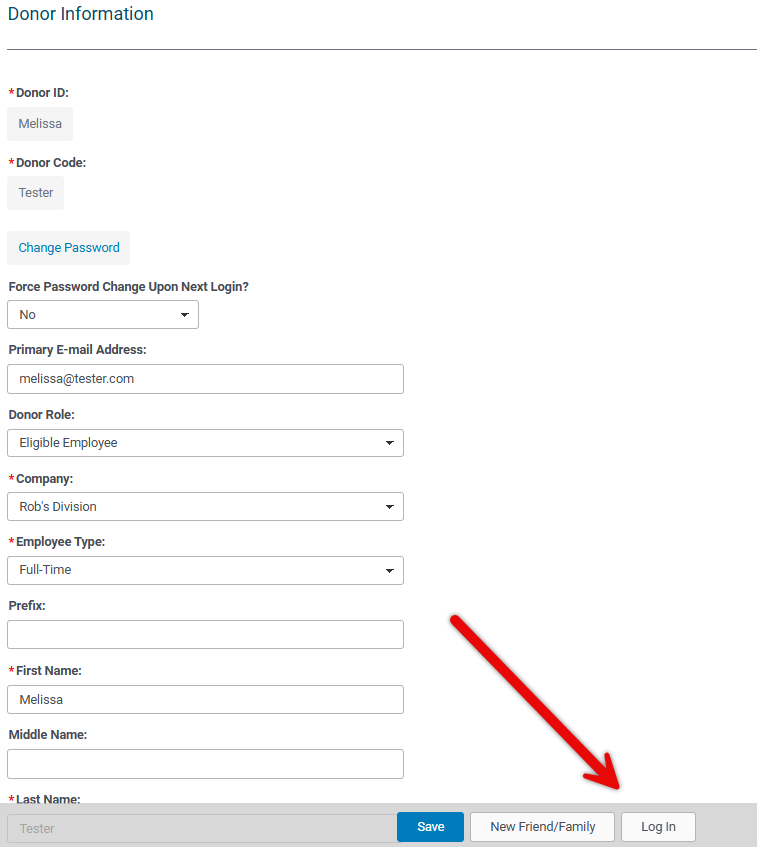
To impersonate a donor, one must enter their record and click the “Log In” button.
Impersonate an Internal User (CyberGrants Staff Only)
CyberGrants staff can impersonate internal grantmaker users, in order to troubleshoot issues those individuals may be having. This eliminates a CyberGrants staff person’s need to change the user’s credentials and log in as the user directly.
- For clients implementing User Roles, CyberGrants staff impersonation will be disabled by default, otherwise it will be enabled by default.
Two different impersonation privileges may be granted to CyberGrants staff:
- The ability to impersonate an internal user and generate a notification to that user when impersonation begins.
- The ability to impersonate an internal user “silently” (i.e. without email notification).
Understand Impersonation Auditing
When impersonating any user ( grantseeker, donor, or internal user), the impersonator can complete actions on behalf of that individual. The system log/audit trail associated with the activity will indicate that the action was performed by the impersonator acting as the original user.
What else do you need help with?
Not what you're looking for? Navigate to Understanding Internal Users - Approvers and Administrators


