Administrators have the ability to manage user accounts including editing a user's active status. Through this feature, administrators are able to maintain control over internal user access and ensure the security and integrity of their CyberGrants account.
Review the instructions below to learn about modifying the Active flag for an existing user.
Step 1: Access User Account
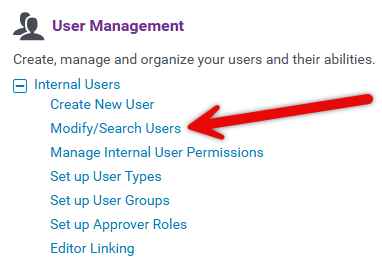
Enter the Admin tab in CyberGrants and navigate to the User Management section. Under Internal Users, click "Modify/Search Users" to search for the user whose status you wish to update.
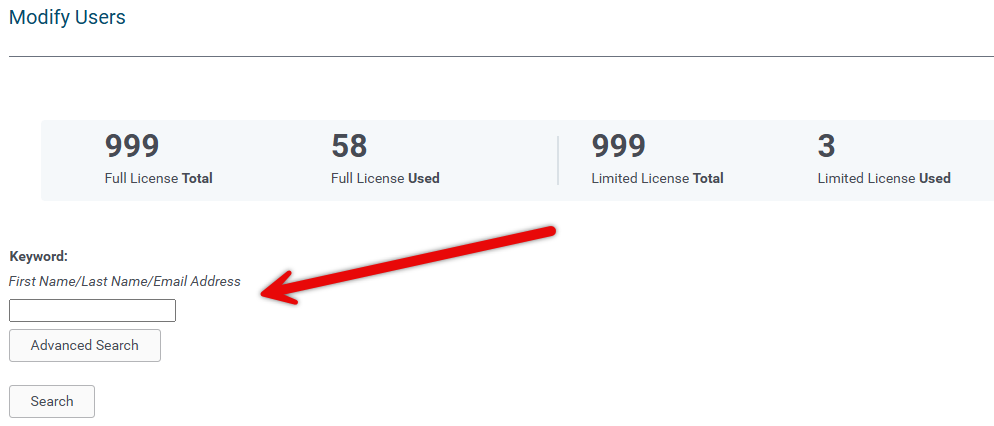
Use the Keyword search field to locate the user by their first name, last name, or email address.
Step 2: Update User Status
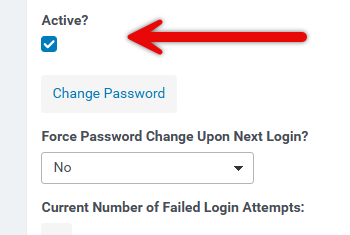
View the Active checkbox. All existing users are marked as Active. To deactivate a user, simply uncheck the "Active" checkbox.
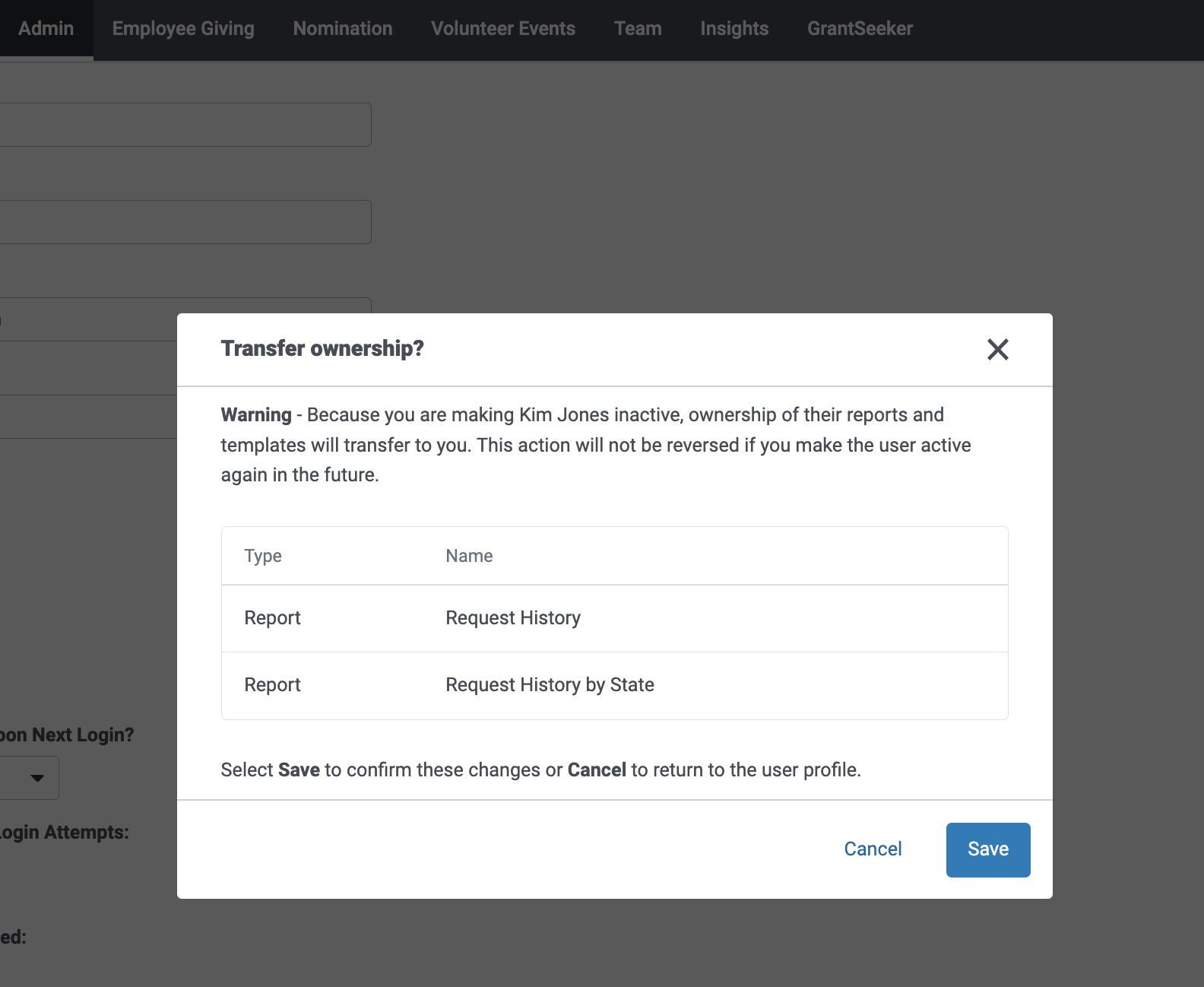
- If the user you are deactivating has any pending request routing, approvals, reports, or templates assigned to them, you will be prompted to reassign those responsibilities to another active user.
Step 3: Save Changes
Once the necessary changes to the user's active status have been made, click the "Save" button to finalize the modifications.
What else do you need help with?
Not what you're looking for? Navigate to Understanding Internal Users - Approvers and Administrators


