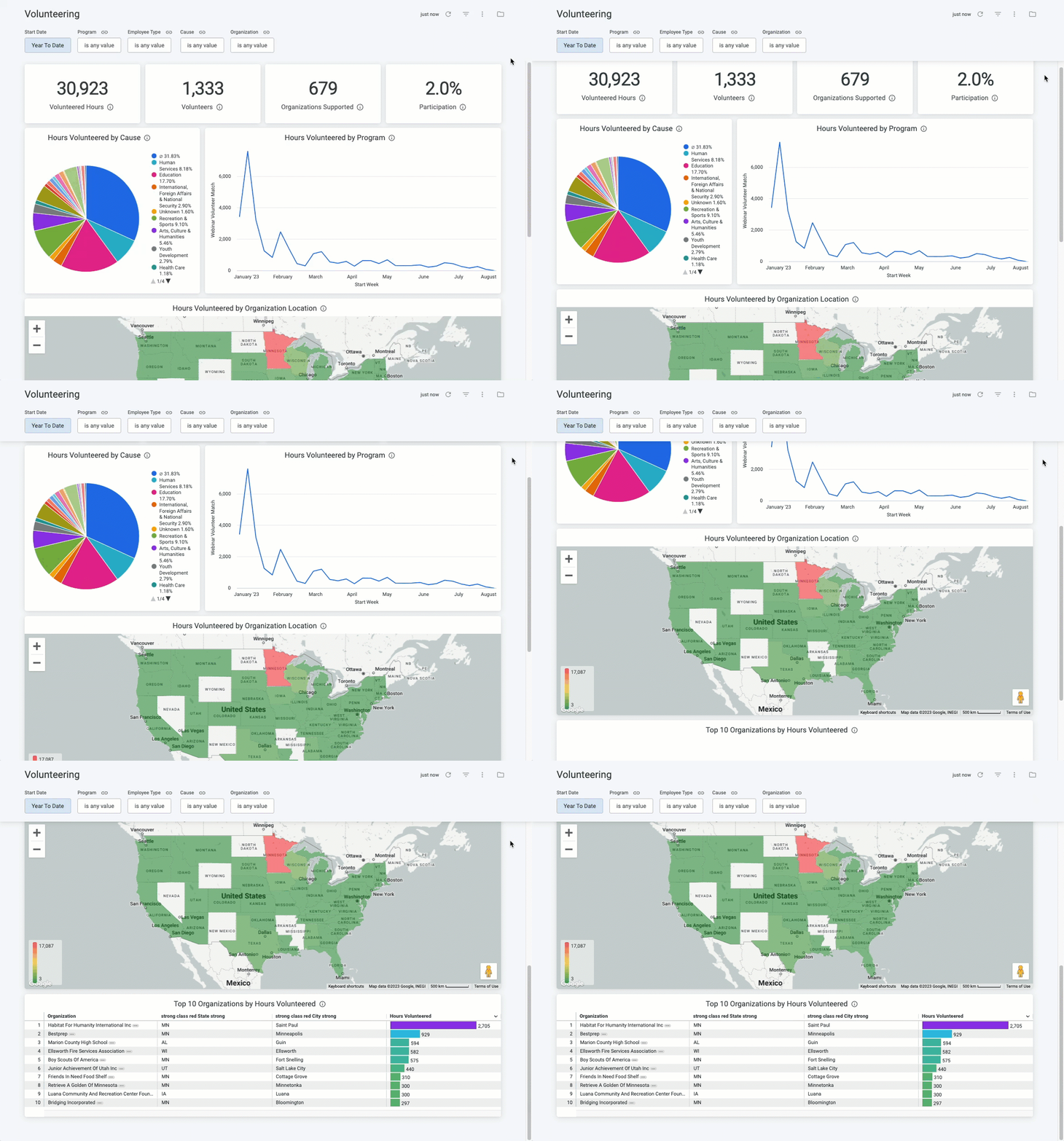
The Volunteering dashboard provides a comprehensive overview of all employee volunteering programs, including Total Volunteers, Total Hours, Total Organizations, and the Participation % compared to the entire employee population.
Administrators can also view details about volunteer participation by Program Name, Cause, Organization Location, and Top 10 Organizations by Hours Volunteered.
Target Audience: Program Administrators & Program Coordinators
Proceed as follows to further explore the Volunteering standard dashboard and its features.
Step 1: Access the Dashboard
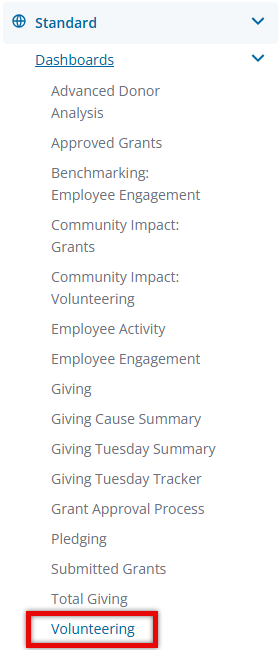
Navigate to the Insights platform and choose Volunteering from the list of Standard Dashboards in the left-side navigation panel.
Step 2: Explore the Dashboard Reports
The following is a list of reports included in the Volunteering standard dashboard.
Report Name
|
Description
|
| Volunteered Hours | Sum of total volunteer hours not in disposition Canceled or Rejected. |
| Volunteers | Unique donor count (both active/inactive) not in disposition Canceled or Rejected. |
| Organizations Supported | Unique Organization Count not in disposition Canceled or Rejected. |
| Participation | Total Unique Volunteering Donors (both active/inactive) / Total Current Active Donor Population. |
| Hours Volunteered by Cause | Sum of total volunteer hours not in disposition Canceled or Rejected by Cause. |
| Hours Volunteered by Program | Sum of total volunteer hours not in disposition Canceled or Rejected by Program and Month. |
| Hours Volunteered by Organization Location | Sum of total volunteer hours not in disposition Canceled or Rejected by Organization's State. |
| Top 10 Organizations by Hours Volunteered | Sum of total hours volunteered not in disposition Canceled or Rejected sorted from Highest to Lowest by organization and Filtered to Top 10 of Highest Total Giving. |
Step 3: Use the Dashboard Filters
Insights users can utilize the following filters to adjust their view of the data displayed across all tiles within this dashboard.


